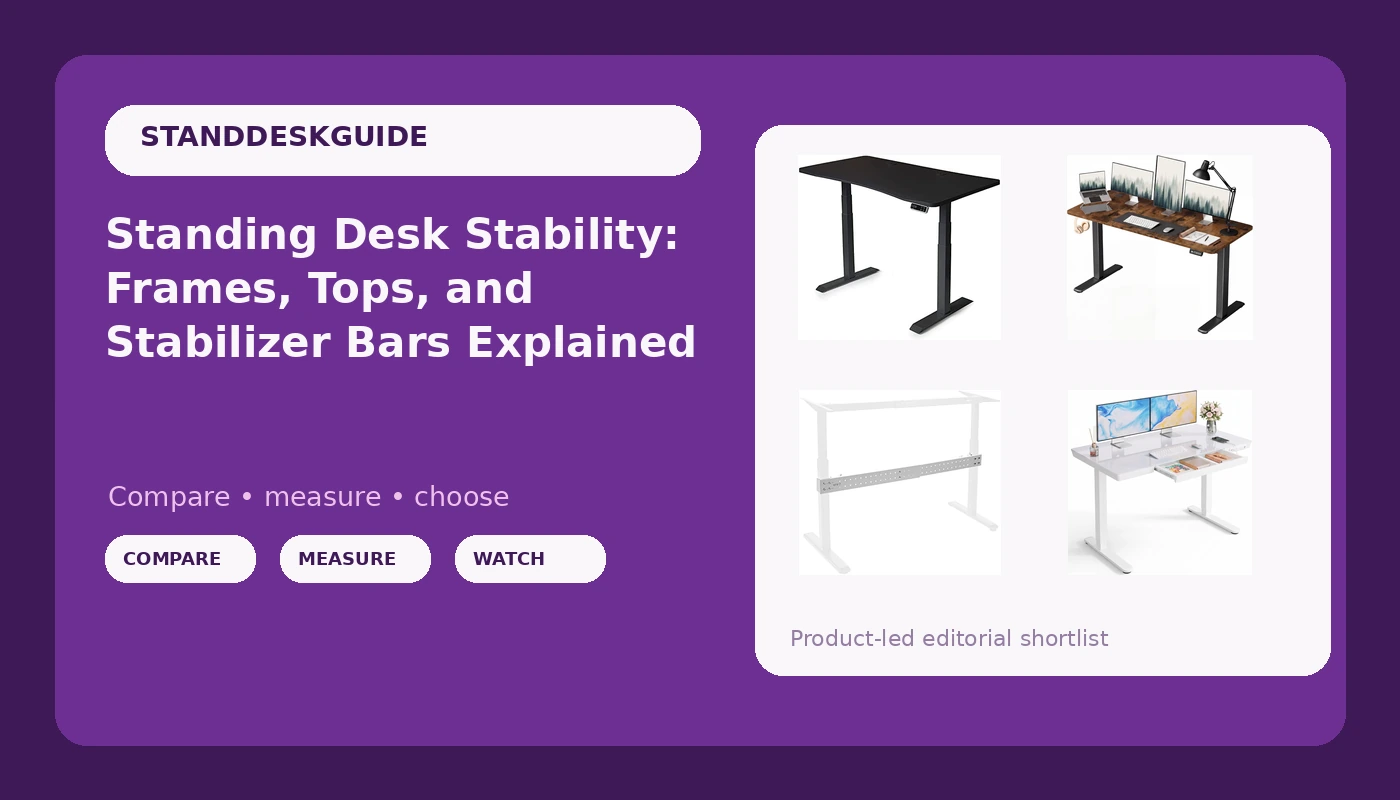
Standing desk stability is the number almost no product listing prints, and it is the one you feel within the first hour of standing work. Two desks can share the same footprint, the same claimed motor count, and the same stock photography and still behave nothing alike once you lean on the front edge at full height with a monitor, a laptop, and a mug on top. The difference is rarely the price tag. It is the frame geometry, the number of lifting columns, how rigidly the top attaches to those columns, and whether anything ties the two sides together. This guide walks through four current options that sit at different points on that scale, from a dual-motor desk with three-stage legs to a clamp-on stabilizer bar, and explains what each one actually solves.
Related: Why Your Standing Desk Wobbles at Full Height →
Quick answer
Stability is a geometry problem before it is a motor problem. Side-to-side sway at standing height comes from the frame racking, meaning the legs and the top form a shape, and the more rigidly that shape is braced, the less it moves. Two lifting columns instead of one spread the load and reduce the strain on each column, which is why dual-motor frames hold position better under uneven loads. A three-stage column adds a third telescoping segment, which is how frames in this class reach taller standing positions without the top riding on one long unsupported span. A clamp-on stabilizer bar adds a lower bracing point to a desk you already own, and it is the least expensive way to cut sway on a frame you are not replacing. None of this is about brand names. It is about how many connections the desk has and how tight those connections are.
Four useful options
| Model | Best fit | What stands out |
|---|---|---|
| MojoDesk Electric Standing Desk | A 60-inch workstation that gets raised and lowered daily | Dual motor with 3-stage adjustable steel legs and four memory settings |
| Marsail Glass Standing Desk with Drawer | Smaller rooms where storage has to live inside the desk | 48 x 24 inch one-piece glass top, integrated drawer, USB charging ports |
| Furmax 55 Inches Electric Height Adjustable Standing Desk | A first height-adjustable desk with a tight budget | 55-inch electric height-adjustable desk at the entry end of the category |
| VIVO White Clamp-on Stabilizer Bar | Reinforcing a desk that already sways | Clamp-on bar that braces a desk without replacing the frame |
The dual-motor desk: MojoDesk Electric Standing Desk
The two features worth attention here are the dual motor and the three-stage leg design. A dual-motor frame drives both columns, so the top stays level when the load is not centered, which is the normal condition on a real desk. Three-stage columns add a third telescoping segment, which is how taller standing positions are reached without a single long span of unsupported column. The four memory settings matter more than buyers expect: the desks that end up stuck at sitting height are usually the ones where returning to your standing height is a chore. A 60 by 27 inch top is a generous footprint, so measure the room before committing. This is also a black finish, which is worth noting if the rest of the office is light.
The compact desk with storage: Marsail Glass Standing Desk with Drawer
The one-piece tabletop is the detail that separates this from a lot of desks in the same size class. A single panel has no seam running through the middle of your work surface, which is a small thing until you have written across a joint for a year. The integrated drawer and the USB ports solve two problems that usually end up as separate accessories bolted on later, and both of them keep the desk footprint at 48 by 24 inches instead of pushing it wider. The trade-offs are the ones that come with glass: it shows dust and fingerprints more readily than a laminate or wood surface, and it is a material that asks for coasters and care. Glass is also heavier per square foot than most wood-composite tops, which is worth knowing before you plan to move the desk alone. If you want a light, small-room desk with storage built in rather than added on, this is the shape of the answer.
The entry-price electric desk: Furmax 55 Inches Electric Height Adjustable Standing Desk
What the product record describes here is electric height adjustment and a 55-inch surface. It does not advertise motor count, memory presets, or a crossbar, and those are exactly the three things to confirm before buying at this end of the market. A single-motor frame lifts both columns from one drive, which is fine for lighter loads and less fine for a monitor arm, a desktop tower, and a stack of reference books. A controller without presets means you hold the button every time you change height, and after a few weeks that friction is what turns a standing desk back into a sitting desk. A frame with no crossbar has nothing tying the two legs together below the top, so the whole assembly can rack side to side. None of that is a defect in this desk specifically, because the listing simply does not say. It is the list of questions to ask. If the answers come back the way you want, a 55-inch electric desk at this price is a reasonable way to find out whether standing work suits you at all.
The retrofit fix: VIVO White Clamp-on Stabilizer Bar
This is not a desk, and it is not sold as one. It is a brace, and it belongs in a guide about stability because bracing is the cheapest lever you have. When a desk sways at standing height, the movement is usually the two legs leaning in opposite directions while the top stays roughly level. A clamp-on bar adds a connection point lower down, which closes that shape and resists the leaning. What it cannot do is fix a top that is loosely attached to the frame, a column that has developed play, or a single-motor design that is straining under a load it was never sized for. It is also designed for a reinforced desk, so check that your frame gives it something solid to clamp to before ordering. Used in the right situation, it is a fraction of the cost of a new desk. Used to paper over a structural problem, it is money spent on a symptom.
Prices and availability may change. Product images, names, and retailer links must be matched by verified ASIN. Do not state a current price, rating, stock status, or measured result without current evidence.
What actually makes a standing desk stable
Wobble is a triangle problem. A desk is a frame with two vertical members and a horizontal top, and every point where those members connect is a chance to move. Manufacturers fight that with three things: column spacing, bracing, and the rigidity of the joint between the top and the frame.
Column spacing is the one buyers ignore most. Two legs set wide apart resist lateral force better than two legs set close together, because the base of the shape is wider. That is why a 60-inch desk is often more stable than a 48-inch desk built on the same frame, even though the wider desk weighs more and has more surface to catch a bump. Width buys stability; it costs floor space.
Bracing is the second lever. A crossbar or stabilizer between the legs closes the frame into a shape that resists racking, which is the technical term for the side-to-side lean that reads as wobble at the front edge. Desks that ship without any lower bracing rely entirely on the rigidity of the leg-to-top connection, and that connection is where most budget frames economize.
The joint itself is the third lever. A top fastened at four points near the center of the frame will flex more at the corners than a top fastened across its full width. This is also why the material matters: a thick, dense top spreads load differently than a thin one, and a one-piece panel behaves differently than a top with a seam through the middle.
Finally, environment. Carpet is a soft surface, and any desk on carpet will sway more than the same desk on a hard floor, because the feet can compress and shift. That is not a frame defect, and it is not something a stabilizer bar can fully erase.
How to compare a height-adjustable desk before you buy
- Count the motors. Two lifting columns driven independently hold a level top under an off-center load; one motor driving both columns works harder and shows it sooner.
- Look for bracing. A crossbar or a stabilizer bar gives the frame a lower connection point, which is what resists side-to-side sway.
- Check the leg stages. A three-stage column reaches taller positions with more overlapping material than a two-stage design of the same height.
- Read the controller description. Memory presets are the difference between a height feature you use and one you abandon.
- Measure your room against the top, not the frame. A 60-inch top and a 48-inch top use the same footprint logic but very different amounts of wall.
Practical setup and care notes
- Assemble on a hard floor, then move the desk into place, so you can torque every fastener without fighting carpet.
- Re-tighten the top-to-frame fasteners after the first week, then again a month later. Most wobble complaints trace back to a loose joint.
- Load the desk the way you actually work before judging stability. An empty desk tells you nothing.
- Test at the height you actually stand at, not at the maximum. Some frames are fine low and vague high.
- Run the full travel once on day one and watch for anything the desk should have stopped for, then check that your saved heights survived being unplugged.
Which option should you choose?
Choose the MojoDesk Electric Standing Desk when the desk will be raised and lowered several times a day and you want a dual-motor frame, three-stage legs, and saved heights on the controller. Choose the Marsail Glass Standing Desk with Drawer when floor space is tight and you want the storage, the charging ports, and a one-piece top inside the same 48-inch footprint. Choose the Furmax 55 Inches Electric Height Adjustable Standing Desk when budget is the first constraint and you are willing to confirm motor count, presets, and bracing before you commit. Choose the VIVO White Clamp-on Stabilizer Bar when the desk you already own is sound and the sway is the only thing bothering you.
The honest caveat is that none of these listings publishes the two numbers that would settle the question: the side-to-side deflection at standing height under a realistic load, and the frame's load rating. Until manufacturers publish those, the practical test is your own, and it takes about two minutes.
The bottom line
Standing desk stability is bought at the frame, not at the top. Two motors and three-stage legs with saved presets give you a desk that stays level and gets used, which is what the MojoDesk listing describes. A 48-inch glass desk with a drawer and USB ports solves a different problem, which is fitting storage and charging into a small room without adding furniture. An entry-price 55-inch electric desk is a legitimate way to test whether you like standing work, provided you verify the motor count, the presets, and the bracing first. And if the desk you own already has a good frame and only sways, a clamp-on stabilizer bar is the least expensive correction available. Buy the frame, brace the frame, and treat the top as the part you can change later.