Related: How to Fix a Wobbly Standing Desk Without Buying a New One
Most people buy a standing desk, raise it once, and then wonder why standing hurts. The answer is that a standing desk stability setup is not one product. It is four: the desk itself, the surface your feet land on, something to rest your feet against when you sit back down, and, on frames that need it, a brace that stops the whole thing from swaying.
I spent six years designing office furniture before I started reviewing it, and I have taken apart more frames than I have assembled. The lesson that stuck with me is that wobble is a geometry problem, not a weight problem. A frame sways because it is a rectangle with no diagonal support, and no amount of tightening bolts fixes a shape. The second lesson is that comfort is a routine problem. A mat you never step onto, or a controller you never press, is money you spent on a feature you abandoned.
This is the setup I would build around four specific pieces: a compact electric desk, a terrain mat, an adjustable footrest, and a clamp-on stabilizer bar. I will go through what each one actually does, who it fits, and where it stops making sense.
The desk: ErGear 48 x 24 Electric Standing Desk
Every other purchase in this article hangs off this one, so it is worth being honest about what a 48 by 24 inch desk is and is not. It is the smallest top I would recommend for actual work. A monitor, a keyboard, a mouse, and a mug fit. A second monitor and a printer do not. If you are coming from a kitchen table, this will feel like a real upgrade. If you are coming from a 60 inch executive desk, you will feel the squeeze in week one.
The finish is called vintage brown, and it reads warmer than the black laminate that dominates this price band. That matters more than it sounds. A warm top hides dust and fingerprints, and a desk you do not have to wipe down every evening is a desk you keep using.
The feature I care about most here is the memory controller. This is the thing that decides whether the height adjustment becomes a habit or a novelty. If you can press one button and land at standing height without holding a paddle for eleven seconds while your coffee goes cold, you will stand up four or five times a day. If you have to fight the controller, you will stand up once a week and then stop. That is not a small detail. It is the whole point of an electric desk.
Before you commit, run the checks I run on every frame. Raise it to the top of its range with a monitor on it and type hard for a minute. Push the top sideways with two fingers. If it moves, you need either a heavier frame or the stabilizer bar further down this page. Also test the anti-collision sensor on day one, with a box, not your monitor.
The mat: Ergodriven Topo Mini
A flat anti-fatigue mat is a cushion. The Topo Mini is terrain. That difference is the entire reason I recommend it, and it is the reason the word "not-flat" is right there in the product name.
Standing still is the enemy. When you stand on a flat surface for an hour, you lock your knees, your hips stop moving, and your lower back starts filing complaints. A mat with calculated terrain gives your feet somewhere to go. You shift weight, you do a calf raise on the raised section, you rest one foot on the edge without thinking about it. That micro-movement is what keeps a standing session comfortable past the twenty minute mark, and no amount of extra foam replicates it.
The foam here is thick, and the material is listed as free of PFAs and PVC, which matters if the mat lives in a room where you also spend nine hours a day. The finish is called Obsidian Black, and it stays looking clean, which is more than I can say for the light gray mats I have seen turn gray-brown in a month.
The Mini is the smaller version in the Topo line, and that is the right call for a 48 inch desk. A full-size mat under a small desk eats the floor space you need for your chair, and a mat your chair rolls onto is a mat your chair will eventually roll off, taking your coffee with it. If you are tall, or you stand for three hour stretches, size up. If you are running a compact setup like this one, the Mini is the fit.
The footrest: HUANUO Adjustable Foot Rest
Here is the thing nobody tells you about standing desks: you will still sit for most of the day. The desk changes the ratio, not the fact. So the sitting half of your setup deserves as much attention as the standing half, and that is where a footrest earns its place.
The HUANUO footrest gives you three height positions and a 30 degree tilt adjustment. The tilt is the part people underestimate. A footrest set flat is a shelf. A footrest set tilted is a leg position you can actually hold, because your knees drop below your hips without you sliding forward in the chair. The three positions matter for a second reason: they let you change your posture mid-afternoon without standing up, which is a much lower bar to clear than raising the desk.
The surface has a massage texture and a roller. I am skeptical of massage claims on office furniture, but a roller under your arch is genuinely useful at hour six, and a textured surface keeps your feet from sliding when the platform is tilted. Both are small wins that add up.
There is also a case for keeping it near the standing desk rather than under the chair. If you use a leaning stool or a perch for part of your standing block, a footrest in front of it gives your feet a rest without dropping you back into a full seated position. That is the version of a standing desk day that people actually sustain.
The stabilizer bar: VIVO Clamp-on Stabilizer Bar
This is the piece most people skip, and it is the one that fixes the complaint most people have. If your desk sways side to side at standing height, you do not need a new desk. You need a crossbar.
The VIVO stabilizer bar clamps onto the legs and adds a horizontal brace down low, where it does the most good. Think of the frame as a triangle problem. Two legs and a top form a shape that resists front to back motion reasonably well and resists side to side motion barely at all. Add a brace across the bottom and you have closed the shape. The sway drops, and it drops without you touching a single bolt on the lift columns.
Two things to check before ordering. First, the span between your legs. The bar clamps on, so it only works if the geometry lines up with your frame. Measure the distance between the outside of the legs and compare it to what the bar is designed to fit. Second, the height of the lowest part of your frame. You want the brace low, but not so low that it becomes a trip hazard or collides with a drawer unit.
One more thing: the clamp-on design means you can add it after the fact, on a desk you already own, without drilling. That is the reason I put it in this setup rather than recommending a more expensive frame. If your desk is stable, save the money. If it sways only at the exact height you need, which is the cruelest version of the problem, this is the fix.
The standing desk stability setup reference table
This is the same table I keep for my own builds. It is organized by the job each piece does, not by price, because the job is what tells you whether you need it.
| Product | Role in the setup | Best for | Notes |
|---|---|---|---|
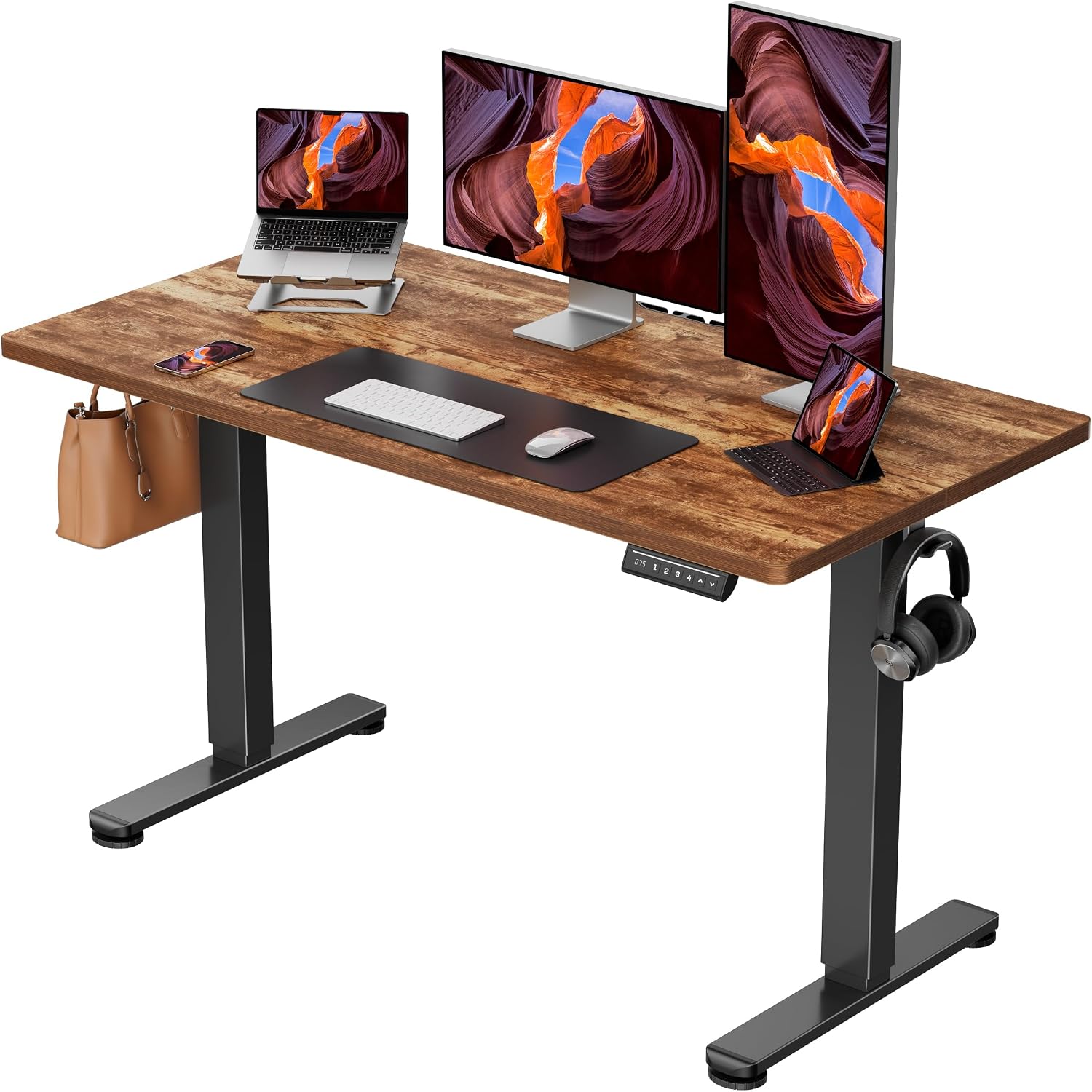 Visit on Amazon → ErGear 48 x 24 Electric Standing Desk |
The desk itself | Small rooms, first standing desk | Memory presets; 48 x 24 is the minimum I recommend |
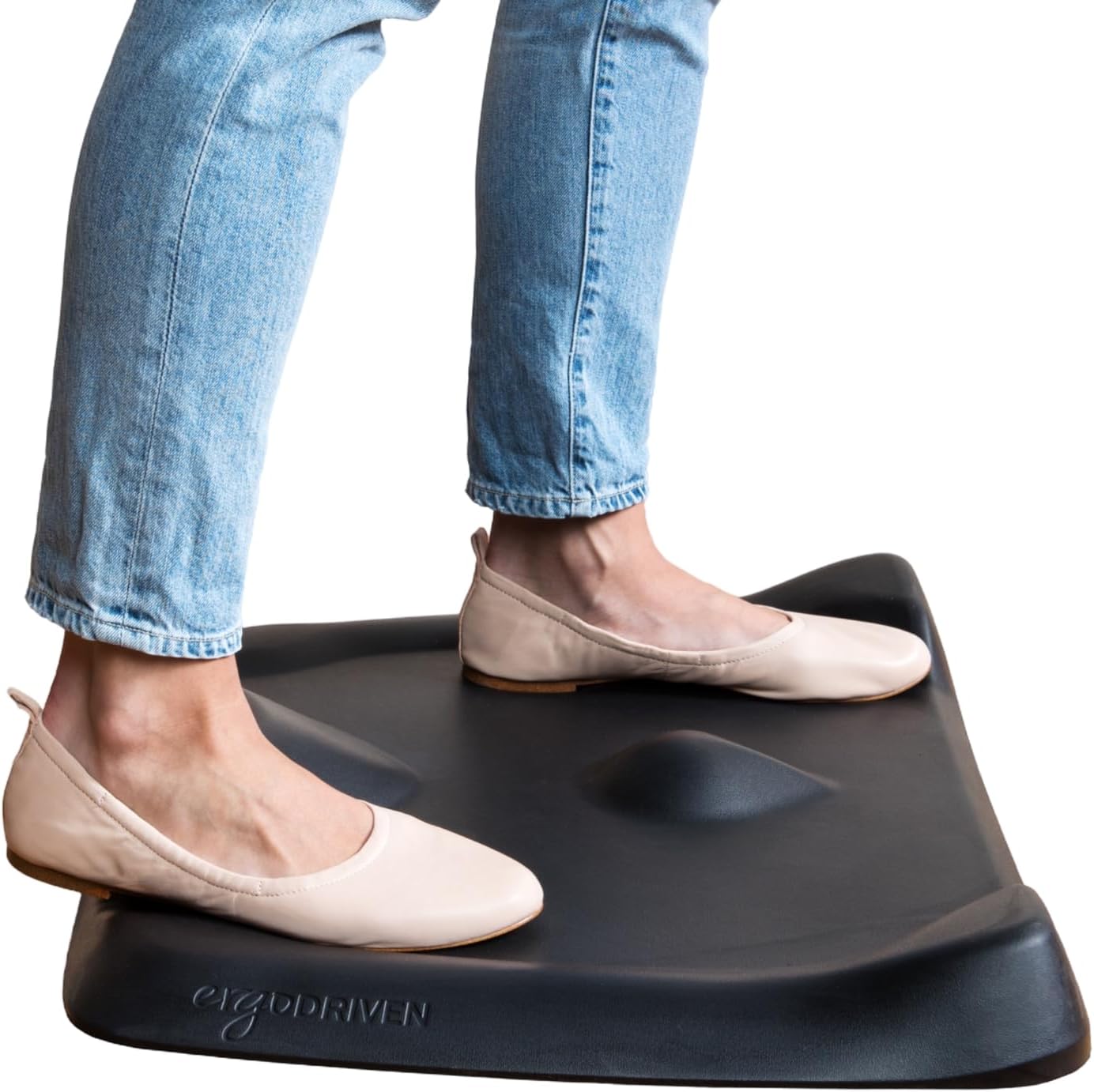 Visit on Amazon → Ergodriven Topo Mini Standing Desk Mat |
Foot comfort while standing | Anyone who stands more than 20 minutes at a time | Not-flat terrain; no PFAs or PVC; smaller footprint |
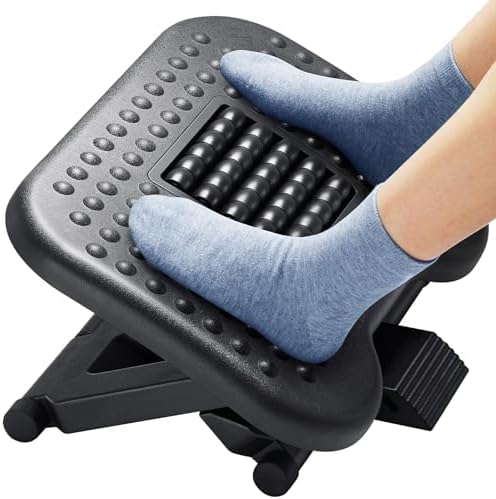 Visit on Amazon → HUANUO Adjustable Foot Rest |
Foot comfort while seated | The seated half of a standing desk day | 3 height positions; 30 degree tilt; massage texture and roller |
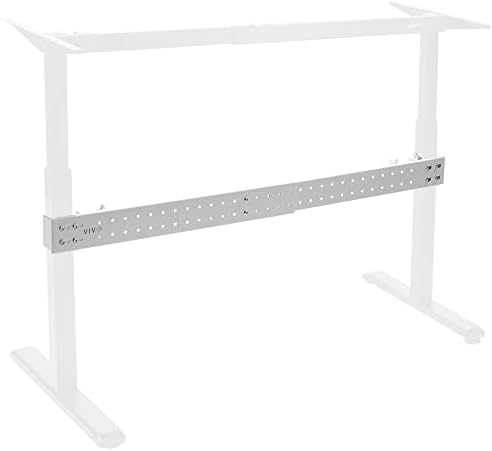 Visit on Amazon → VIVO Clamp-on Stabilizer Bar |
Kills side to side sway | Frames with no crossbar that wobble at standing height | Clamps on, no drilling; measure leg spacing first |
The order of operations matters as much as the list. Fix stability before you buy comfort. A mat under a desk that sways is a mat you will not enjoy, because every time the top moves you will brace against it and undo the point of the terrain. If the desk is solid, then buy the mat. Then buy the footrest, because the seated hours are the ones you have not thought about yet.
How I evaluate a setup like this
I run the same checks on every frame that comes through my shop, and they apply to this setup whether you buy these four pieces or something else.
The loaded wobble test. Raise the desk to its top position, put a monitor on it, and type for a full minute. Then push the top sideways with two fingers. Front to back sway is annoying. Side to side sway is the one that makes you stop using the desk, and it is the one a crossbar fixes.
The controller test. Set a preset, raise the desk, unplug it, plug it back in, and press the preset. If it forgot, you will be re-teaching it every time the power blinks, and you will slowly stop using the presets. A controller that holds memory is worth more than an extra inch of height range.
The collision test. Put a box under the desk and lower it. If the desk does not stop, you now know to never leave anything valuable in the path. Do this on day one, not after you have a monitor down there.
The cable audit. Every wobble complaint I have investigated in the last two years ended the same way: cables routed tight from the desk to the wall, pulling the frame sideways as it rises. Give the desk slack. Loops, not lines. It costs nothing and it removes a source of sway that no stabilizer bar can fix.
The habit test. Three weeks, daily, sitting and standing. If you are not pressing the button by week three, the setup is wrong for you, not the other way around.
Should you buy the ErGear 48 x 24 electric standing desk?
If you have a small room and this is your first standing desk, yes. The 48 by 24 top is the smallest surface I would call workable, the finish hides real life, and the memory controller is the feature that turns height adjustment into a routine instead of a novelty.
Be realistic about the size. This desk holds a monitor, a keyboard, and a mug. It does not hold a two monitor setup and a printer. If you need more surface, buy a bigger top, because the top is the cheapest part of a desk to change. And if it sways at standing height, do not send it back before you try the brace.
Should you buy the Ergodriven Topo Mini?
Yes, if you stand for stretches longer than twenty minutes. The terrain is the point, and it is the reason this mat works when a flat one does not. The no PFAs and no PVC detail is a bonus that matters in a room where you spend your whole day. If you are very tall or you stand for hours at a time, size up within the line. For a compact desk like this one, the Mini is the right footprint.
Should you buy the HUANUO foot rest?
Yes, and not only for the sitting hours. Three height positions and a 30 degree tilt let you change leg position without standing up, which is the smallest possible ask you can make of yourself at 3 p.m. The roller is a small thing that you will use more than you expect. If you already have a chair with a good foot ring or you never sit for long blocks, skip it.
Should you buy the VIVO clamp-on stabilizer bar?
Yes, if your desk sways and it has no crossbar. This is the cheapest stability upgrade in the category, and it does not require a new frame, a drill, or a rebuild. Measure your leg spacing and check the clearance under the frame first. If your desk is already rock solid at standing height, you do not need this, and I would rather you spent the money on the mat.