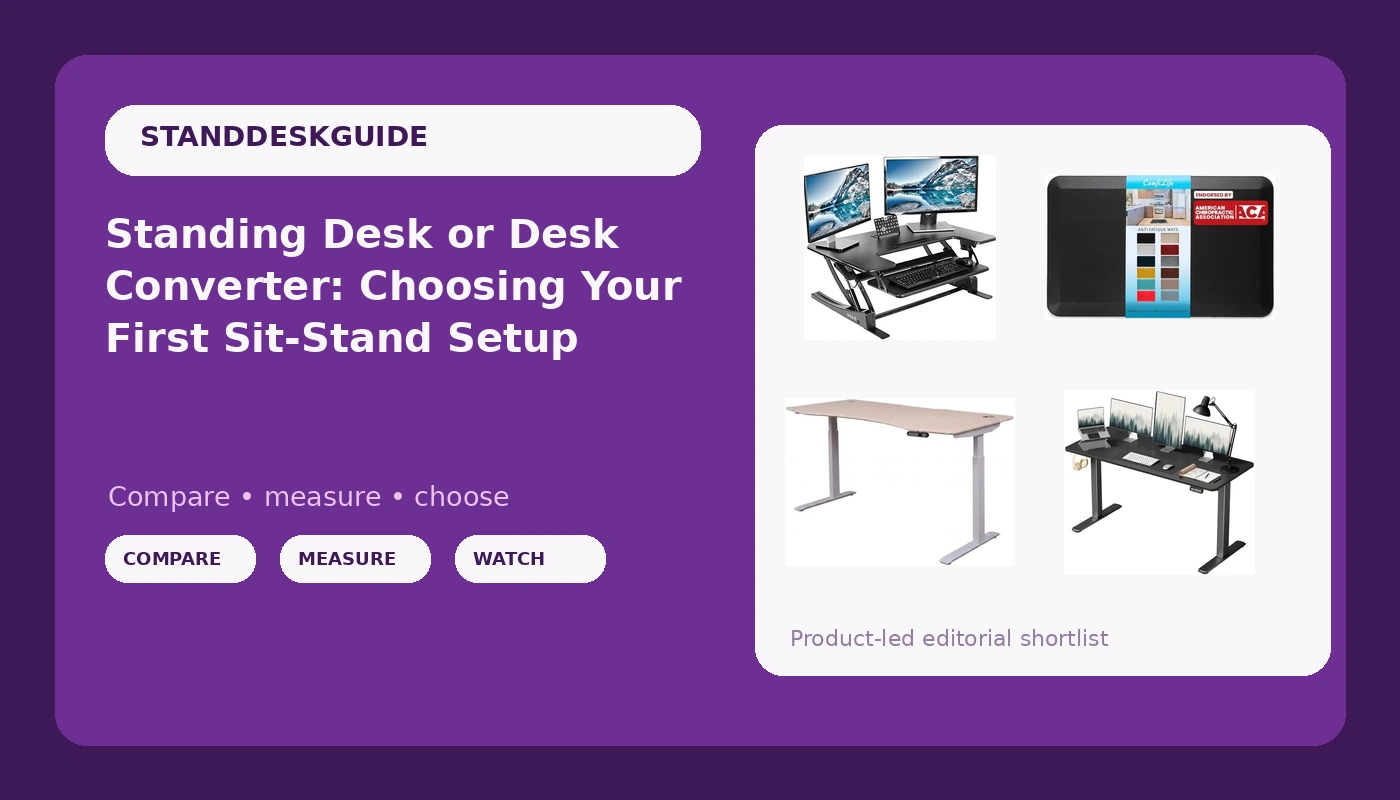
The standing desk vs desk converter question usually arrives late, after you have spent a week noticing how much of your day happens in a chair. Both answers work, and they fail in different rooms. A full electric desk gives you one large surface that moves, so monitors, keyboard, notebook, and coffee all travel together. A converter sits on the desk you already own and lifts only part of it, which costs less and claims no new floor space but splits your working surface into two levels.
The four options below cover the realistic paths: two full electric desks at different widths, one tabletop converter, and the floor mat most people forget until their feet file a complaint. None of them are interchangeable, and the right pick depends on your room more than your budget.
Related: How to Set Standing Desk Height Without Guessing →
Quick answer
If you have roughly five feet of open wall and want a single work surface, choose a full electric standing desk and buy the widest top your room allows. If you like your current desk, move often, or work in a bedroom or shared space, a tabletop converter gets you standing without rearranging furniture. Treat an anti-fatigue mat as part of the standing setup rather than an accessory, because standing still on a hard floor is the reason most people stop after two weeks.
Four useful options
| Model | Best fit | What stands out |
|---|---|---|
| ApexDesk Elite Pro 60 x 27 | Dedicated home office with wall space | 60 by 27 inch curved oak top on an electric sit-stand frame |
| Furmax 55 inch electric desk | Full desk replacement in a tighter room | 55 inch electric height adjustable desktop in one package |
| VIVO V Series 36 inch converter | Keeping the desk you already own | 36 inch tabletop platform sized for a dual monitor workstation |
| ComfiLife Anti-Fatigue Mat | Standing comfort on hard floors | 3/4 inch thickness, non-slip bottom, 20 by 32 inch footprint |
Full-size pick: ApexDesk Elite Pro Series 60" x 27" Electric Height Adjustable Stand up Desk, Sit Stand Home Office Desk, Computer Desk - Curved Oak
This is the option that assumes you are building a workspace rather than adapting one. A 60 by 27 inch top is wide enough for two monitors plus a laptop without stacking anything, and the curved front edge shortens the reach from your chair to the keyboard. That width is also the trade-off: 60 inches of desk needs 60 inches of wall, and the oak finish commits the room to a wood tone. If your space is a converted closet or a corner between two doors, this is the wrong first purchase.
Budget full desk: Furmax 55 Inches Electric Height Adjustable Standing Desk Home Office Desk
Five inches sounds like nothing until you are fitting a desk between a window and a doorway. The Furmax is the same full-desk concept as the ApexDesk at a smaller width, which buys you clearance on both sides and a little more room to swing a chair. The trade-off is the one that comes with any all-in-one desk: the top is decided for you, so the finish and the surface material are part of the package. If you already know you want a specific butcher block or laminate, price a frame on its own before committing to a bundled top.
No-assembly option: VIVO 36 inch Height Adjustable Stand Up Desk Converter, V Series, Quick Sit to Stand Tabletop Dual Monitor Riser Workstation, Black, DESK-V000V
A converter is the least disruptive path, and the VIVO V Series is the clearest example of it: a 36 inch platform that lifts your keyboard and monitors while your desk, drawers, and lease stay exactly where they are. The trade-off is ergonomic. Only the platform rises, so everything you need at standing height has to fit within those 36 inches, and you end up with a two-level desk where the lower half holds things you cannot reach while standing. A converter also inherits whatever movement your existing desk already has and adds a second layer on top. Raise it to full height with the monitors on it and type for a minute before you settle on the arrangement.
Comfort add-on: ComfiLife Anti Fatigue Floor Mat, 3/4 Inch Thick Kitchen Mats for Floor, Standing Desk Mat, Kitchen Rug, Comfort at Home, Office, Durable, Stain Resistant, Non-Slip Bottom (20" x 32", Black)
The mat is the least expensive item here and the one that decides whether standing becomes a habit. A 3/4 inch surface with a non-slip bottom and a 20 by 32 inch footprint roughly covers the area your feet occupy while you shift your weight around. Thickness is a genuine trade-off rather than a free upgrade: a thicker mat is easier on your heels but raises your standing height, so you may need to drop the desk an inch or two to keep your elbows at the right angle. Kitchen mats and standing desk mats are the same product category, so ignore the label and look at thickness, footprint, and whether the bottom grips your floor.
Prices and availability may change. Product images, names, and retailer links must be matched by verified ASIN. Do not state a current price, rating, stock status, or measured result without current evidence.
What actually makes a sit-stand setup stable
Wobble is a geometry problem, not a weight problem. A desk sways at standing height because the lifting columns are tall, the feet are short, and nothing ties the two sides together. That is why the frame matters more than the top. A wide, deep foot spreads the load, and a crossbar connecting the columns turns two independent posts into a single structure. Take away the crossbar and you get a desk that feels fine at sitting height and turns into a metronome the moment you raise it.
Motor count is the second thing to check. Two lifting columns driven by two motors share the load and stay level; a single motor driving both columns through a shaft works harder and is more likely to strain under a monitor arm and a heavy top. This is the specification most listings bury, so look for the word dual before you look at the finish options.
The controller is the third. A desk you fight with is a desk you stop adjusting. Memory presets are not a gimmick, they are the difference between a height you set once and a height you actually return to after lunch. Two other details are worth testing in the first week: whether the presets survive a power cut, and whether the collision detection actually stops the desk when it meets an obstacle. Test the second one deliberately, with something soft, on day one.
Finally, remember that the top is the interchangeable part. Frames outlive tops, finishes go out of style, and a scratch on a laminate surface is a reason to buy a new top, not a new desk. If you find a frame you trust, you can solve the surface later.
Height, reach, and the parts people skip
Most people set their standing height once, by feel, and never revisit it. The useful reference points are simple. Your elbows should sit close to a right angle with your shoulders relaxed, which puts the keyboard at roughly elbow height. The top of your monitor should land near eye level, which usually means raising the screen rather than the desk. And your wrists should stay flat, not bent upward toward the keys.
Standing height and sitting height are different problems. When you stand, the desk goes up and the chair goes away, but your monitor height requirement does not change. If you set the desk so the keyboard is comfortable, the screen may now be too low, which is why monitor arms and risers show up in almost every standing desk setup.
Floor surface changes the math too. Carpet compresses, so a desk on thick carpet will feel different from the same desk on hardwood, and the effective height shifts as the pile settles. A mat adds height in the opposite direction. Set your final standing height after the mat is in place, not before.
Then there is duration. Standing all day is not the goal. The point of an adjustable desk is switching, several times a day, without thinking about it. If the controller is annoying, you will not switch, and the whole purchase turns into an expensive fixed-height desk.
- Measure the wall or corner you have, in inches, including clearance for a chair and any door swing.
- Measure your standing elbow height, then compare it against the height range listed for the desk or converter.
- Decide whether you are keeping your current desk. If yes, a converter is the only option that avoids moving furniture.
- Check the frame specifications: two motors, a crossbar, and a controller with memory presets.
- Budget for the mat and the cable management before you buy the desk, not after.
Setting up the room around the desk
- Leave at least a few inches of clearance behind the desk for cables to move as the desk rises.
- Route cables with slack loops, because a cable that is tight at sitting height will pull at standing height.
- Put the mat where your feet land, not centered on the desk, since most people stand slightly offset.
- Keep the heaviest item on the desk centered between the lifting columns rather than on one corner.
- Test the full height range once before you load the desk, so you know the travel is smooth end to end.
Which option should you choose?
Choose the ApexDesk Elite Pro Series 60" x 27" Electric Height Adjustable Stand up Desk, Sit Stand Home Office Desk, Computer Desk - Curved Oak when you have the wall space and want one wide surface that carries everything. Choose the Furmax 55 Inches Electric Height Adjustable Standing Desk Home Office Desk when you want a full electric desk but your room cannot spare 60 inches. Choose the VIVO 36 inch Height Adjustable Stand Up Desk Converter, V Series, Quick Sit to Stand Tabletop Dual Monitor Riser Workstation, Black, DESK-V000V when your existing desk is staying put. And add the ComfiLife Anti Fatigue Floor Mat regardless of which one you pick, because none of the three desks solves what a hard floor does to your feet.
None of this replaces reading the current listing. Height range, motor count, weight capacity, and warranty terms vary between models and sometimes between revisions of the same model, and manufacturers change them without changing the product name. Measure your wall, your chair, and your own standing elbow height first, then compare those numbers against the specification block.
The bottom line
The standing desk vs desk converter decision is really a question about your room and your habits. A full electric desk wins when you have the space and want a single moving surface, and the ApexDesk and Furmax cover the wide and narrow versions of that answer. A converter wins when the desk you own is fine and you just want to stand for part of the day. The mat is not a luxury add-on; it is the part of the setup that keeps you standing past the first week. Buy the frame you trust, size the top to the room, and check the current listing before you order.