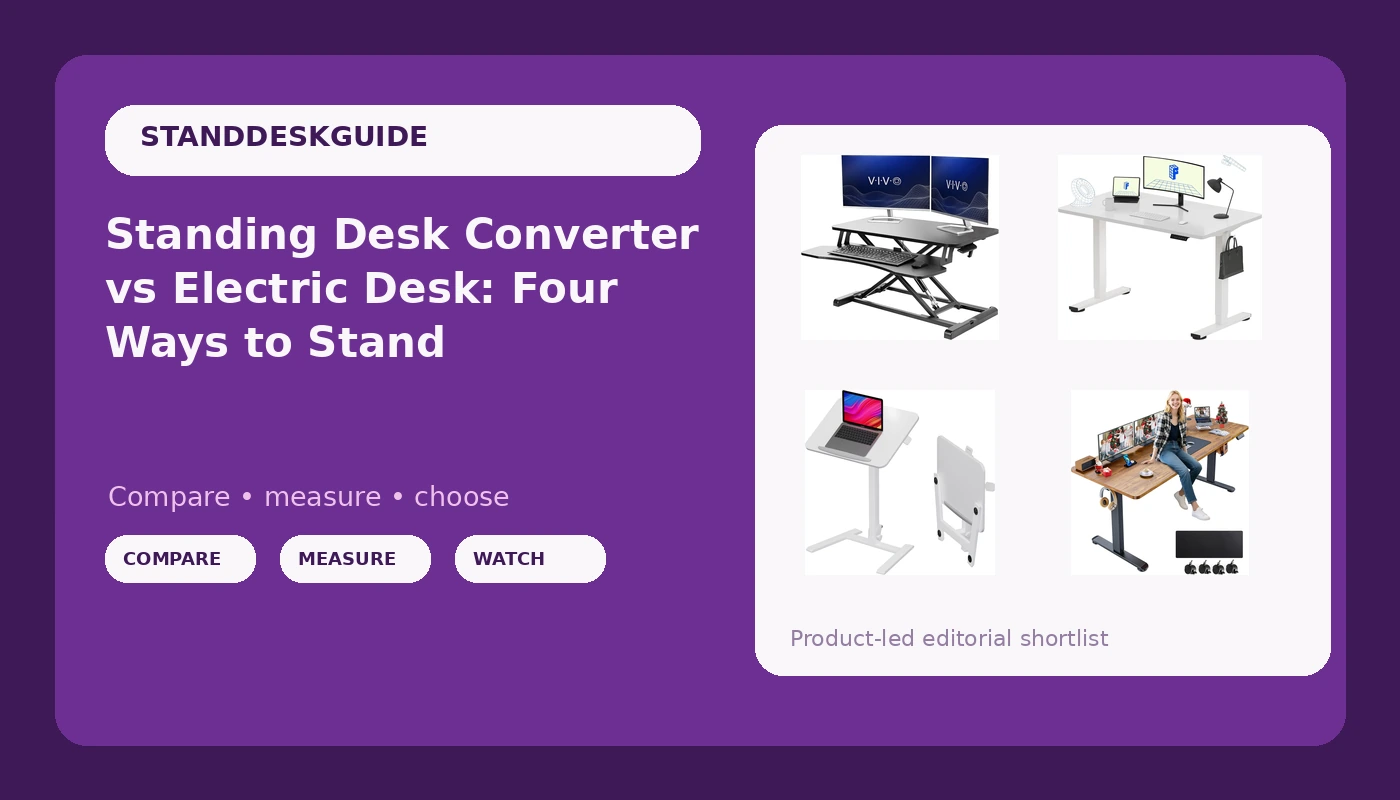
I spent six years designing office furniture before I started writing about it, which gives me a specific kind of grudge. I know what a lifting column costs to manufacture. I know why a crossbar quietly disappears from a spec sheet. And I know that most people searching for a standing desk converter vs electric desk comparison are not actually comparing like for like, because those two products solve different problems in the same room.
My apartment in Portland currently holds five desks in various states of disassembly, plus a wobble meter I built myself and a logbook of which motors died and when. I do not review a frame until it has carried a real monitor at standing height for three weeks of actual work. That is the standard I hold these four products to, and it is the standard I would hold a $900 frame to as well.
The short answer: if you have the floor space and the budget, a one-piece electric desk is the better long-term purchase, because it removes the stacked-platform problem every converter inherits. A converter sits on top of the desk you already own, so you now have two surfaces, two sets of feet, and two places for movement to enter the system. An electric desk has one frame and one geometry to get right.
That said, the converter is not a consolation prize. For a rented room, a shared office, or a desk you cannot replace, it is the only option that works at all. Here is how the four picks break down.
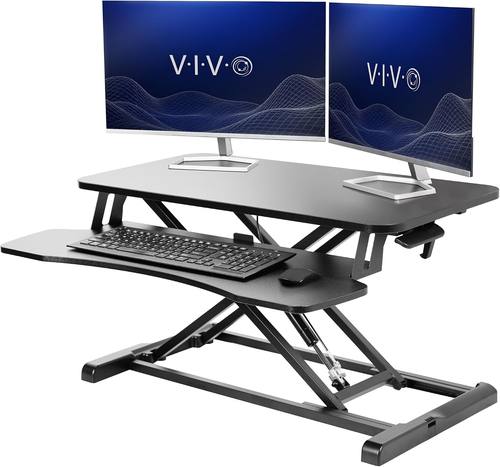
VIVO Black 32 in Standing Desk Converter, DESK-V000K
Lowest-cost way to try standing at all, works with the desk you already own, no frame to assemble
Adds a second platform and a second wobble plane on top of your existing desk, and total standing height is capped by whatever is underneath it
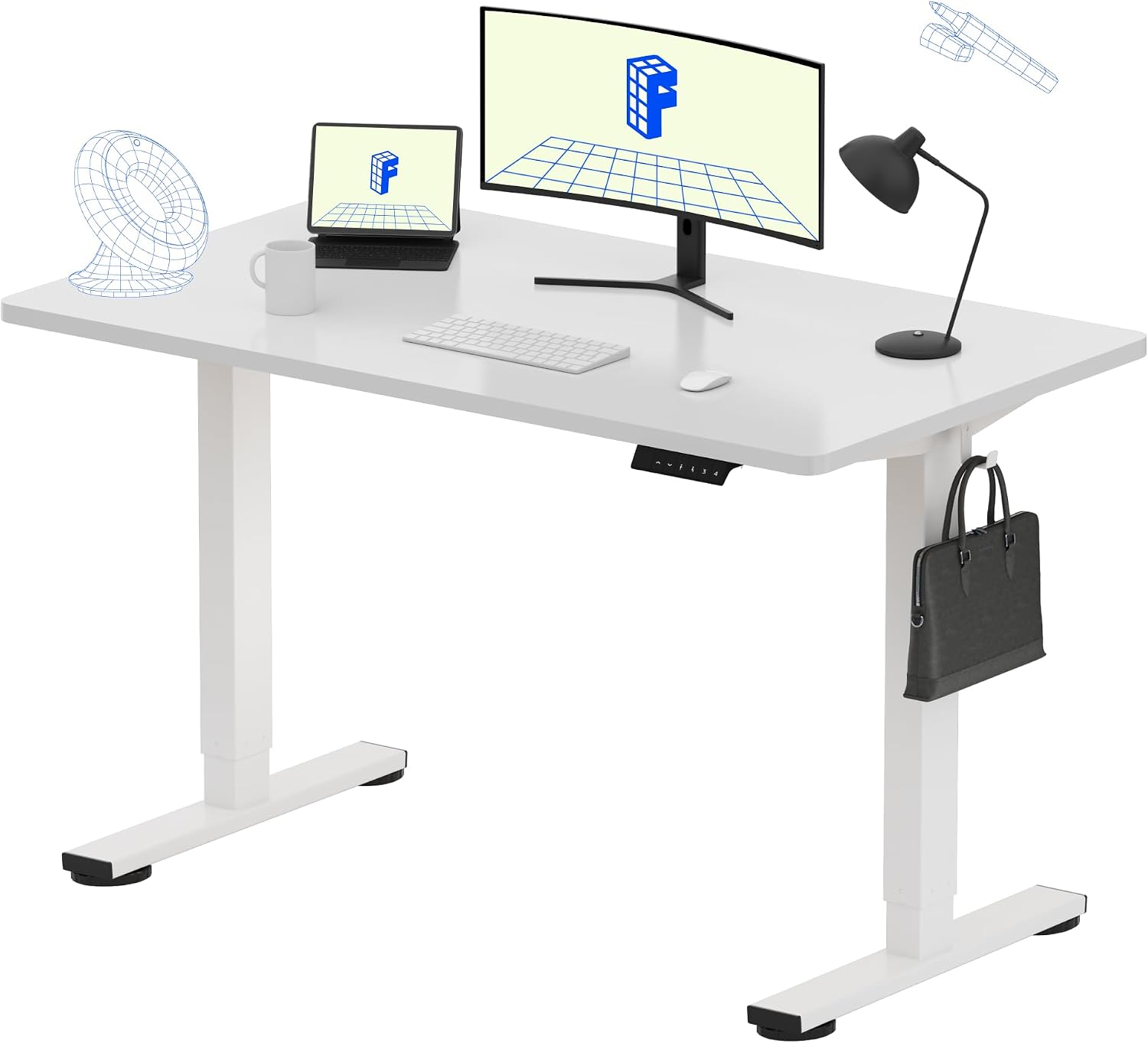
FLEXISPOT EN1 One-Piece Standing Desk, Electric Adjustable with 4 Memory Presets, 176 LBS Capacity, Stable & Quiet, Seamless Desktop for Home Office & Dual Monitors, 48"x24" White(White Frame)
One-piece electric frame with four memory presets and a 176 pound capacity rating, which is the spec mix that keeps people actually using the height feature
A 48 by 24 inch top is modest once two monitors and a laptop land on it, and the white finish shows every scuff
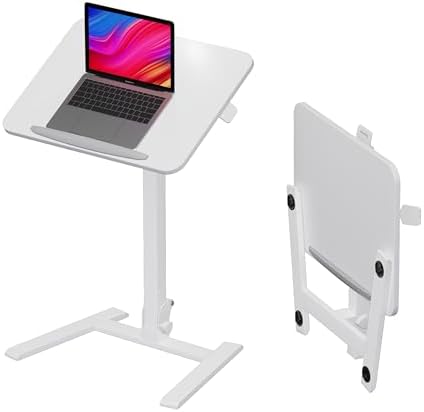
alawooder 25" Mobile Folding Desk: Pneumatic Sit-Stand, No Assembly
Folds, rolls, and needs no assembly, so it is the only pick here that can live in a closet between uses
Pneumatic lift means you set the height by hand with no presets, and a 25 inch working width is tight for a real monitor setup
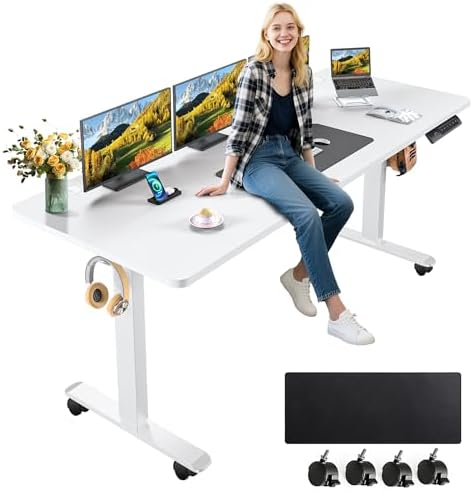
farexon 71x28 Inch Electric Standing Desk with Mouse Pad, Brown
A 71 by 28 inch top is the first surface here that genuinely fits two monitors, a laptop, and the mouse pad it ships with
Largest footprint of the four, needs real wall space, and the brown finish dictates the rest of the room
Prices and availability were captured from Amazon Creators API and may change.
How I judge these four
My criteria list is short and the order is not negotiable. Stability at standing height with a loaded top. Two lifting columns rather than one. A controller that holds its presets after a power cut. Somewhere to put the cables. That is the whole test.
Wobble is a geometry problem, not a weight problem. A frame is a triangle. The top is a lever. The taller you raise it, the longer that lever gets, and the more every sideways keystroke turns into visible motion at the monitor. This is why a 48 inch desk and a 71 inch desk with the same frame behave completely differently at standing height, and why the bigger top is not automatically the better purchase.
What a listing will not tell you is where the wobble starts. Manufacturers publish height ranges and weight capacities because those are easy to measure and easy to advertise. Nobody publishes a sway number, because a sway number is an admission. So the practical approach is to buy from a seller with a return window, build the desk, load it the way you actually work, raise it to your standing height, and type hard for five minutes. That single test tells you more than any spec sheet.
The converter: VIVO Black 32 in Standing Desk Converter
The VIVO Black 32 in Standing Desk Converter, DESK-V000K is the entry point, and it deserves a fair hearing. It sits on the desk you already own, which means zero floor plan changes and zero frame assembly. In a rented apartment, a hot-desked office, or a house where the desk was built into the wall, that is not a compromise. It is the only path.
The 32 inch platform is the number to think about. That is a laptop plus a monitor, or two small monitors, arranged carefully. It is not a wide surface, and converters do not gain width by magic.
Here is the honest engineering note. A converter stacks a second platform on top of your existing desk, so the assembly now has two interfaces that can move: the converter's own base against the desktop, and the desktop against its own frame. Both are damped by nothing in particular. If your current desk already has any sway, the converter does not fix it. It amplifies it, because the load is now higher off the floor.
The other ceiling is total height. A converter adds height to whatever it sits on, and the working surface ends up wherever your existing desk happens to put it. If your desk is low and you are tall, the converter can leave you hunched even in the standing position, which defeats the point.
The one-piece electric desk: FLEXISPOT EN1
The FLEXISPOT EN1 One-Piece Standing Desk is the pick I would hand to most people who are buying their first real desk. The spec mix is exactly right for daily use: a one-piece electric frame, four memory presets, and a 176 pound capacity rating that leaves headroom for monitors, a laptop, and the clutter that accumulates on any surface within a month.
Presets are the feature people dismiss and then rely on. A desk with presets is a desk where you press one button in the morning and one button after lunch. A desk without them is a desk where you hold a button, watch the surface creep, overshoot, and correct, and eventually stop bothering. My worldview on this has not changed in four years of reviewing: the controller matters more than the motor, because the controller is what you interact with twice a day.
The 48 by 24 inch top is the trade-off. It is a normal, sane desk size, and it is also the point where a dual monitor setup plus a laptop starts to feel crowded. If you run one monitor and a laptop, you will be comfortable. If you run two 27 inch displays, measure your actual layout before you commit.
The white finish is a lifestyle decision. It looks clean in photos and shows scuffs, coffee rings, and cable rub within weeks. A felt pad under the monitor base costs almost nothing and saves the surface.
The folding mobile desk: alawooder 25"
The alawooder 25" Mobile Folding Desk is the odd one out, and it is the one I would recommend most often to people with a genuinely small space. It folds, it rolls, and it needs no assembly. Pneumatic sit-stand means you set the height by hand, using a gas cylinder rather than a motor and a controller.
That mechanism has real advantages. There is no motor to die, no control box to fail, no power cable to route. There is also no preset, which means every height change is a manual adjustment, and a manual adjustment is friction. If you are the kind of person who changes position four times a day, a pneumatic desk will wear you down. If you change position once in the morning, it will not.
The 25 inch width is the harder limit. That is a laptop desk, or a single monitor desk, not a dual monitor workstation. A gas cylinder also has a load range, and a heavy monitor arm hanging off a narrow top is exactly the kind of leverage a pneumatic column handles worst. Keep the load sensible and this thing is brilliant. Overload it and it will sag.
The wide electric desk: farexon 71x28
The farexon 71x28 Inch Electric Standing Desk is the surface-area answer. A 71 by 28 inch top fits two monitors, a laptop, speakers, and the mouse pad the desk ships with, all at once, with room left for a notebook. If your current setup feels cramped, this is the fix, and it is the only pick here that solves that specific problem.
It is also the pick that punishes a weak frame hardest. Remember the lever. A 71 inch top on a frame that is marginal at standing height will sway at the corners, and the corners are where your mouse hand lives. This is why I keep saying that the frame is the desk and the top is interchangeable. A big top on a good frame is a workstation. A big top on a thin frame is a sail.
Practical notes. It needs real wall space, so measure before you buy, not after. The brown finish is warm and distinctive, and it will fight with a room full of gray and black furniture, so decide whether you are designing around the desk or hiding it. And budget ten minutes for cable routing on day one. A wide desk collects more cable, not less.
Presets, controllers, and the power cycle test
Here is a test I run on every desk with a controller, and you should run it in the first week while the return window is still open. Set your two or three heights. Then unplug the desk for a full minute and plug it back in. If the presets survive, the controller has non-volatile memory and you are fine. If they vanish, you will be re-teaching the desk its positions after every power blip, and you will stop using the standing feature within a month.
The second test is the anti-collision sensor. Manufacturers advertise it as a safety feature. On a lot of desks it is either too sensitive and stops the desk for a stray cable, or too insensitive and does nothing. Put a firm object under the descending desk and confirm it stops. Do it on day one, when you can still return the desk, not on the day your monitor is in the way.
Cable management, honestly
I say cable management is overrated and I own a cable tray that cost more than some of the desks in this article. Both things are true. What actually matters is the moving cable. The cable that runs from the wall to a desk that rises and falls needs slack, and it needs to be routed so it never crosses the path of a lifting column. Everything else is aesthetics.
A cheap solution that works: a strip of hook-and-loop tape, one adhesive clip under the rear edge, and enough slack in the power run that the desk can reach full height without pulling. That is the whole job. The rest is a hobby.
Which one for which room
Choose the VIVO converter if you cannot replace the desk you have, or if you want to test whether you actually stand before spending real money on a frame. It is the cheapest experiment in this group.
Choose the FLEXISPOT EN1 if you are buying a desk, not an accessory, and you want presets and a sane footprint. It is the safest first purchase of the four for a normal home office.
Choose the alawooder folding desk if space is the binding constraint and you change height rarely. It is the only one that disappears when you are done with it.
Choose the farexon if surface area is the problem you are solving and you have the wall to support it. It is the widest and the least forgiving of a weak frame.
FAQ
Is a converter or a full electric desk more stable?
A full electric desk, in almost every case. A converter adds a second platform on top of your existing desk, so you inherit two interfaces that can move instead of one. If your current desk has any sway, the converter sits above it and amplifies the motion.
Do I need memory presets?
If you want to actually use the standing position, yes. Presets turn a 20 second adjustment into a one second press, and the difference between those two numbers is the difference between a desk you raise twice a day and a desk you raise twice a month.
Can a 25 inch folding desk handle a monitor?
A single monitor or a laptop, comfortably. A dual monitor arrangement or a heavy monitor arm on a narrow pneumatic top is asking a gas cylinder to fight leverage it was not designed for.
How long should I keep the box?
Until you have run the power cycle test, the loaded stability test at your standing height, and a week of real work. All four desks here need assembly or setup time, and a return is much easier with the original packaging intact.
What I am testing next
I have a $250 dual motor frame on the bench right now, alongside three other budget frames under $400, and the wobble meter is earning its keep. The pattern so far is that the frame geometry matters more than the price, and that the desks which feel solid at sitting height are not always the ones that feel solid at 45 inches. That report is coming, and it is going to make a few spec sheets look dishonest.
Until then, buy the frame, find the top, and test the controller before the return window closes.