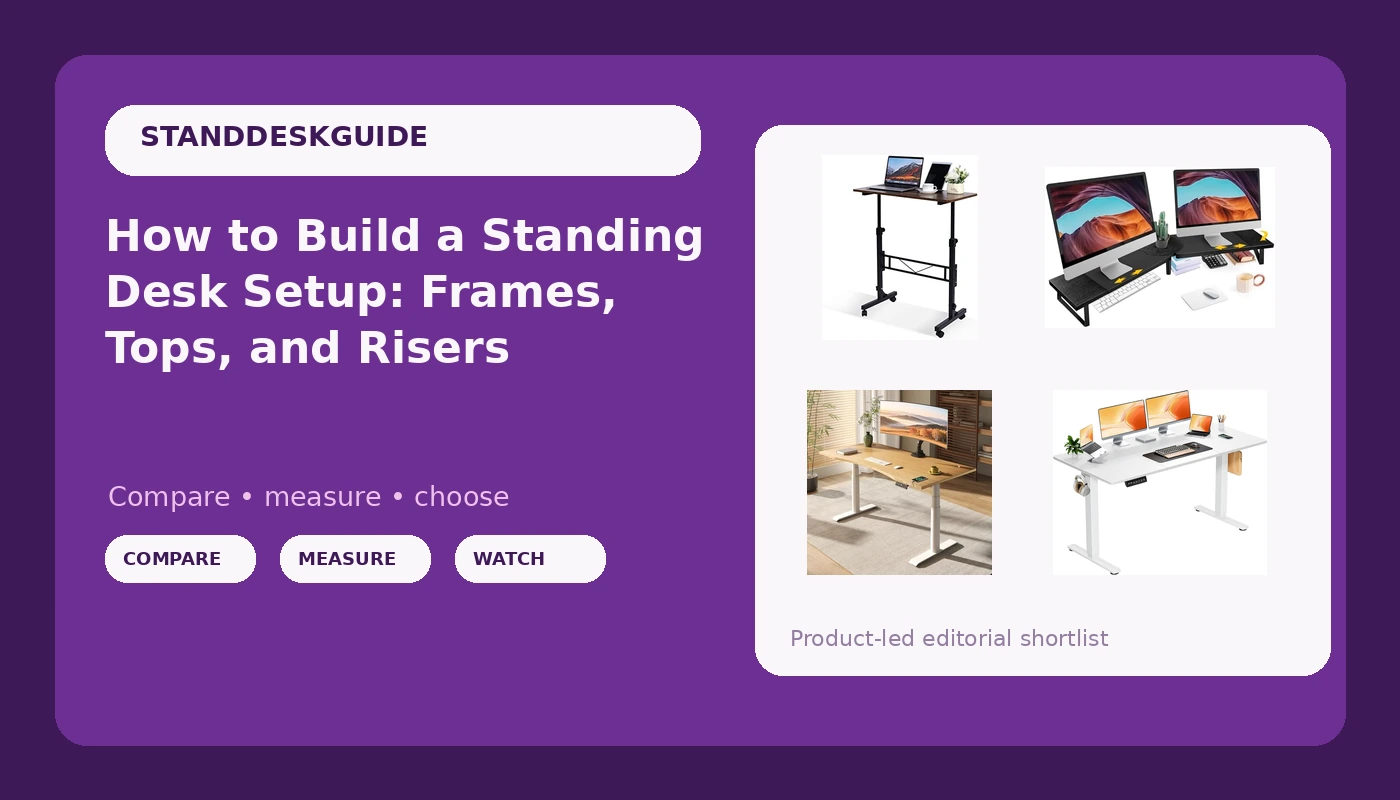
A standing desk setup is never one purchase. It is a frame, a top, a controller, and a decision about where your screens actually live. Most people discover this after the fact: they buy a height adjustable desk, assemble it, load two monitors onto the surface, and then find that the standing height they need is the exact height where the whole thing starts to sway. The desk is not defective. The geometry is wrong, the load is in the wrong place, or the surface is being asked to do a job that a riser should be doing.
This is an explainer, not a ranking. Four products are on the table: a full dual-motor desk with a bamboo top, a wide budget electric desk, a rolling adjustable desk, and a dual-monitor riser. Each one solves a different part of the same problem, and the useful question is which part of the problem you actually have.
Related: Dual Motor vs Single Motor Standing Desks: What the Second Column Buys You →
Quick answer
Buy the frame first, then the top, then the accessories. A dual-motor frame with a crossbar or a deep foot footprint, a controller that holds memory presets across a power cycle, and a desktop sized to your real monitor footprint will beat a larger, cheaper desk almost every time. If you need one surface that does everything, the FLEXISPOT E6 Pro is the most complete package here because the frame and the top arrive together. If you want a wide surface for less, the DUMOS 63 inch is the wide option. If the desk has to move, the KLSMYHOKI rolls. If you already own a desk and only need your screens higher, the Across-Star riser is the cheapest way to change how the whole setup works.
4 useful options
| Model | Best fit | What stands out |
|---|---|---|
| FLEXISPOT E6 Pro Organic Modern Bamboo Standing Desk | A permanent home office desk | Dual motor, 3-stage frame, 330 lbs rating, 55 x 28 inch bamboo desktop, white frame |
| DUMOS 63 Inch Electric Standing Desk | Maximum surface width on a tight budget | 63 inch electric desk with memory height adjustment |
| KLSMYHOKI Standing Desk Adjustable Height, Mobile Stand Up Desk with Wheels | Rooms where the desk has to move | Adjustable height on a wheeled base |
| Across-Star Dual-Monitor Stand for Desk | Raising screens on a desk you already own | Adjustable length and angle riser for two monitors |
The complete desk: FLEXISPOT E6 Pro Organic Modern Bamboo Standing Desk
Three-stage columns are the detail worth understanding here. A three-stage leg has three telescoping segments instead of two, which means more overlap between segments at any given height and, generally, a stiffer column when extended. That matters more than the motor count when you are standing at 45 inches and typing hard. The 330 lb rating also tells you the frame is being asked to carry more than a monitor and a laptop, and a frame rated that high usually has the crossbar or the foot geometry to justify it.
The trade-offs are real. Bamboo is a natural material, so it will want occasional oiling and it will not hide a coffee ring the way a laminate does. The 55 inch width is comfortable for two monitors and a keyboard, but it is not a desk you can also park a printer and a tower on without crowding. And the 28 inch depth is the number to check against your monitor stand footprint before you buy: a 55 inch desk with deep screens can end up feeling narrower than it measures.
The wide budget desk: DUMOS 63 Inch Electric Standing Desk
Width is the reason to look at this one. Eight extra inches of desktop changes what you can leave sitting out: a second laptop, a tablet on a stand, a full-size keyboard plus a numeric pad, a printer you do not want to walk to. If your current frustration is that you keep moving things off the desk to make room for the thing you are actually using, width solves that problem directly.
The trade-off is that at this price point, the specification detail you cannot see is the one that decides whether you keep using the desk. Two things to verify before ordering: the maximum height, and whether the frame has a crossbar or a wide enough foot to stay planted at that height. Memory presets are only useful if the desk is steady enough at the recalled position that you do not brace against it. A wide, thin top also has more leverage to flex, which is why the frame under it matters more than the surface area printed in the listing.
The rolling desk: KLSMYHOKI Standing Desk Adjustable Height, Mobile Stand Up Desk with Wheels
Mobility is a genuine feature, not a gimmick, but it is also the most misunderstood one. A rolling desk is the right answer when the alternative is not owning a standing desk at all: a studio apartment, a spare room that doubles as a guest room, an office where the desk gets pushed against the wall at the end of the day. The ability to move the whole work surface out of the way is worth more in those rooms than a few extra pounds of frame.
The trade-off is stability, and it is arithmetic rather than brand quality. A desk on casters contacts the floor at four small points instead of across four wide feet, and casters add a small amount of play. Two practical checks: confirm the wheels lock, and confirm the height range reaches your standing elbow height before you commit. Then treat cable management as part of the purchase, because a desk that rolls will roll over any cable that was routed with no slack. Leave a service loop at the back of the desk and secure everything to the underside, not to the wall.
The monitor riser: Across-Star Dual-Monitor Stand for Desk
This is the piece most people skip, and it is often the one that makes a desk usable. A standing desk only works if your screen rises with your eyes. When the desk goes up and the monitors stay at their original height, you end up looking down at the desk, which puts your neck back where it started. A riser solves that without a new desk, and the shelf underneath turns dead surface area into storage, which is effectively free depth on a shallow desktop.
The trade-off is leverage. Anything you raise on top of a desk raises the center of mass and gives the desk a longer arm to sway with. On a light or narrow desk, a loaded riser at standing height can make an already marginal setup worse. Check the riser's footprint against your desktop depth, keep the heaviest item on the lowest shelf, and if your monitors are VESA compatible and your desk has a grommet, a clamped arm is the stiffer alternative. This riser is the right tool when you want a shelf and storage, not when you want the absolute minimum amount of material above the surface.
Prices and availability may change. Product images, names, and retailer links must be matched by verified ASIN. Do not state a current price, rating, stock status, or measured result without current evidence.
Wobble is a geometry problem, not a weight problem
People assume a wobbly desk is a cheap desk. Usually it is a desk with a long lever and a short base. The frame is the hypotenuse of a triangle whose other two sides are the desktop and the floor, and the wider the feet and the more overlap between the telescoping segments, the shorter that hypotenuse gets.
Four variables decide how much a desk sways at standing height. Column overlap comes first: a three-stage column keeps more tube inside tube when extended than a two-stage column of the same height, which is why stage count shows up in the specs of serious frames. Foot depth and width come second, because the base is what resists the side load your forearms apply. Crossbars come third, and their absence is the single most common reason a budget frame feels loose. Where the load sits comes last, and it is the one you control after purchase: two monitors pushed to the back edge of a 63 inch top create more sway than the same monitors centered over the columns.
None of that is visible in a listing photo. What is visible is the number of motors, the height range, the weight rating, and the desktop dimensions. Read those four numbers and you can predict most of what the desk will feel like.
How to choose in five steps
- Measure your standing elbow height with your shoes on, then add an inch for a keyboard. That number is your minimum required desk height, and it eliminates more desks than any other spec.
- Measure your monitor footprint, including stands, and add the depth of a keyboard and wrist rest. If that total exceeds your desktop depth, you need a riser or an arm, not a wider desk.
- Decide whether the desk stays in one place. If it moves, wheels and locking casters belong on the list, and stability expectations need to be set accordingly.
- Check the frame, not the top. Dual motors, three-stage columns, a crossbar or deep feet, and a controller that holds memory presets are the four things that determine whether you keep using the height feature.
- Budget for cable management and a screen solution in the same purchase. A standing desk without slack in the cables and without the screens raised is a desk you will stop adjusting within a month.
Setting the desk up so you actually stand
- Set preset one at sitting height and preset two at standing height on day one, then label them mentally by task rather than by number.
- Route cables with a service loop at the back of the desk, and anchor the run to the underside of the top so the loop travels with the desk instead of pulling on the wall.
- Put the controller on the side of your dominant hand, within reach while seated, so switching positions costs one press and no leaning.
- Raise the screens, not just the desk. The top of the monitor should sit near eye level when you are standing, which is what a riser or an arm is for.
- Keep the floor under a rolling desk clear of cables, chair mats, and rug edges, and lock the casters before you type at standing height.
Which option should you choose?
Choose the FLEXISPOT E6 Pro Organic Modern Bamboo Standing Desk when you want one purchase that settles the frame and the surface at once, and you are working at a desk that will stay in the same spot for years. Choose the DUMOS 63 Inch Electric Standing Desk when width is your real constraint and you are willing to verify the frame specs, the maximum height, and the crossbar before ordering. Choose the KLSMYHOKI Standing Desk Adjustable Height, Mobile Stand Up Desk with Wheels when the desk has to move between rooms or out of the way at the end of the day. Choose the Across-Star Dual-Monitor Stand for Desk when the desk you already own is fine but your screens are too low, and you want storage out of the deal.
One caveat on all four: the details here come from the manufacturer specifications, not from measurement. Weight ratings, height ranges, and dimensions are claims until you have the desk in the room, and the numbers that matter most, the maximum height and the foot geometry, are the ones listings bury. Confirm them against your own measurements before you buy, and confirm the return window while you are at it.
The bottom line
A standing desk setup works when the frame is stiff enough to hold your standing height, the surface is wide and deep enough for what you actually keep on it, the controller is easy enough that you press it without thinking, and the screens are high enough that standing does not mean looking down. Those are four separate problems, and the products above solve them at different price points: the FLEXISPOT E6 Pro handles the frame and the top together, the DUMOS 63 inch handles width, the KLSMYHOKI handles mobility, and the Across-Star riser handles screen height on a desk you already own. Fix the part that is actually broken rather than replacing everything, and the desk you have will start earning its footprint.