Related: Standing Desk Mats That Survive a Full Workday
Most people assemble an electric standing desk setup in the wrong order. They fall for a desktop finish, then buy whatever frame fits the budget, then spend two years fighting a desk that shivers every time they type at 44 inches. I designed office furniture for six years before I started reviewing it, and the same failure shows up over and over: the wobble you feel at standing height is a geometry problem, not a weight problem. Two lifting columns and a crossbar make a triangle. Take the crossbar away and you have a hinge.
So this is not a list of everything that can sit on a desk. It is a short list of pieces that change how you actually work, plus one item that has no business here at all. Four products, four honest verdicts, and a reference table you can screenshot before you order anything.
The desk: 48 x 24 Inches Adjustable Stand Up Electric Height Rising Table
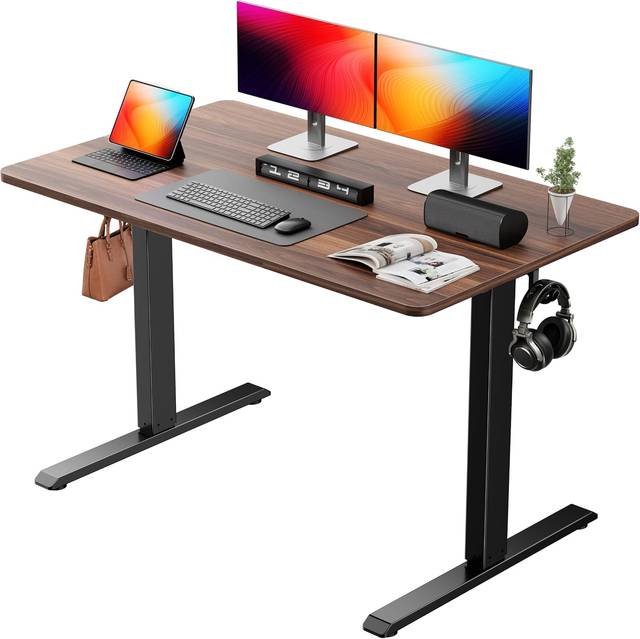
This is the anchor of the whole setup, and the thing that decides whether the rest of it works. The name tells you three useful facts: 48 x 24 inches, electric height adjustment, and memory presets. The fourth fact, the one that matters most to me, is missing. It does not advertise a motor count, and that is the first question I would answer before ordering. One lifting column or two?
My rule has not changed in four years of reviewing frames. Two motors are the minimum, not a luxury. A single-motor frame strains under a real load, and you can hear it change pitch as the desk climbs. A dual-motor frame lifts the same load without drama, and the columns stay synchronized so the top does not tilt as it rises. If the listing you are looking at will not confirm dual motors, assume it is one and keep shopping.
The memory presets are the part I would defend hardest. People write them off as a gimmick, and then they buy a desk with a plain up and down paddle, and three months later the desk lives at sitting height permanently. Presets are not a convenience feature. They are the difference between a desk you adjust four times a day and a desk you adjust once. Program sitting, program standing, program the awkward middle height you use for video calls, and the friction disappears.
Then there is the footprint. 48 x 24 is small, and small is a feature if you are working in a corner of a bedroom. In my experience, 24 inches of depth is the floor for a monitor at a comfortable viewing distance. A single 27-inch monitor and a laptop fit comfortably. Two 27-inch monitors do not. If you are planning a wide two-monitor layout, this is the wrong size and no amount of cable management fixes it.
Easy assembly is the last claim in the name, and it is the vaguest. What it usually means is a pre-drilled top and a frame that ships mostly built. The top is the awkward part, not the frame. Get a second person for the flip, and tighten every bolt in a diagonal pattern rather than walking the perimeter once.
The mat: Standing Desk Mat, Topo Mini by Ergodriven
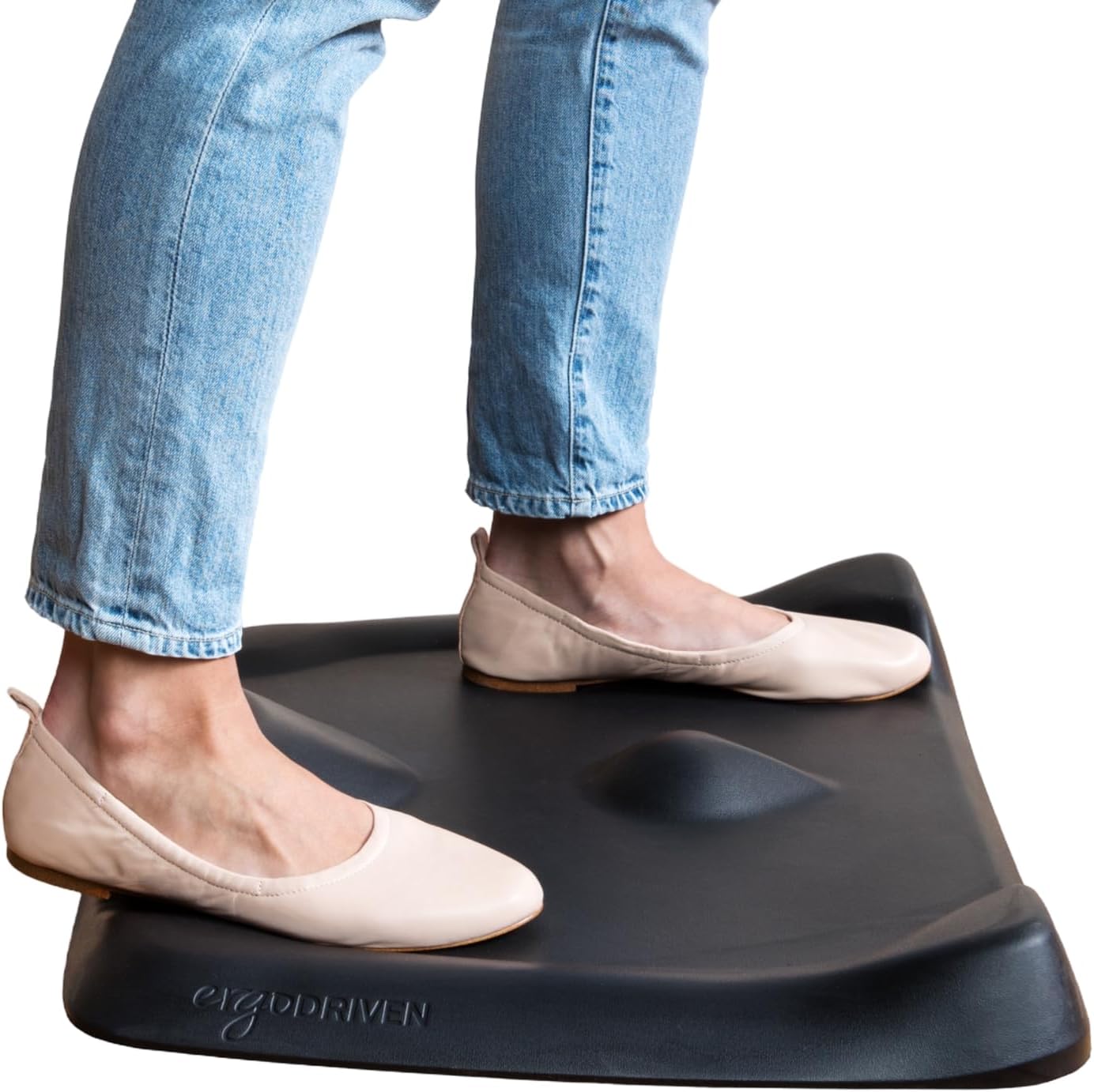
If the desk is the frame, the mat is the reason you keep using the frame. I have watched more people abandon standing desks over sore feet than over wobble, and that is a fixable problem. A flat slab of foam helps for about forty minutes. What you actually need is somewhere to put your feet that is not the same position twice.
That is the whole idea behind the Topo Mini. The name says it plainly: not flat, calculated terrain, smaller footprint than the full-size Topo. The raised sections give you a rail to rest one foot on, a dome to stretch a calf against, and a channel to shift into when your hips start complaining. None of that is comfort marketing. It is the mechanism that lets you stand for two hours instead of twenty minutes, because it keeps changing which muscles are working.
The material notes matter to me more than they will to most people. Ultra-thick premium comfort foam, and no PFAs or PVC. Foam is one of those categories where the cheap version smells like a chemical spill for a month, so a mat that is explicit about what it does not contain is a mat I am happier having in a carpeted room.
The tradeoff is the footprint, and it cuts both ways. Mini means it fits in a small workspace and slides out of the way when you sit. Mini also means you have less terrain to work with than the larger version. If you are tall, or you pace while you think, measure your standing zone before you commit. This is the accessory I would buy before I bought a monitor arm, a cable tray, or anything else on the wish list.
The riser: Lorell Adjustable Desk/Monitor Riser, Black
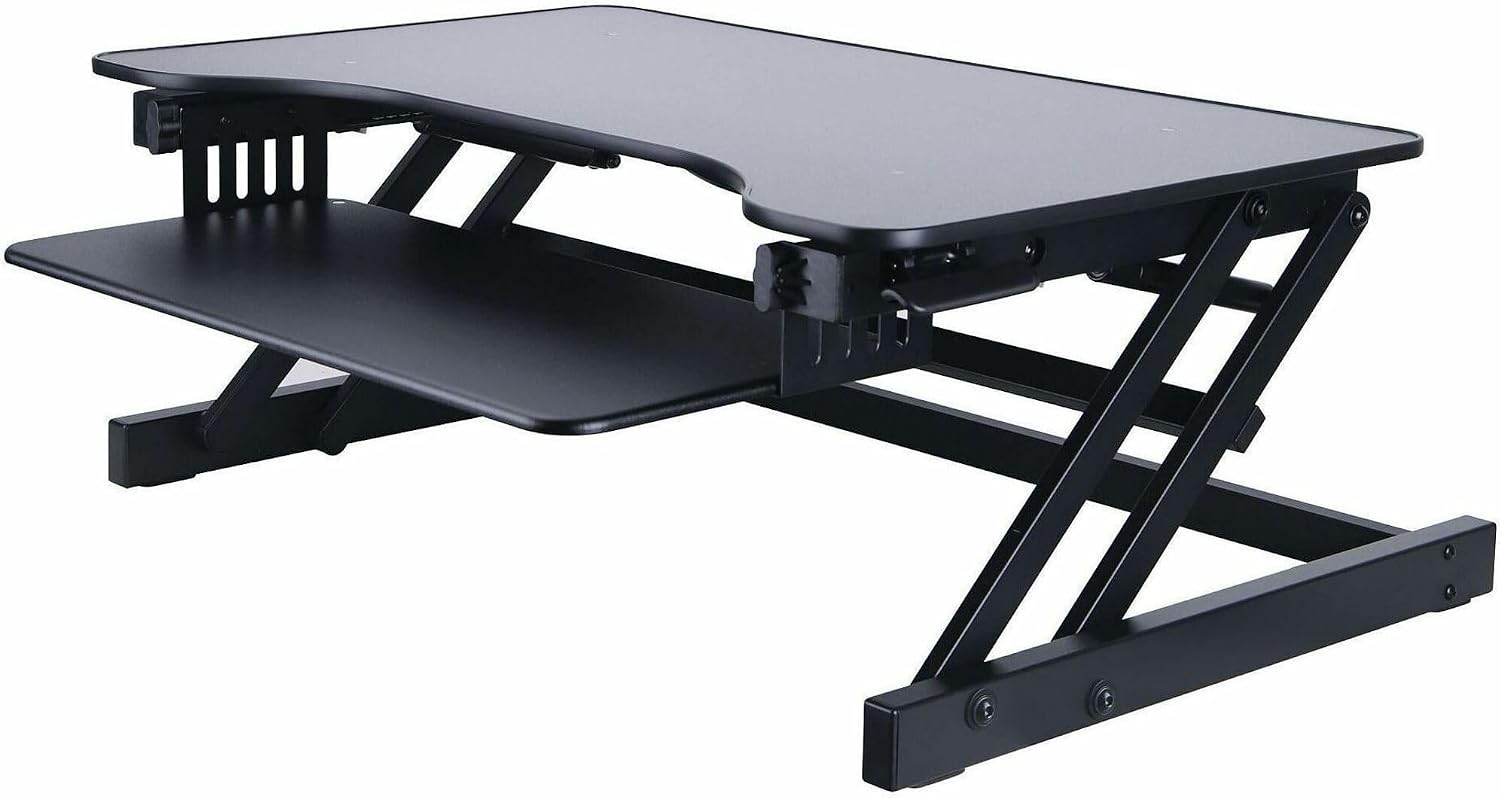
Here is where I have to be honest about the role this piece plays. A riser is a height tool. It raises a monitor, or a laptop, or a keyboard, to a height that your neck and shoulders agree with. The Lorell unit is adjustable, black, and built for exactly that job.
On a height-adjustable desk, a riser is mostly redundant. The desk already changes height, so you can bring the work surface to your elbows instead of stacking a platform on top of it. Buy a riser for a fixed desk, or for the office desk you do not control, or for the laptop that needs to sit above a separate keyboard. Do not buy one to fix a standing desk. Fix the standing desk.
There is one place it earns its keep even in a sit-stand setup: a laptop-only workstation. If you work off a laptop and a single external keyboard, the riser puts the screen at eye level without forcing the desk up to a height where your arms float. That is a real problem, and this solves it. Just do not expect it to substitute for a monitor arm, which gives you the same height plus depth adjustment and a clean desk surface underneath.
The one that is not a desk product: Conair 14493z 3 Piece Pro Styling Hair Lift Combs
Three styling combs, 3.2 ounces, and not one thing to do with the height of your desk. I am not going to pretend otherwise. There is no wobble test for a comb. It does not hold a preset, it does not carry a monitor, and it will not make standing for an hour feel like twenty minutes.
It is in the table because it is part of the catalog, and because a reference table is only useful if it tells you the truth about every row. If you want a hair styling tool, this is a hair styling tool. If you came here for a standing desk setup, skip to the next section and save your attention for the things that hold weight.
How I evaluate a frame
Every desk I write about gets the same treatment, because the marketing copy on every listing is written by the same optimists. Three weeks of daily use, sitting and standing, with real work on it. A stability check at full height while I am actually typing, not while I am standing back and pushing on the corner. A cable management audit, because a desk that looks clean in a photo and turns into a nest in week two is a desk you stop enjoying.
Then the controller checks, which almost nobody does. I cut power at the wall and see whether the presets survive. I run the desk to its top limit and see whether the collision detection stops it or lets it grind. I log how many times I have to press a button to get from sitting to standing, because that number is the honest measure of whether I will use the feature.
For a mat, the test is different. I stand on it for two hours with a timer running and note when my feet start asking questions. Flat mats fail that test early. Terrain mats fail it late or not at all.
I do not publish a decibel number I have not measured, I do not call a motor silent, and I do not claim a stability result from a loaded desk I have not loaded. If a spec is missing from a listing, that is information, and I treat it that way.
The reference table
This is the table I would keep open while ordering. Same columns, same honesty, every row.
| Product | What it does | Where it goes | What to check |
|---|---|---|---|
 Visit on Amazon → Visit on Amazon →48 x 24 electric standing desk |
Lifts the work surface | Under everything | Motor count, crossbar, preset retention |
| <img src="/images/products/B01N8YE3VI.jpg" alt="Standing Desk Mat - Topo Mini by Ergodriven | The Smaller Not-Flat Anti-Fatigue Standing Desk Mat with Calculated Terrain | Ultra-Thick Premium Comfort Foam, Durable, No PFAs or PVC | Obsidian Black" width="340" style="border-radius:8px;max-width:340px;width:340px;height:auto;max-height:420px;object-fit:contain"> Topo Mini mat |
 Visit on Amazon → Visit on Amazon →Lorell adjustable riser |
Raises a monitor or laptop | Fixed desks, laptop setups | Whether the desk already moves |
 Visit on Amazon → Visit on Amazon →Conair styling combs |
Not a desk product | Somewhere else | Why it is here |
What the specs actually tell you
Three of these four rows are about geometry, and geometry is where budgets get lost. A 48-inch top means 48 inches of usable width minus whatever the columns steal at the edges. A 24-inch depth means your monitor has to sit close, which is fine for one screen and cramped for two. Measure your wall before you fall in love with a finish.
The mat is the row people skip and then regret. Foot comfort is the least glamorous part of a standing desk setup and the most common reason the desk stops moving. If you have hard floors, budget for the mat before you budget for the accessories that show up in photos.
The riser is the row where context decides everything. On a fixed desk it is a genuine ergonomic upgrade. On a height-adjustable desk it is a solution to a problem you do not have, unless you are running a laptop with a separate keyboard.
And the comb row is the reminder that a reference table is a tool, not a recommendation. Half of buying well is knowing which rows apply to you.
One more spec worth chasing down: the controller. A frame with dual motors and a crossbar can still be a bad desk if the controller forgets your presets every time the power blinks. That is not a stability problem and it is not a motor problem. It is the single feature that decides whether you use the thing you paid for.
Should you buy the 48 x 24 electric standing desk?
Yes, if your workspace is compact and you are running one monitor plus a laptop. The memory presets are the reason I would pick this over a cheaper fixed-height conversion, because presets are what keep a desk moving after the novelty wears off. The 48 x 24 footprint is the honest limitation. It is a desk for one person doing focused work, not a command center.
Should you buy the Topo Mini mat?
Yes, if you stand on a hard floor. The not-flat terrain is the point, and the smaller footprint is a real advantage in a tight room where a full-size mat would live permanently in your way. If you are tall or you move around a lot while you think, check the dimensions against your standing zone first.
Should you buy the Lorell adjustable riser?
Yes, if the desk under it does not move. On a fixed office desk it puts a screen where your neck wants it. On a sit-stand frame it is money you could spend on the mat instead.
The setup I would build first
Buy the frame with the best motor and controller you can afford, add the mat on day one, and treat everything else as optional. The desk decides whether you can work standing up. The mat decides whether you will.