I have taken apart more standing desks than most people will ever sit at. Six years designing office furniture, four years running a review channel that never made a cent, and five desks currently in my garage in various stages of disassembly. One lesson survived all of it: a desk is a frame, and a frame is a geometry problem. This standing desk comparison is built around that idea, which is why it starts with wobble and ends with a stabilizer bar instead of a motor.
The short version: the MojoDesk is the frame I would build a whole workspace around, the Furmax is the one to buy when the budget is fixed, the GTPLAYER is not a desk replacement but a genuinely useful second surface, and the VIVO stabilizer bar is the cheapest way to rescue a desk you already own that sways when you type.
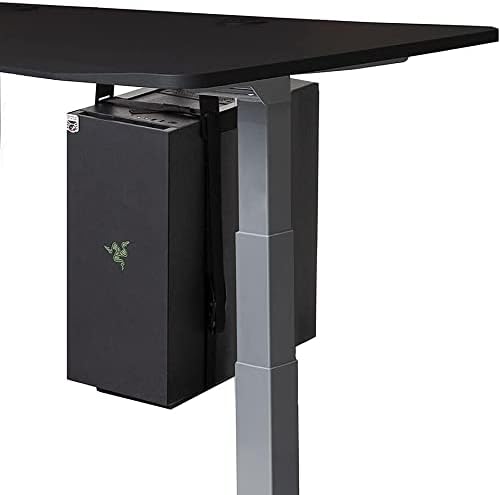
MojoDesk Electric Standing Desk
Dual motors, three-stage legs, four memory presets, and an ergonomic front edge on a 60 x 27 top
It is the most expensive way to solve a problem, and wasted if you never actually stand
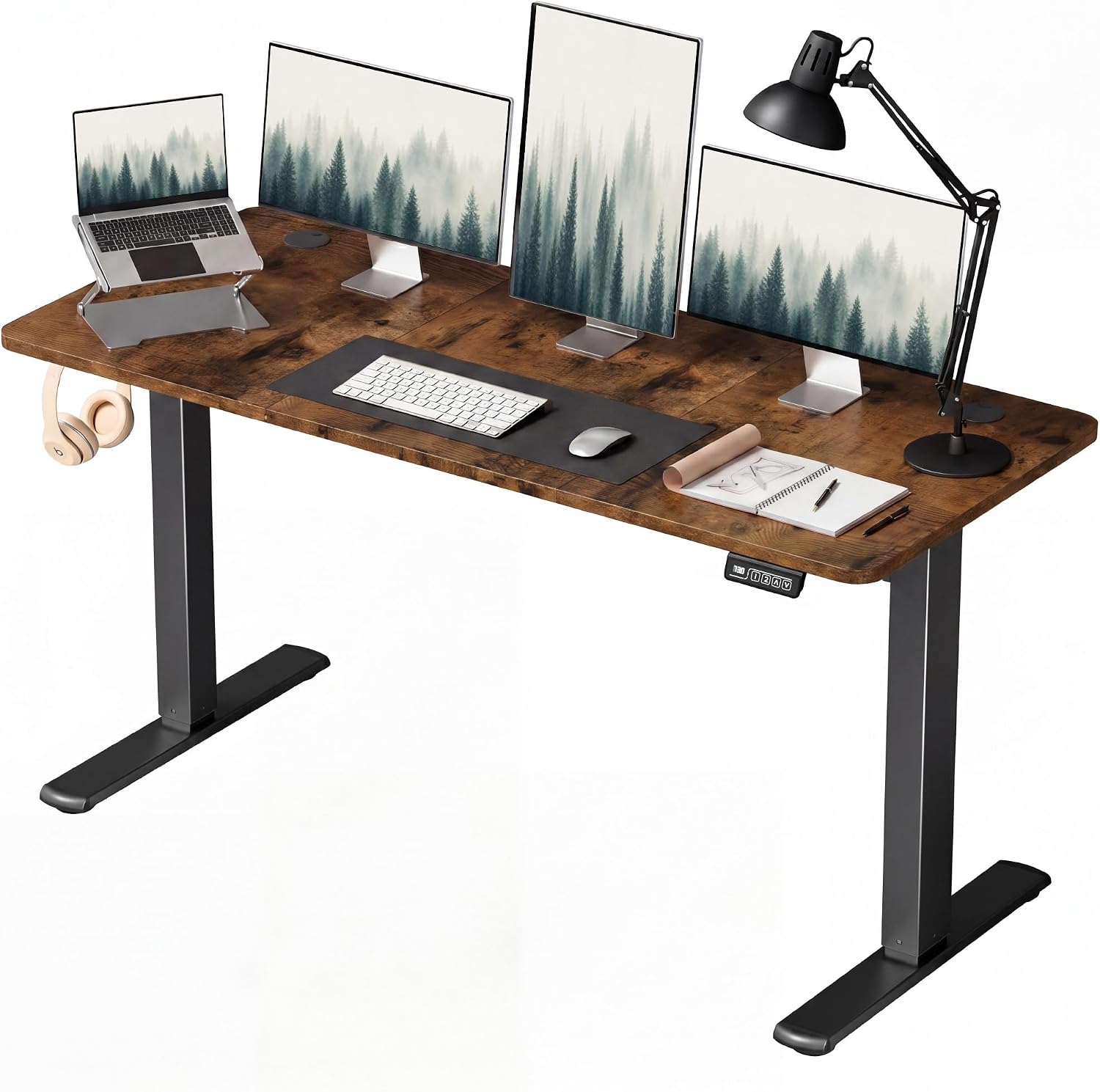
Furmax 55 Inches Electric Height Adjustable Standing Desk
Full size electric lift, and 55 inches fits a monitor, a laptop, and a mug
This price band is where crossbars and column overlap quietly disappear
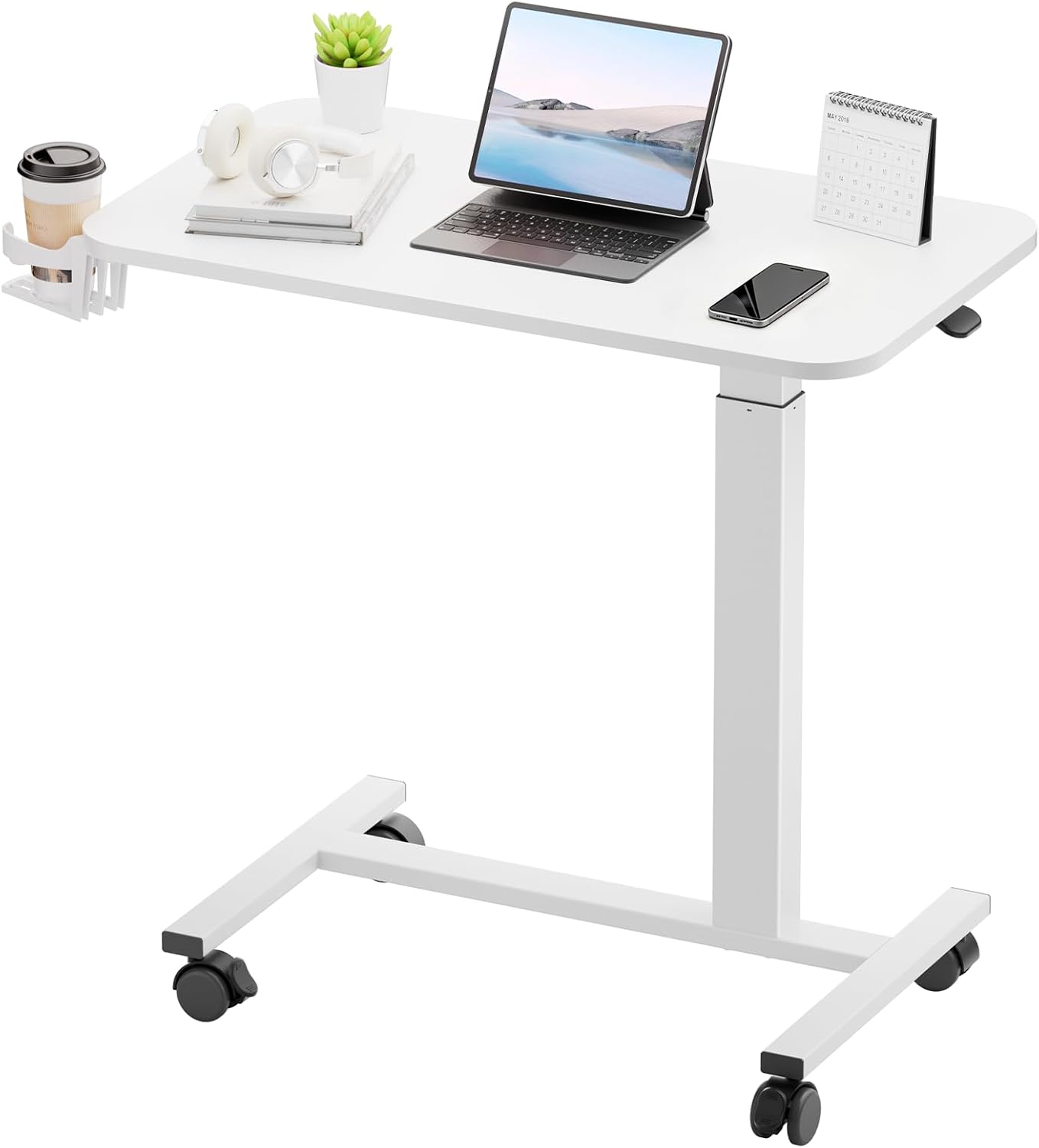
GTPLAYER Small Standing Desk with Wheels
Pneumatic adjustment, casters, and a footprint that rolls away when you are done
It is a laptop cart. A 28 x 16 top will not hold a monitor and a real keyboard
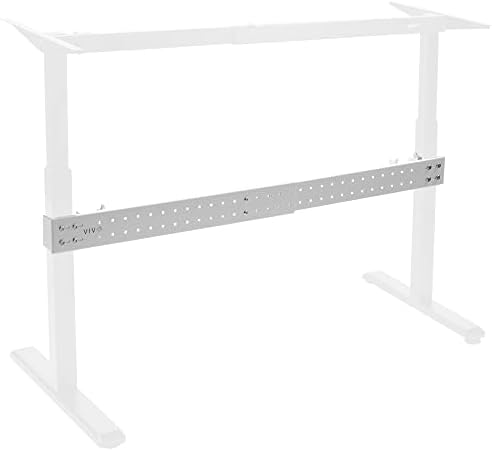
VIVO White Clamp-on Stabilizer Bar for Reinforced Desk
Clamps on with no tools, adds the lateral brace cheap frames leave out, rescues a desk you already own
It treats the symptom. It quiets a loose frame, it does not straighten a bent one
Prices and availability were captured from Amazon Creators API and may change.
How I evaluate a desk frame
Every frame that comes through my shop gets the same treatment before I trust it with a monitor on top. Three weeks of daily rotation, sitting and standing, real work in both positions. A loaded stability check at full height, which means a monitor arm and a real keyboard rather than a bare top. And a cable management audit, because the desk you cannot tidy is the desk you stop raising.
Wobble is the whole game. It is not a weight problem, it is a triangle problem. A frame with two lifting columns, a wide footprint, and a crossbar braces itself like a bridge truss. Take away the crossbar and the same tubing sways at the exact height you need it most. That is why the spec sheet matters less than the geometry, and why a stabilizer bar can change how a desk feels for less than the cost of a dinner.
Two more checks. First, does the controller hold its presets after you unplug the desk? A controller that forgets is a controller you stop using, and a height adjustable desk you stop adjusting is just an expensive table. Second, test the collision detection on day one with a cardboard box, not with your monitor. A sensor that fails silently is the most expensive failure in this category.
The dual-motor full-size desk
The MojoDesk Electric Standing Desk is the most complete package in this comparison. The supplied spec is a 60 by 27 inch top, dual motors, three-stage adjustable steel legs, four memory settings, and an ergonomic front edge, finished in matte lux black.
Three-stage legs are the detail I would circle. A three-stage column telescopes through three overlapping sections instead of two, which means a wider height range and less overlap slop at the top of the travel. Combine that with two motors and you have the configuration that survives a decade of raising and lowering twice a day. Dual motors are not a luxury in my book. A single motor under a loaded top strains, and strain is what eventually kills a controller.
The ergonomic front edge is a small thing that matters more than it sounds. A rolled or beveled edge takes pressure off your forearms during long typing sessions, and it is the kind of detail that separates a frame designed by furniture people from a frame designed by a spreadsheet. Four memory presets are the other quiet win. The difference between using the height feature and abandoning it is usually whether you can get to your exact standing height in one press.
The honest criticism: this is the desk you buy when you have decided to stop shopping. If you rarely stand, you are paying for capability you will not use.
The budget full-size desk
The Furmax 55 Inches Electric Height Adjustable Standing Desk is the value play. A 55-inch top is enough for a monitor, a laptop, and a mug, and electric height adjustment at this end of the market is a genuine win for anyone moving off a fixed desk.
Here is what I would watch. This is the price band where manufacturers start removing the parts you cannot see. Crossbars disappear. Column overlap gets shorter. The controller loses a preset or two. None of that is a dealbreaker if you know it going in, but it changes where you put the desk. Hard floor is kinder than deep carpet, and a corner position against two walls is kinder still, because a wall stops lateral sway that the frame cannot.
My advice for this desk is the same advice I give for every budget frame: assemble it, raise it to the height you actually stand at, put your hands on the front edge, and push side to side. Do that before the return window closes. If it moves more than you can live with, the fix costs far less than a new desk, and it is the next product in this list.
The desk that rolls
The GTPLAYER Small Standing Desk with Wheels is not competing with the other two, and pretending otherwise would be dishonest. It is a 28 by 16 inch pneumatic rolling table, white, with casters and an adjustable height, sold as an overbed or bedside workstation.
Judged on its own terms, this is a useful object. Pneumatic height adjustment means no motor, no controller, no power cable, and no presets to lose. You press a lever, the column moves, you release. For a laptop, a tablet, a sewing machine, or a compact keyboard, that is enough. The wheels mean it can live against a wall and roll into the room when you need it, which is more than most desks can say.
Judged as a desk, it is too small and too light. A 28 by 16 top will hold a laptop and a notebook. It will not hold a monitor, a keyboard, and a coffee without becoming a balancing act, and a pneumatic column on casters is not a platform for typing hard. Buy it as a second surface, a standing laptop perch, or a mobile project table. Do not buy it as the desk you sit at for eight hours.
The accessory that fixes a wobbly desk
The VIVO White Clamp-on Stabilizer Bar for Reinforced Desk is the odd entry in a standing desk comparison, and the one I would recommend most often. It is a clamp-on lateral brace. It does not lift anything. It does not plug in. It bolts across the back or side of a desk and turns an open rectangle into a braced one.
This is the triangle problem solved with hardware. When a frame sways, the motion is usually the two columns moving in parallel but not in lockstep, or the whole assembly rotating slightly at the feet. A bar clamped across the lower legs adds the diagonal stiffness the frame never had, and the change is immediate in a way no motor upgrade can match.
Two caveats. First, measure before you buy, because a bar that is too short will not reach both legs and a bar that is too long will not clamp square. Second, understand what you are buying. A stabilizer bar quiets a frame that is loose. It will not fix a frame that is bent, and it will not raise the weight limit. If the desk twists because the top is overloaded, remove weight first.
What the spec sheet will not tell you
Manufacturers list height range, weight capacity, and motor count. They do not list the numbers that decide whether you enjoy the desk.
Lateral sway at standing height is the first missing number. It varies with the height you choose, the surface under the feet, and how far the legs are spread. A frame that feels rock solid at 38 inches can feel like a canoe at 46. There is no standard test, which is exactly why it never appears on a box.
Controller behavior is the second. Presets that survive a power cut, a display that does not blind you at night, buttons that register on the first press. I have used desks with excellent frames and infuriating controllers, and I stopped raising those desks within a month. The height feature is only worth paying for if you actually press the button.
Column overlap is the third. More overlap means less slop. Three-stage legs exist partly to give tall users more range and partly to keep overlap reasonable at the top of the travel. It is the least glamorous spec in the category and one of the most predictive.
Should you buy the stabilizer bar first?
If you already own a height adjustable desk that sways, yes. Fix the desk you have before you shop for a new one. A brace is a fraction of the cost of a frame, it installs in minutes with a clamp, and it addresses the single most common complaint in this category.
If you are buying new, the order I would follow is different. Decide the size you need, decide whether the desk has to move, then buy the frame with the most motors and the most column overlap you can afford. Add a stabilizer bar later if the floor or the height you prefer exposes a weakness. That sequence keeps you from buying a brace to compensate for a frame that was never going to work.
And if you work on carpet, budget for the brace from the start. Carpet is where budget frames go to wobble, and it is not entirely the frame's fault. Soft pile lets the feet settle unevenly, which turns a small geometry problem into a visible one.
What I am watching next
The budget dual-motor band is the most interesting part of this market right now. Frames that cost a third of a premium desk are arriving with two motors and better controllers every season, and the gap between them and the premium tier is narrowing in everything except the top of the height range.
What I want next is honest stability data printed on the box. Until that happens, the test stays the same: assemble the desk, raise it to your standing height, load it the way you actually work, and push. Everything else is marketing.