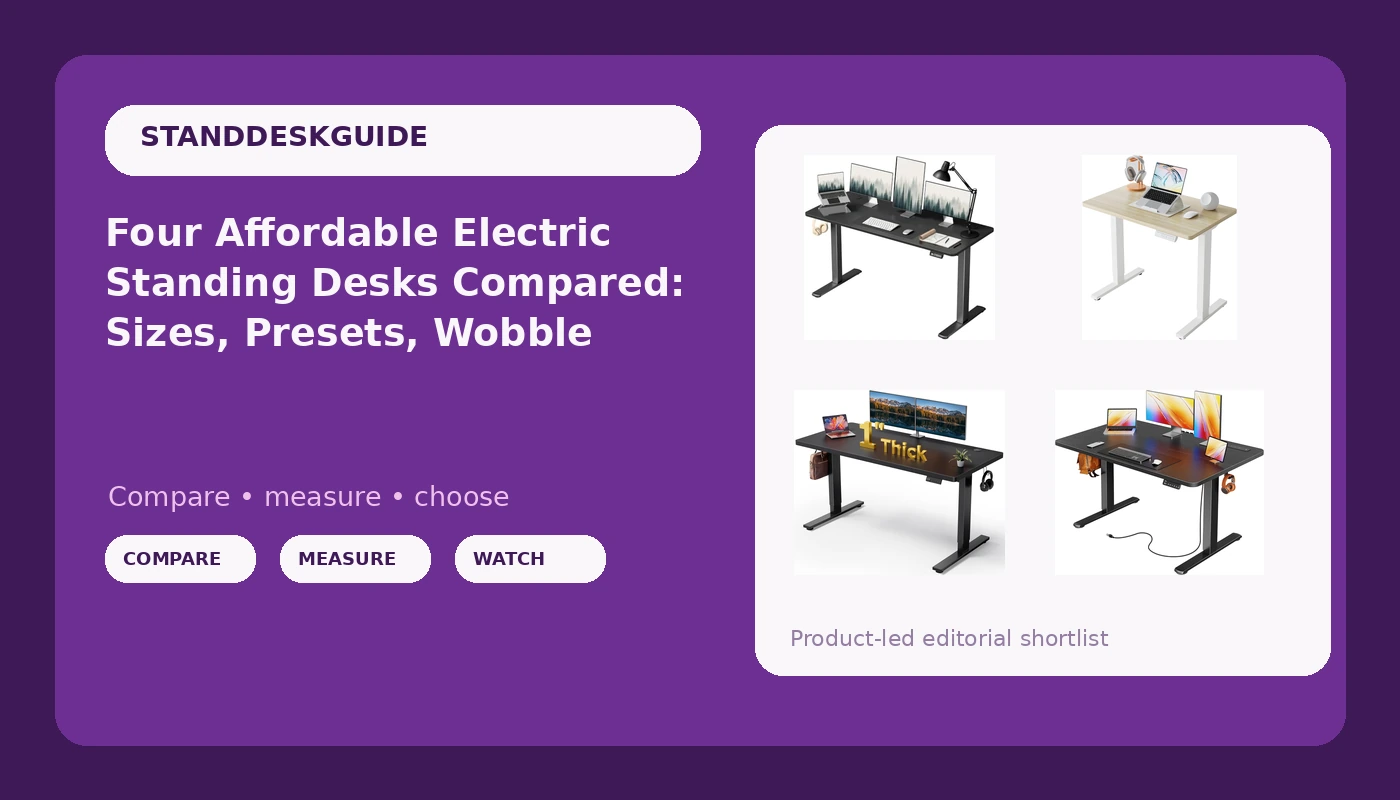
I spent six years designing office furniture before I started writing about it, and the habit never left: I judge a desk from underneath first. These four affordable electric standing desks are the budget tier of the height-adjustable market, and they sort themselves less by motor specs than by one unglamorous number, the width of the top. Two of them are built for a corner or a small apartment. Two are built for a real work setup with two monitors, a lamp that never gets turned off, and a mug that has already been knocked over once.
Related: Why Standing Desks Wobble At Full Height
My pick for most people here is the Huuger 47 x 24 inch desk, because it is the only model in this group whose listing commits to a controller feature set: three memory presets plus power outlets and a USB-C port built into the frame. That matters more than the marketing suggests. A desk you fight with is a desk you stop raising, and a controller that remembers your two working heights is the difference between using the standing feature and abandoning it by month two. If surface area is the priority, the 60 x 28 inch black desk is the other serious contender. If your space is a corner of a bedroom, the HUANUO 32 x 19 is the only one of the four that will genuinely fit.
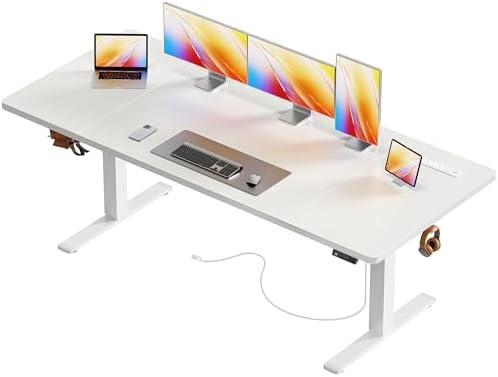
Huuger 47 X 24 Inch Electric Standing Desk with Power Outlets and USB-C Port, Height Adjustable Desk, Sit Stand Desk for Home Office, Computer & Gaming Desk with 3 Presets, Stable Steel Frame, Black
The only desk here that names its controller features: 3 presets, outlets, USB-C. 47 x 24 is the most flexible footprint for one person
Steel frame is described as stable, not specified; verify motor count before buying
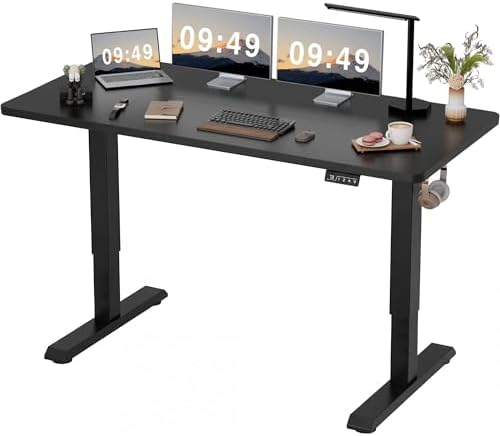
Furmax 55 Inches Electric Height Adjustable Standing Desk Home Office Desk
55 inches of width fits two monitors without crowding, still modest in a normal room
Widest footprint demands floor space; listing is thin on frame and controller detail
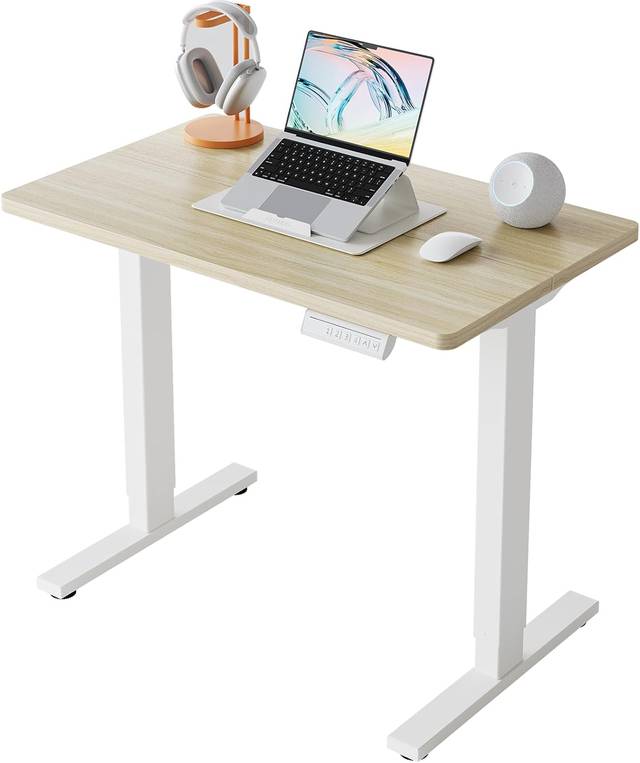
HUANUO 32x19 Inch Small Electric Standing Desk, Adjustable, Light Walnut
The only true small-space option: 32 x 19 fits a nook, an alcove, or a shared room
One monitor, and a narrow top limits how much weight sits far from the legs
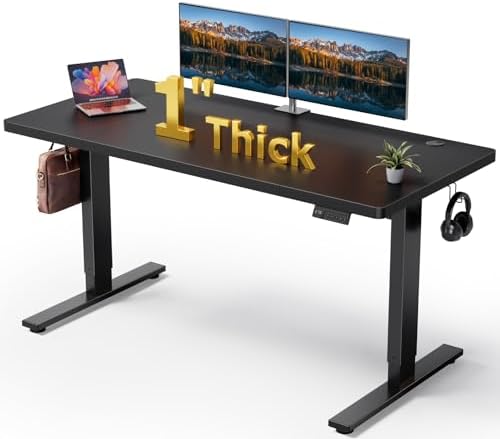
Black 60x28 in Electric Standing Desk, 1 Inch Thick Tabletop
60 x 28 is a full workstation, and a 1 inch top takes a monitor arm clamp without flex
Biggest floor commitment of the four; a wide top on short legs is where wobble shows up
Prices and availability were captured from Amazon Creators API and may change.
How I evaluate a budget standing desk
Three things, in order, and none of them are the motor.
Geometry before motors. Wobble is a triangle problem, not a weight problem. A frame with a wide stance and a horizontal brace tying the two legs together resists side-to-side sway because the structure closes into triangles. A frame without that brace sways, and it usually sways at the exact height you need for typing. When you look at any of these desks, look at the base first: how far apart the feet sit relative to the top, and whether there is a crossbar under the worksurface. A 47 inch top on a wide stance will feel steadier than a 60 inch top on narrow legs.
Two motors, not one. Dual motors are the minimum I would accept in 2026. Two lifting columns share the load, and a single motor strains, sags, and drifts out of level under a real monitor setup. If a listing does not state motor count, assume one and ask before you buy. This is the single most common omission in the budget tier, and it is the one that decides whether the desk still raises smoothly in year three.
The controller. Presets are not a gimmick. They are the difference between a desk you raise four times a day and a desk you raise twice a month. A controller that loses your heights on a power cycle is worse than no presets at all, because you stop trusting it. And test the collision detection on day one, with a box, not your monitor. An anti-collision sensor that does not work is a feature that only exists in the listing.
The Huuger 47 x 24: the one with a documented controller
The Huuger is the desk in this group I would hand to someone who does not want to think about desks. The listing names three presets, built-in power outlets, and a USB-C port, which is unusually specific for the price bracket, and those are the features that actually change daily behavior. You plug the monitor and the laptop charger into the desk instead of the wall, so nothing yanks when the desk rises. You press one button to go up and one to come back down.
47 x 24 inches is the most versatile footprint here. It holds a 27 inch monitor plus a laptop on a stand without forcing you to angle anything, and it does not dominate a room the way a 60 inch top does. The frame is described as a stable steel frame in black, which is the standard construction at this level. What the listing does not tell you is motor count and lift capacity, and those are the two questions I would put to the seller before ordering.
The Furmax 55 inch: width without going full executive
Fifty-five inches is the size where a desk stops being a laptop table and starts being a workstation. Two monitors side by side, or one monitor plus a laptop plus a keyboard with actual elbow room. The Furmax is the middle child here: noticeably wider than the Huuger, noticeably less floor-hungry than the 60 x 28.
The trade-off is information. The listing leans on the electric height adjustment and the width, and it says very little about the frame, the motor, or the controller. That is not automatically a problem, but it means you are buying on width and trusting the rest. Before you commit, ask about motor count and preset memory. If a seller cannot answer those two questions in writing, that tells you something about the after-sale support too.
One practical note: a 55 inch top wants a wall or a dedicated corner. Measure your room before you measure your monitors.
The HUANUO 32 x 19: the small-space pick
This is the desk I would buy for an apartment where the desk lives in a bedroom corner, a hallway alcove, or a shared room. At 32 x 19 inches it is roughly the footprint of a large laptop, a notebook, and a coffee, which is a real and honest use case. The light walnut top also gives it a warmer look than the black desks here, which matters if the desk is visible from the couch.
The honest trade-off is that 32 inches means one monitor. You can run a laptop plus one external display, and that is the ceiling. A narrow top also concentrates weight closer to the legs, which is good for stability, but it leaves you no room for a second screen, a printer, or a proper keyboard-and-mouse spread. Buy it because your space is small, not because the number is smaller.
The 60 x 28 black desk: the surface-area play
Sixty by twenty-eight inches with a one inch thick tabletop is the most desk here in the literal sense. The thickness is not a marketing detail. A 1 inch top resists flex, and it gives a monitor arm clamp enough material to grip properly without a reinforcement plate. If you plan to run a dual monitor arm or a heavy display, that thickness is the feature you are paying for.
The cost is floor space and, potentially, stability. A wide top on a modest stance is the geometry that produces wobble at standing height, because the load sits further from the lifting columns. That does not mean this desk wobbles; it means this is the desk where the base matters most. Look at the feet, look for a crossbar, and if there is none, plan to keep the monitors near the center of the top rather than out at the edges.
What the spec sheets tell you, and what they hide
Every listing in this comparison tells you the size, the finish, and the fact that it goes up and down. None of them tell you the wobble at 45 inches with a loaded top, the motor count, the lift capacity, the warranty length, or what the controller does after a power cut. Those are the five things that decide whether you still like the desk in two years.
So read the specs you have as a shortlist, then ask the questions the specs skip. Motor count. Lift capacity. Preset memory. Collision detection. Warranty on the frame and on the electronics separately, because those fail on different schedules.
The other thing spec sheets hide is cable management. Every one of these desks will have a power brick, a monitor cable, and a charging cable dangling underneath within a week. A tray or a set of adhesive clips costs very little and is the difference between a desk you raise daily and a desk you stop raising because something snags.
Should you buy the cheapest one here?
No. Buy the one whose size matches your room and your screens, then confirm the frame details before you pay. The cheapest desk is only cheaper if it fits. A 32 inch top in a room that needs 55 inches is money wasted, and a 60 inch top in a bedroom is a piece of furniture you resent every morning.
Here is the decision in one line each. Small room, one screen: the HUANUO 32 x 19. Standard home office, one or two screens, and you want the controller to do its job: the Huuger 47 x 24. Two monitors and a bit of breathing room: the Furmax 55 inch. Full workstation with a monitor arm and a thick top: the 60 x 28.
What I'm testing next
I have four budget frames on the bench right now, each getting three weeks of daily rotation at both sitting and standing heights, with a wobble check at full height under real typing load. The pattern I keep running into is that the price of a desk predicts its marketing budget better than it predicts its stability, and the listings that say the least about the frame are usually the ones that deserve the most questions.
What I want from this tier is boring: two motors, a crossbar, a controller that remembers two heights, and a frame that does not sway when I lean on it. Three of the four desks in this comparison at least get the size right. Whether the frames hold up is the part you cannot read off a spec sheet, and it is the part I keep measuring.