Related: Standing Desk Wobble: Why Cheap Frames Sway at Full Height
I have owned five standing desks, and most of them have spent time in pieces on my garage floor. That is useful, because after enough of these you stop judging a desk by the top and start judging it by the frame. The top is a slab. The frame is the machine, and the machine is what you live with.
That matters when you shop for an electric standing desk, because the listing photos show the top, the color, and a person smiling at a laptop. They rarely show the crossbar, the controller, or how the frame behaves at full height. The four desks here cover the range of what people actually buy: a compact 48 by 24, a 63 inch home office desk with memory presets, a 79 by 32 desk built for big setups, and a version with six built in drawers.
A spec sheet cannot tell you everything. But there are four or five questions you can answer before you buy, and they predict how you will feel about the desk in month six. This guide walks the desks, then the checks, then a comparison table you can run against any frame.
Best Overall: DUMOS 63 Inch Electric Standing Desk
The DUMOS is the one I would hand to most people first, and the reason is the memory presets in the name. Presets sound like a small feature. They are not. The difference between a desk you raise four times a day and a desk you raise once a week comes down to whether pressing a button takes one second or eight. A controller that holds two or three heights, and holds them after the power blinks, turns standing from a decision into a habit.
63 inches is also the width I would pick for a monitor plus a laptop. It is wide enough for an arm and a notepad without the top overhanging the frame so far that leverage becomes a problem. Wider is not automatically better. A wide top on a narrow frame is the worst combination you can buy, and 63 inches tends to sit in the stable middle of that range.
What to verify when it arrives: whether the controller keeps its presets after you unplug the desk, whether the collision detection actually stops the desk when it meets your chair, and whether the feet are long enough to feel planted on carpet. Test the memory adjustment on day one, not in week three.
Best for Small Rooms: Agilestic 48x24 Inch Height Adjustable Electric Standing Desk, Rustic Brown
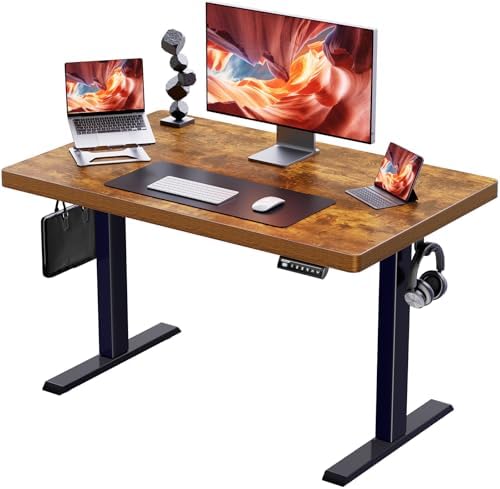
48 by 24 is the smallest footprint here, and it solves a problem the big desks cannot: rooms where the desk has to fit between a window and a door. The rustic brown finish also matters more than reviewers admit. A desk is furniture in your living space, and a top you like looking at is a top you keep using.
The tradeoff is depth. 24 inches is fine for a laptop or a single monitor on its own stand. Put a large monitor on a deep arm and you will end up sitting closer to the screen than you want. If you work with a keyboard and a separate display, measure your current setup before you buy, because 24 inches disappears fast once a keyboard tray or a monitor base shows up.
On a desk this size, check the frame width against the top. A short top on a frame that is nearly as wide as the top is stable. A short top on a frame with narrow feet is not, and the sway shows up at standing height, which is exactly where you need it not to.
Best for Big Setups: SANODESK 79x32 Inch Large Height Adjustable Ergonomic Electric Standing Desk
79 by 32 is a lot of desk. This is the one for two monitors, a dock, a microphone, and whatever else has quietly accumulated on your current surface. The extra depth is the real upgrade: 32 inches lets you push a display back to a comfortable viewing distance and still keep a keyboard and a notebook in front of it.
Large tops are also where weak frames get exposed. Every extra inch of width gives the frame more leverage to work with, and leverage is what wobble is made of. When you assemble a desk this wide, the crossbar matters most. If the frame includes one, use it even when the instructions call it optional. If it does not, plan to keep the load centered and the desk lower when you are not standing.
Two things to check: whether the height range actually reaches your standing elbow height, and whether the desk feels planted with a full load on it rather than an empty top. Loaded stability is the test that counts, and it is one you can run yourself in the first week.
Best with Storage: ErGear Electric Standing Desk with 6 Drawers
Six drawers built into a standing desk is a specific answer to a specific problem: all the stuff that normally ends up on top of the desk. If your surface is currently covered in pens, cables, and a drawer's worth of clutter, this design puts that clutter underneath where it belongs.
Drawers change the engineering. They add weight, and they add a place for things to rattle when the desk moves. The questions I would ask are about hardware, not marketing: do the drawers slide smoothly when the desk is at standing height, is there enough knee clearance when you are seated, and does anything in the drawer run into your legs. Test all three in the first week, because a drawer that fights you is worse than no drawer at all.
The other thing to check is the frame underneath all of that. Storage is the feature, but the frame is still the desk. Confirm it uses two lifting columns, and confirm the controller behavior before the return window closes.
How I judge a standing desk frame
Four checks, in this order.
Dual motors. Two lifting columns instead of one is the minimum in 2026, not a luxury. A single motor working against an uneven load is how you get sag on one side and a frame that never quite levels.
A crossbar. The horizontal brace under the top is the cheapest stability a manufacturer can give you, and its absence is the most common reason a desk sways. Look at the frame photos before you buy and ask where the bracing actually is.
The controller. This is the part people ignore and then resent. A controller that loses presets when the power flickers, or that needs a long press to stop, turns a good frame into a desk you stop adjusting. Test presets after a power cycle on day one.
Collision detection. Test it deliberately, with something soft in the path, before you trust it with a monitor. Every listing claims it. Not every desk does it.
Then stability at full height, loaded. Not the nudge test on an empty desk. The wobble you feel while typing at standing height with a monitor on top. That is the number no spec sheet gives you.
The standing desk comparison table
Here is how the four line up on the things that still matter after the first month. Sizes and names come from the listings. The frame and controller columns are checks to run yourself, because those are the specs manufacturers tend to leave out.
| Desk | Size | Frame | Controller | Best for |
|---|---|---|---|---|
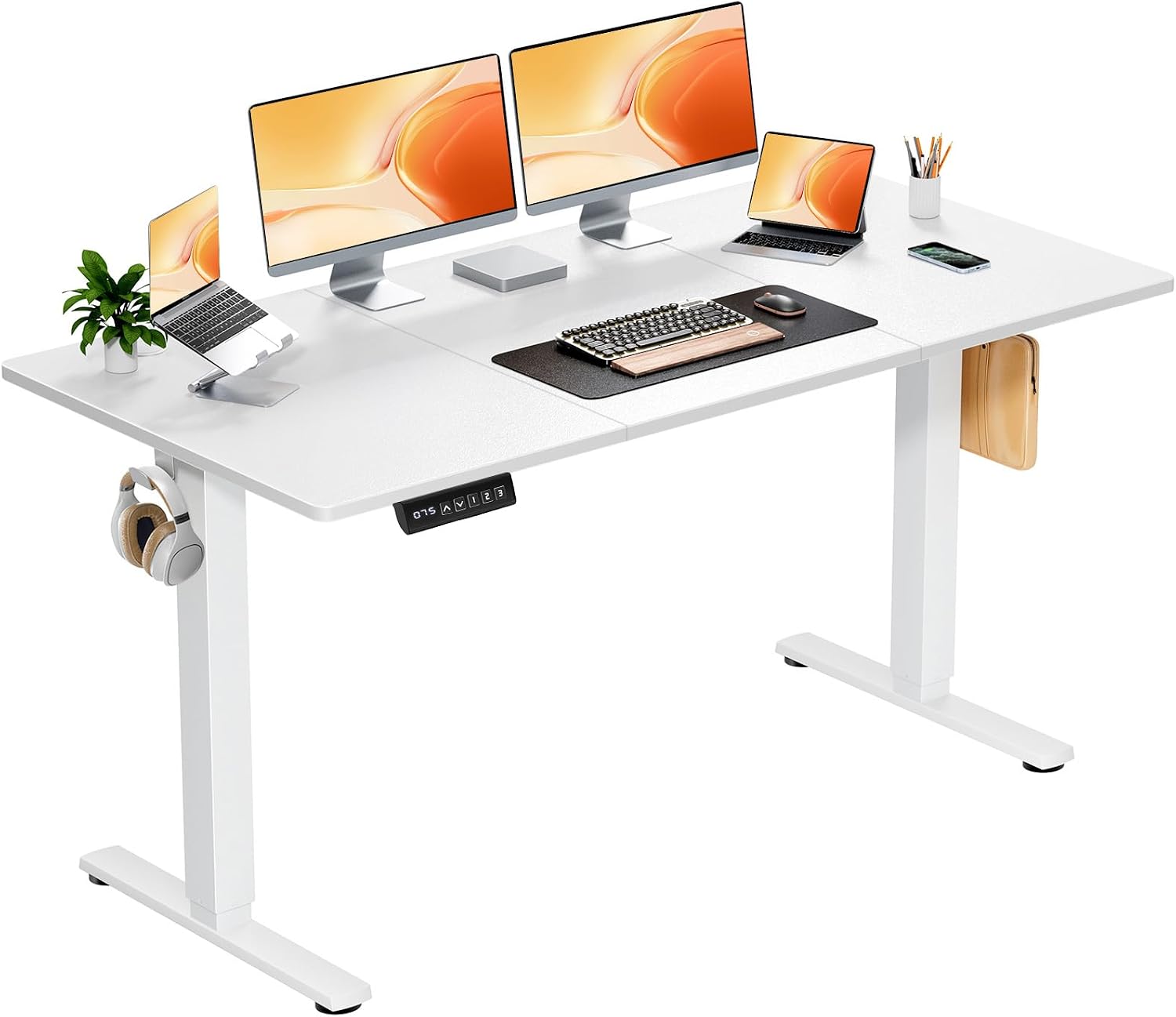 Visit on Amazon → Visit on Amazon →DUMOS 63 Inch Electric Standing Desk |
63 in wide | Check motor count and crossbar | Memory presets, verify after a power cycle | Most home offices |
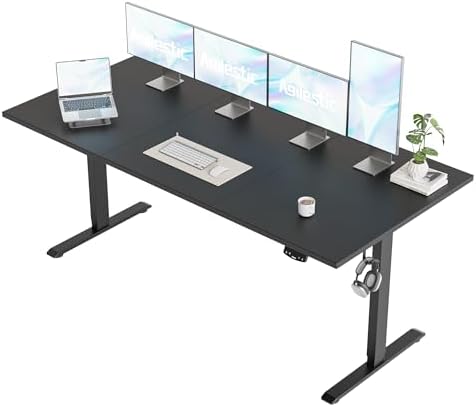 Visit on Amazon → Visit on Amazon →Agilestic 48x24 Inch Height Adjustable Electric Standing Desk |
48 x 24 in | Compact frame, check foot length | Height adjustable, check preset retention | Small rooms |
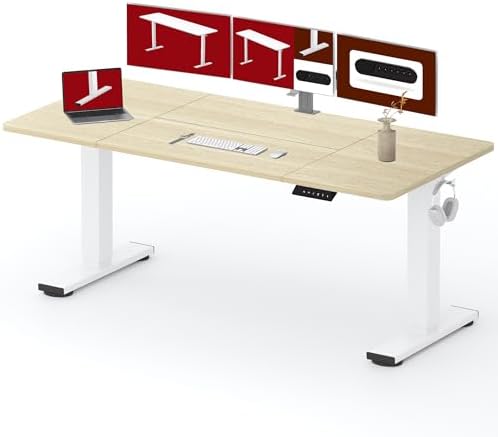 Visit on Amazon → Visit on Amazon →SANODESK 79x32 Inch Large Height Adjustable Ergonomic Electric Standing Desk |
79 x 32 in | Large top, crossbar matters most here | Ergonomic adjustment, check collision sensor | Multi-monitor setups |
 Visit on Amazon → Visit on Amazon →ErGear Electric Standing Desk with 6 Drawers |
Standing desk with six drawers | Check motor count under drawer weight | Check drawer clearance when seated | Clutter control |
What actually matters after the first month
Wobble is geometry, not weight. The side to side sway at standing height is the spec every manufacturer hides, and it comes from frame width, foot length, and bracing, plus how far the top overhangs the frame. You cannot fix it with a heavier monitor or a thicker desk mat. You can reduce it by keeping the load centered, using the crossbar, and buying a top that does not dwarf the frame.
Height range is the other number to check against your own body. Measure your standing elbow height, then compare it to the desk's maximum height. If the desk tops out below your elbows, you will hunch, and you will stop standing.
Cable management is where I have to admit hypocrisy. I say it is overrated, and I own an expensive cable tray. The one part that genuinely matters is slack. A cable that is tight at sitting height will pull at standing height, and a pulled cable is how ports die. Leave loops everywhere and you can skip the rest of the accessories.
Load ratings are on the listing, but distribution matters more than the total. Heavy items in the center of the frame, light items at the edges. That single habit is the difference between a frame that feels solid for years and one that develops a lean.
Should you buy the DUMOS 63 Inch Electric Standing Desk?
Yes, for most people, and mostly because of the presets. A 63 inch top with memory adjustment is the combination that keeps the standing feature in daily use instead of turning it into a novelty you try for a week. Verify the controller keeps its presets after a power cycle, check the frame for a crossbar, and accept that 63 inches is a commitment to wall space.
Should you buy the Agilestic 48x24?
Yes, if the room is the constraint and the desk has to fit. The rustic brown top and the compact footprint make it the practical pick for apartments and shared spaces. Just be honest about depth. If you run a large monitor on an arm, measure what you actually need, because 24 inches is a hard limit, not a suggestion.
Should you buy the SANODESK 79x32?
Yes, if you have the space and the load to justify it. This is the most desk in the group, and the 32 inch depth is the part you will appreciate most. Do not buy width to compensate for a weak frame, though. Use the crossbar, keep the load centered, and run the loaded stability test yourself.
Should you buy the ErGear with 6 Drawers?
Yes, if clutter is the problem you are actually solving. The drawers are the feature, and they do real work for anyone whose desk surface has become a shelf. Run the same frame checks anyway, because storage does not change the fact that the frame is the desk. If you do not need the drawers, you are paying for space you will fill with things you do not need.