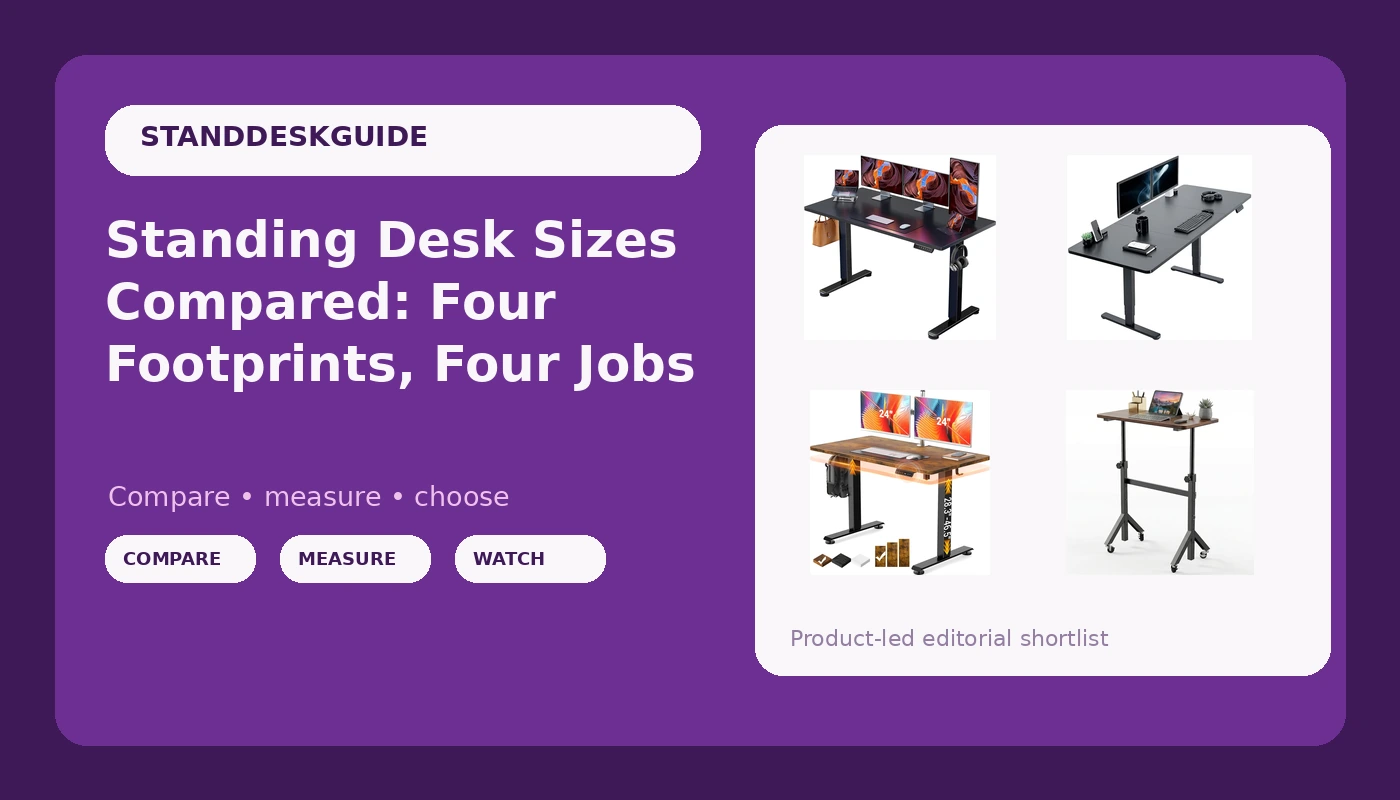
Most standing desk shopping starts with a motor spec and ends with a box that does not fit the room. Standing desk sizes are the constraint that decides everything else: where the desk lives, whether a monitor arm or a walking pad fits alongside it, and how far you have to reach for a keyboard. The four desks below span the practical range, from a 28 inch rolling model you can push out of the way to a 71 inch surface that can hold two monitors and a laptop without negotiation. The real question is not which one wins. It is which footprint your room and your working day can support.
Related: How Tall Should a Standing Desk Be? Height Math for Real Bodies →
Quick answer
Match the footprint first, then check frame details. A rolling adjustable desk in the 28 to 46 inch range suits tight rooms and walking pad setups. A 47.2 inch electric desk covers a single-monitor gaming or work setup. A 55 by 28 inch electric desk sits in the middle of the road. A 71 by 30 inch surface is for anyone who wants a full dual-monitor workstation. Motor count, crossbar design, and controller behavior vary between listings, so confirm those on the product page rather than assuming.
Four sizes, four jobs
| Model | Best fit | What stands out |
|---|---|---|
| HUANUO 28-46" Small Standing Desk Adjustable Heigh, Mobile Stand Up Desk with Wheels, Portable Rolling Desks for Walking Pad and Treadmill, Computer Laptop Desks for Home Office Space | Tight rooms, walking pad setups, laptop work | Adjustable across 28 to 46 inches and mounted on wheels |
| Veken 47.2 Inch Large Electric Standing Desk, Gaming Table, Brown | Single-screen gaming and home work setups | 47.2 inch electric surface with a brown finish |
| ErGear Height Adjustable Electric Standing Desk, 55 x 28 Inches Sit Stand up Desk, Memory Computer Home Office Desk, Black | General home office duty | 55 by 28 inch top with memory presets named in the listing |
| VIVO Black 71 x 30 in Standing Desk, DESK-KIT-2B7B | Full dual-monitor workstations | 71 by 30 inch surface, sold as a desk kit |
Smallest footprint: HUANUO 28-46" Small Standing Desk Adjustable Heigh, Mobile Stand Up Desk with Wheels, Portable Rolling Desks for Walking Pad and Treadmill, Computer Laptop Desks for Home Office Space
The trade-off here is surface area and load. A rolling desk in this size class is built around portability, so the top is narrow and the frame is light. That is exactly what makes it useful in a small apartment, a bedroom corner, or beside a treadmill, and exactly why it is the wrong pick for a dual-monitor rig with a heavy tower underneath. If your setup is a laptop, a notebook, and a coffee, this is a genuinely practical shape. If you plan to bolt on a monitor arm and a docking station, measure the top depth first and check what the listing says about weight limits before committing.
Compact electric: Veken 47.2 Inch Large Electric Standing Desk, Gaming Table, Brown
Forty-seven inches is the size where a desk stops feeling like a compromise and starts feeling like furniture, without demanding a dedicated office. One monitor plus a laptop fits comfortably. A second monitor starts to crowd the space, especially if you also want speakers or a tablet stand on the surface. The brown finish matters more than it sounds, because most budget frames ship in black and the top is the part you actually look at all day. Treat the depth as the number to verify: a 47 inch width with a shallow top feels smaller in use than the width suggests.
Everyday size: ErGear Height Adjustable Electric Standing Desk, 55 x 28 Inches Sit Stand up Desk, Memory Computer Home Office Desk, Black
Fifty-five by twenty-eight is the classic home office rectangle, and it is popular because it fits a standard wall without dominating the room. Memory presets are the feature worth thinking about hardest. A desk you have to hold a button on until it reaches the right height is a desk you stop raising by week three. Presets turn the standing position into one press. The counterpoint is that presets are only as good as the controller behind them, and controller behavior is the detail most listings describe least. Check whether the height settings survive a power cut, and confirm the frame details before you buy.
Widest surface: VIVO Black 71 x 30 in Standing Desk, DESK-KIT-2B7B
Seventy-one inches changes what a desk can be. Two monitors plus a laptop plus a keyboard and still some bare surface is realistic at this width, and the extra depth makes a clamp-on monitor arm far easier to live with. The cost is commitment: a desk this size needs a wall long enough for it and about a foot of clearance behind it for cable routing and the frame's rear travel. It also amplifies any stability weakness, because a wide top gives a wobbling frame more leverage to work with. If your room cannot give this desk its own wall, the smaller options will serve you better.
Prices and availability may change. Product images, names, and retailer links are matched to verified listings. No current price, rating, stock status, or measured result is stated here without current evidence.
What desk size numbers actually describe
A listed width is the top's left-to-right measurement, and a listed depth is front to back. Neither number includes the frame's feet, which often sit slightly inside the top's edge, or a rear crossbar, which can extend behind the desk. That gap between the stated dimensions and the real footprint is why a desk that measures perfectly on paper can still crowd a doorway or block a baseboard heater.
Three more numbers matter as much as width and depth. The height range tells you whether the desk works for your seated and standing elbow heights, and it is the specification most often skimmed. The top thickness affects how much a clamp-on arm can grip and how the desk feels under your hands. The clearance under the frame decides whether a filing cabinet, a walking pad, or a small drawer unit can live beneath it. Measure the wall, the chair's travel, and your own seated and standing positions before you compare listings, because the desk that fits your body is not always the desk that fits the photograph.
Motor, controller, and stability questions worth asking
Width and depth do not tell you whether a desk will wobble at standing height. That is a geometry problem. Two lifting columns, a rigid frame, and a crossbar resist side-to-side sway far better than a single-column design, which is why motor count and bracing are worth checking on every listing. A wide top on a light frame is the combination most likely to feel unstable, and stability problems show up at the exact height you actually work at, not at the lowest setting.
The controller deserves the same scrutiny as the frame. Memory presets are only useful if they hold their values after the desk loses power, and a controller that fights you is a controller you stop using. If the listing mentions collision detection, plan to test it early with a box or a chair in the desk's path, because a sensor that does not stop the desk is worse than no sensor at all. Cable management is the last piece: a tray or channel keeps slack out of the travel path, and routing cables before assembly is far easier than threading them afterward.
- Measure the available wall length and the clearance behind the desk before comparing any models.
- Note your seated and standing elbow heights, then check each desk's stated height range against them.
- Decide the surface you need: laptop only, one monitor, or two monitors plus a laptop.
- Confirm frame details on the listing, including motor count, crossbar, and controller features.
- Plan cable routing and clearance under the frame before the desk arrives.
Practical guidance for picking a size
- Trace the footprint on the floor with tape and live with it for a day before ordering.
- Leave at least a few inches behind the desk for cable slack and frame travel.
- Match the top size to your monitor count rather than to your ambitions.
- Check the height range against your body, not against the average user.
- Treat portability as a feature only if you will actually move the desk.
Which option should you choose?
Choose the HUANUO 28-46" Small Standing Desk Adjustable Heigh, Mobile Stand Up Desk with Wheels, Portable Rolling Desks for Walking Pad and Treadmill, Computer Laptop Desks for Home Office Space when space is tight, you work from a laptop, or you want a desk you can roll aside. Choose the Veken 47.2 Inch Large Electric Standing Desk, Gaming Table, Brown when you want an electric lift in a smaller footprint and a warmer finish. Choose the ErGear Height Adjustable Electric Standing Desk, 55 x 28 Inches Sit Stand up Desk, Memory Computer Home Office Desk, Black when you want a conventional home office rectangle with memory presets. Choose the VIVO Black 71 x 30 in Standing Desk, DESK-KIT-2B7B when you have a wall to spare and want room for a full dual-monitor setup.
Frame details, height ranges, and controller behavior are not identical across these listings, and the product names alone do not settle those questions. Verify the specifications on each product page against your own measurements before you decide.
The bottom line
Size is the decision that is hardest to undo. A desk that is too wide crowds the room every day, and a desk that is too narrow stops supporting your setup the moment you add a second screen. Start with the footprint your space allows, then narrow by height range and controller features, and treat the frame as the part that determines whether the desk still feels solid at standing height a year from now. The four desks here cover the range from a rolling 28 inch cart to a 71 inch workstation, so the right answer depends on your room and your routine rather than on a single ranking.