Related: Best Standing Desk Frames for a DIY Build
I have four electric standing desks for home office duty in my shop right now, and they disagree with each other about what a desk is supposed to be. One is 79 inches wide and expects to own the room. One is 32 inches wide and expects to be pushed into a corner when the day ends. The other two sit in the middle, one carrying drawers and a top shelf, one splitting its work surface into sections. I spent six years designing office furniture before I started writing about it, and the lesson that stuck is simple: the top is the part you see, but the frame is the desk.
A wide top on a frame that sways when you type at standing height is a nice-looking mistake. So before I look at finishes, drawers, or controllers, I look at geometry. How wide is the span between the legs? Is there a crossbar tying them together under the top? Are there two lifting columns or one? Those three questions predict more about whether you will actually use the height adjustment than any bullet point on a box.
Below are the four desks, sorted by who they suit, followed by the comparison table I send to friends who ask me what to buy. This is not a spec sheet recital. It is a working designer's read on four very different pieces of furniture, plus the questions I would ask before handing over a card.
OffiGo 79" Executive Electric Standing Desk: the room-defining pick
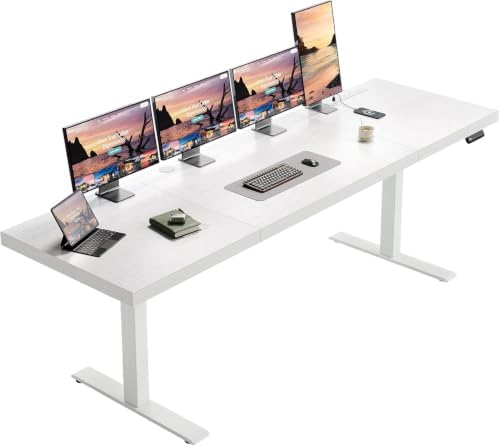
The OffiGo is the widest desk in this group by a comfortable margin, and that width is the whole point. At 79 inches you are not really buying a desk, you are buying a wall. Two monitors, a laptop, a notepad, a coffee mug, and still a stretch of empty rustic brown finish to spread out on. If your work involves drawings, samples, or two screens plus paper, this is the footprint that ends the daily shuffle of moving things out of the way.
Width creates leverage, though. Every extra inch of span gives a wobble more room to build, which is why the wide desks that hold up are the ones with a genuinely stiff frame underneath: two lifting columns, a crossbar tying them together, and legs that splay rather than stand straight up. I would want to see that bracing before trusting a 79 inch top at standing height, and you should ask the same question before you buy.
The rustic brown finish is a practical choice for a home office, because it hides the fingerprints, dust, and coffee rings that a white top collects like evidence. It also reads as furniture rather than equipment, which matters when the desk lives in a living room or a shared space.
Plan the cable run before it arrives. A desk this wide will happily swallow a monitor arm, a dock, and a laptop charger, but the cables have to go somewhere, and the tray you buy on day one is cheaper than the one you buy in frustration on day thirty.
Set your two or three presets the first afternoon: sitting, standing, and the halfway point you use while your back decides. A desk with memory keys gets used. A desk you have to hold a button for does not.
TIQLAB 48 x 24 Standing Desk with Two Drawers and Top Shelf: the storage-first pick
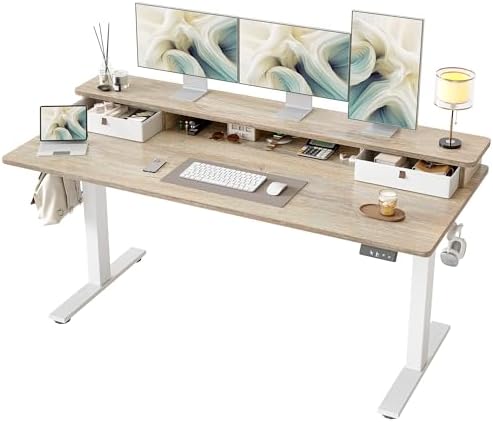
The TIQLAB is the desk for people whose real problem is not height, it is clutter. 48 by 24 inches is the classic working footprint, roughly a door's worth of surface, which is enough for a monitor, a keyboard, and your elbows, and not much else. The two drawers and the top shelf are what make it work, because they give the pens, the cables, the notebook, and the headphones a home that is not the desktop.
That top shelf is doing more than decorating. Raised storage on a desk this size buys back usable surface, and it is where a monitor riser, small speakers, or a stack of reference material belongs. Anything you can lift off a 24 inch depth makes the working area feel larger than it is. Twenty-four inches is also the depth limit I would respect with a big monitor, because you want the screen at arm's length, not a foot from your face.
Drawers are a commitment. They add assembly, they add a place for things to disappear, and they only earn their keep if you actually open them. If your desk has historically been a flat surface with a pile on it, drawers will not fix the habit, but they will give the pile somewhere to go at the end of the day.
The maple finish is the quiet advantage here. It is bright without being clinical, and it looks good on video calls. Pair it with a light wall and the room stays open even when the desk is working hard.
DEVAISE 63 Inch Standing Desk with Split Top: the mid-size value
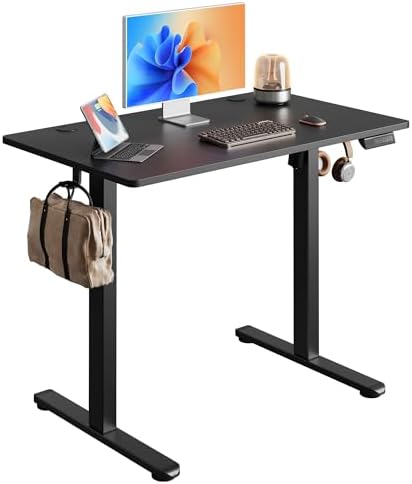
Sixty-three inches is the number I recommend most often to people who ask, because it is the smallest width that comfortably holds two monitors side by side without turning into a compromise. The DEVAISE sits right there, in maple, with a split top that divides the surface into sections.
A split top is worth understanding before you buy one. A seam in the middle of a work surface changes where your mouse can travel and where you can clamp things, and that can be an advantage or an irritation depending on how you work. If you use a monitor arm, check that it can clamp to the rear section. If you write on paper, know that the seam will find your pen. If you mostly type, you will stop noticing it by the second week.
At this width the desk holds a monitor, a laptop on a stand, and a lamp without a fight, which is the setup most home offices actually run. It also leaves enough room for a chair to move without knocking the wall.
What I like about this size class is the honesty of it. Nobody buys a 63 inch desk to show off. They buy it because they measured the wall and this is what fits, and the DEVAISE gives them a work surface wide enough for real work and a finish that does not look like a dorm room.
Check the frame details before you commit: two motors, a crossbar, and a controller with presets you can set and forget. Those three things decide how the desk feels in year two, long after the finish stops being interesting.
32" Small Rolling Electric Standing Desk: the desk you can move
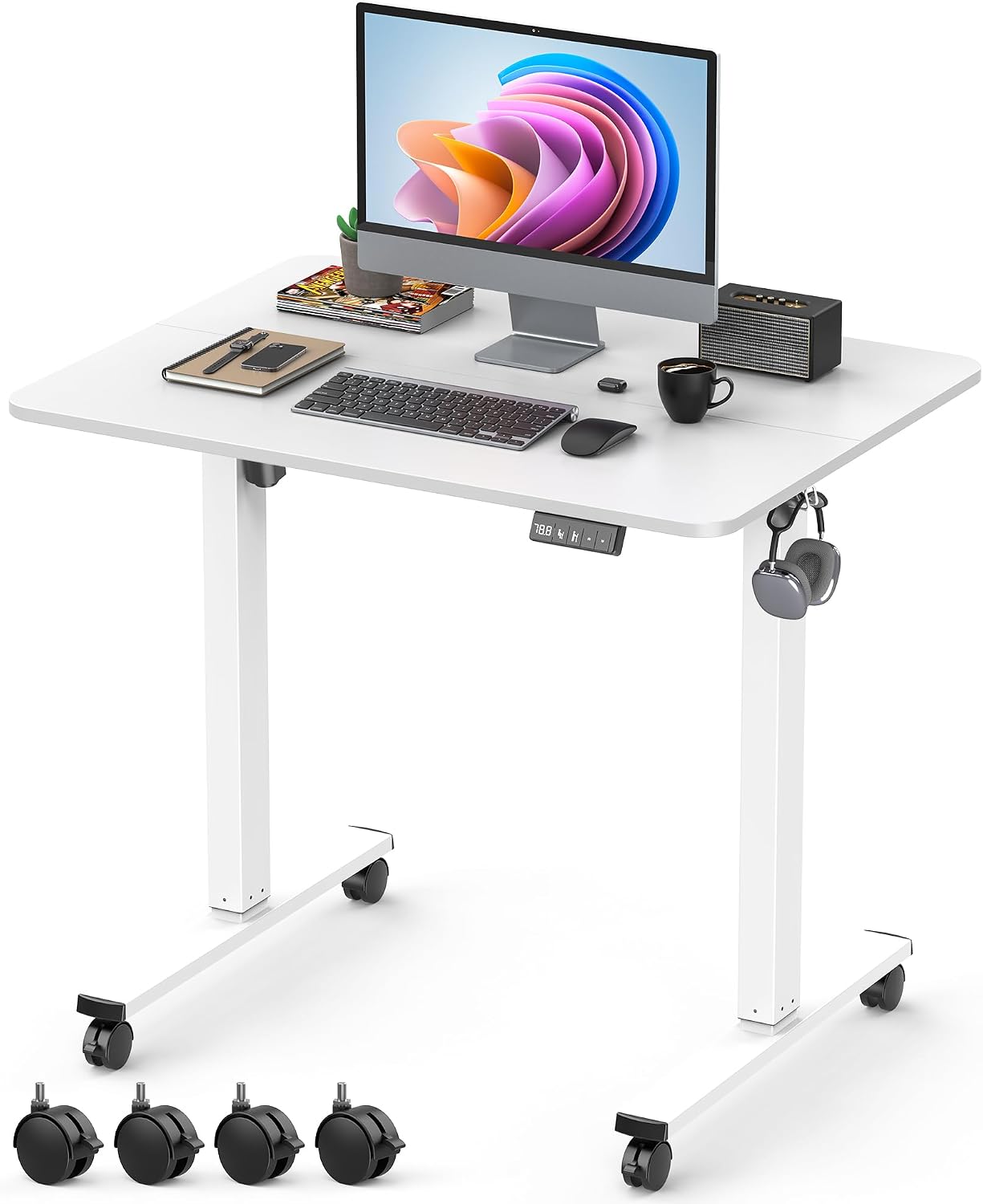
The smallest desk here solves a problem the others cannot. At 32 inches, with casters underneath, this is a laptop desk that can be a standing desk in the morning, a side table in the afternoon, and something you roll against the wall when guests arrive. In a studio apartment or a shared room, that mobility is worth more than any amount of surface area.
Rolling and stability are natural enemies, and this is the trade you are making. Casters put the whole desk on four small contact points, and the frame has to work harder to stay quiet at standing height. Locking casters help, and they are the first thing I would check. If they do not lock firmly, the desk will wander every time you lean on it.
Thirty-two inches means one screen and one keyboard, and that is fine. This is not the desk for dual monitors and a printer. It is the desk for a laptop, a notebook, and a cup of coffee, and for the person who works from a corner of a room that has to be something else by six o'clock.
Treat it as a second desk, or a first desk for a genuinely small space, and it earns its place. Treat it as a replacement for a full home office setup and you will run out of surface by Tuesday.
One more point in its favor: height adjustment is easier to live with on a small desk than a big one, because the shorter span has less room to sway. Geometry working in your favor for once.
The four desks side by side
| Product | Best for | Footprint | Price |
|---|---|---|---|
 Visit on Amazon → OffiGo 79" Executive Electric Standing Desk |
Executive setups, dual monitors plus paper | 79 inches wide | $319.99 |
 Visit on Amazon → TIQLAB 48 x 24 Standing Desk with Two Drawers and Top Shelf |
Clutter control in a standard corner | 48 x 24 inches | $189.99 |
 Visit on Amazon → DEVAISE 63 Inch Standing Desk with Split Top |
Two monitors without dominating the room | 63 inches wide | Check current Amazon price |
 Visit on Amazon → 32" Small Rolling Electric Standing Desk |
Small rooms and desks that move | 32 inches wide | $89.99 |
Every desk in that table is electric and height adjustable. What separates them is how much room they take, how much they can hold, and how much frame you are paying for underneath the finish.
How I judge a standing desk
Four questions, in this order.
Wobble first. Not at sitting height, where almost everything is a rock, but at the height you actually stand at, with a monitor on top and your hands typing. Wobble is a geometry problem before it is a weight problem, and the fix is bracing, not a thicker top. If a desk sways while you type, you will lower it and stop using the feature, and then you have paid a premium for a fixed desk.
Motors second. Two lifting columns instead of one is the minimum I would accept in 2026, because a single motor strains under a real load and sags to one side over time. A crossbar between the legs is the other half of that story, and its absence is the most common reason a cheap desk feels cheap.
The controller third. Memory presets are not a gimmick, they are the difference between a desk you adjust and a desk you abandon. The specific test is a power cut: unplug it, plug it back in, and see whether your sitting and standing heights are still there. Controllers that forget are controllers you fight.
Last, the year question. Would I still want to sit at this thing twelve months from now, after the novelty is gone and the cables have multiplied? That is the only review that matters, and it is why every desk that comes through my shop goes into a three-week rotation at both heights before I form an opinion about it.
Everything else, the finish, the drawer pulls, the shelf, is a detail layered on top of those four answers.
Which one should you buy?
The OffiGo 79" if the desk is going to anchor the room and you need width for two screens plus paper. It is the most furniture-like of the four and the one that makes a home office feel intentional rather than improvised.
The TIQLAB if your desk is also your filing cabinet and your shelf. The drawers and the top shelf do the work a bigger surface would otherwise do, and the 48 x 24 footprint fits almost anywhere.
The DEVAISE if you measured the wall and 63 inches is the number. It is the width that holds two monitors comfortably, and the split top deserves a close look if you use a clamp-mounted monitor arm.
The 32" rolling desk if your space has to serve another purpose after hours, or if you want a standing option you can move between rooms.
Should you buy the OffiGo 79" Executive desk?
Yes, if width is the problem you are solving. A 79 inch rustic brown top gives you the kind of working surface that stops you from stacking things, and it looks like furniture in a room that has to be lived in. The condition is the frame. Ask about the bracing before you order, because a span this wide needs two motors and a crossbar to feel solid at standing height, and no finish is worth a desk that sways while you type.
Should you buy the 32" small rolling desk?
Yes, if mobility is the point and you are honest about one screen. It is the only desk here that can leave the room, which is worth a lot in a small apartment. Locking casters are the detail to check first, since wheels and stability pull against each other. If you run two monitors, skip the wheels and buy width instead. If you run a laptop and a notebook, this is the most flexible desk in the group.