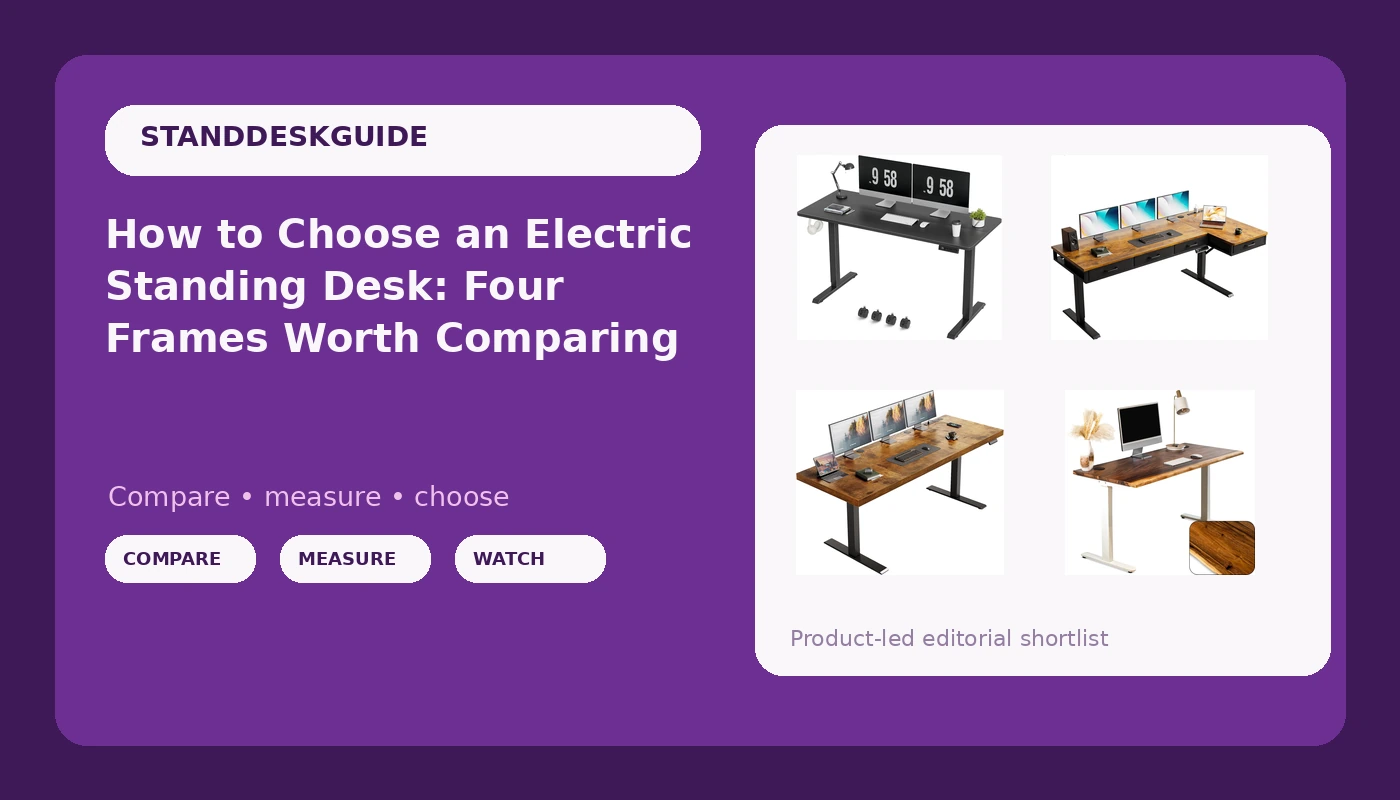
An electric standing desk is a geometry purchase before it is a motor purchase. Most buyers start by comparing motors, then discover three months later that the thing bothering them is the surface width, the depth against their monitor arm, or the fact that the controller sits under the front edge where they have to duck to reach it. The desk has to fit the room, the chair has to fit under it, and the controls have to be somewhere your hand lands without thinking. Everything else is secondary. The four desks below cover the four shapes that most home offices actually need: a wide single surface, a compact top that can move, a corner layout with storage, and a solid wood top where the material is the point rather than the mechanism.
Related: Standing Desk Stability: Why Wobble Happens and How to Fix It →
Quick answer
Match the desk to the room before you match it to a specification. If you have a long, straight wall, a full-width single-surface desk gives you the most usable work area for the floor space it consumes. If you are working into a corner, an L-shaped layout reclaims area you would otherwise waste and puts storage within arm's reach. If the desk has to shift between rooms or tuck against a wall, removable casters matter more than any motor detail. If the surface itself is the reason you are shopping, solid wood is the only option in this group that will not read as office equipment in five years. No single one of these is the right answer for every room, and none of the listings publishes the stability or motor details that would let anyone rank them on performance alone.
Four useful options
| Model | Best fit | What stands out |
|---|---|---|
| OffiGo 71" Executive Electric Standing Desk Height Adjustable, Rustic Brown | Long, straight walls | A 71-inch single surface with no seam in the middle |
| Furmax Electric Standing Desk, 55 x 24 Inches Height Adjustable Desk with Removable Casters, Home Office Computer Desk (Carbon Black) | Small rooms and shared spaces | Compact 55 x 24 inch top plus removable casters |
| OffiGo 63 Inch L Shaped Electric Standing Desk with 4 Drawers, Rustic Brown | Corner offices | L-shaped 63-inch layout with four built-in drawers |
| Walnut Solid Wood Standing Desk with Natural Live Edge, W60 x D27 | Buyers who want the top to be the feature | Solid walnut with a natural live edge, 60 x 27 inches |
Wide single-surface pick: OffiGo 71" Executive Electric Standing Desk Height Adjustable, Rustic Brown
Width is the spec people underestimate. A 71-inch surface lets you run a monitor, a laptop, and a notepad side by side without stacking anything, and it means your mouse hand never leaves the desk when you swing between tasks. The trade-off is that a desk this wide needs a wall to match. Measure the run you intend to put it against, then subtract a few inches on each side so you are not fighting baseboards or a door swing every time you raise it. A wide single surface also puts more distance between the lifting columns, which is generally a good thing for side-to-side movement, though you should read the frame description rather than assume. If your room is narrow or you work in a corner, this shape will feel like a barrier rather than a desk.
Compact pick with casters: Furmax Electric Standing Desk, 55 x 24 Inches Height Adjustable Desk with Removable Casters, Home Office Computer Desk (Carbon Black)
Removable casters are a genuinely useful feature and also a decision point. Leave them on and the desk becomes something you can pull away from the wall to vacuum behind or roll into the middle of the room for a video call, at the cost of a slightly less planted feel and a little extra height. Take them off and you get a lower, more stable stance but lose the mobility that justified the feature. A 55 x 24 inch top is a real constraint: it fits one large monitor comfortably, or a laptop plus a second screen if you are disciplined about what else lives there. This is the shape to consider when the desk shares a room with something else, or when your workspace has to be reconfigured on a regular basis.
Corner layout pick: OffiGo 63 Inch L Shaped Electric Standing Desk with 4 Drawers, Rustic Brown
An L-shape does something a straight desk cannot: it turns dead corner space into usable depth without pushing you further into the room. That matters in a bedroom or a shared living space where every inch of floor is contested. The four drawers are the second half of the argument, because they replace a filing cabinet or a rolling cart, and storage you do not have to stand up to reach is storage you will actually use. The counterargument is assembly and adjustment. An L-shaped frame has more joints and more points where a surface can rock, and any drawer stack hanging under a moving desk adds load the mechanism has to carry. Check the return window before you commit, and plan on spending real time on the initial assembly rather than treating it as a twenty-minute job.
Solid wood pick: Walnut Solid Wood Standing Desk with Natural Live Edge, W60 x D27
Solid wood changes the math of a desk purchase. A laminate top is a surface you put up with; a walnut slab with a live edge is a piece of furniture that happens to move. The 60 by 27 inch footprint is a sensible working size, slightly deeper than many budget tops, which helps if you use a monitor arm or want your keyboard well back from the screen. The live edge also means the front or side profile is irregular by design, so if you want a perfectly straight line against a wall, look at how the edge is oriented before ordering. Understand what you are buying: solid wood needs occasional oiling, it can move slightly with seasonal humidity, and it will show a pen mark that a laminate would shrug off. In exchange, it will still look like something in ten years.
Prices and availability may change. Product images, names, and retailer links must be matched by verified ASIN. Do not state a current price, rating, stock status, or measured result without current evidence.
Why the frame matters more than the desktop
Tops are interchangeable. Frames are not. If you take one idea from this article, take that one. A desk that wobbles at standing height is not a desk you will stand at, and the wobble almost never comes from the surface material. It comes from geometry: how far apart the lifting columns sit, whether there is a horizontal brace tying the two legs together, and how much leverage your body applies when you lean on the front edge.
Think of the frame as a triangle problem. Two legs and a top form a rectangle, and rectangles are free to rack side to side. A crossbar turns that rectangle into two triangles, and triangles resist racking. This is why a cheap frame with a crossbar can feel steadier than a more expensive frame without one, and why a wide top on a narrow base amplifies every small movement. The surface width does not create wobble, it reveals it.
Motor count follows the same logic. Two lifting columns sharing the load move more evenly and strain less than a single column doing all the work, particularly when the desk is carrying monitors, a laptop, and whatever else accumulates. You do not need a specification sheet to check this: count the legs. Two columns means two motors in almost every case, and a single-column design with a wide top is a compromise you should go into with your eyes open.
The controller is the third piece, and the one people ignore until it annoys them. A desk you fight with is a desk you stop adjusting, and a height-adjustable desk that never changes height is just a table. Memory presets matter because they remove the small friction of holding a button and eyeballing the right position. Collision detection matters because it is the feature that stops the desk from driving into a monitor arm or a window sill. Test both on the first day, while the packaging is still in the room and returning is still easy.
How to read a standing desk listing
Listings are written to sell, not to inform, so read them in a fixed order and ignore the adjectives until the end.
- Measure the wall or corner first, in inches, and write the number down. Every other decision follows from it. A desk that does not fit the room is not a candidate, no matter how good the rest of it looks.
- Check the depth against your actual setup. Twenty-four inches is workable with a clamp-style monitor arm. Twenty-seven gives you room to push a keyboard back and still have space in front of the screen.
- Count the lifting columns in the frame description and look for a crossbar. This tells you more about how the desk will feel at standing height than any marketing line about motors.
- Look for controller details: how many memory presets, whether there is a collision sensor, and where the panel is mounted. A controller under the front edge is harder to reach than one at the leading edge.
- Plan cable routing before assembly, not after. An under-desk tray or a simple hook system keeps cables from hanging at the exact height where your knees travel.
Setup details that decide whether you keep using it
- Set the sitting height with your elbows at roughly ninety degrees and your feet flat, then save that position before you do anything else.
- Set the standing height with your elbows slightly above ninety degrees, which is higher than most people guess on the first try.
- Save both positions as presets and label them mentally as work and stand, so switching is one press rather than a negotiation.
- Check the desk's full travel against your monitor arm, your window sill, and any shelf above the desk before you raise it all the way for the first time.
- If the desk has casters, decide on day one whether they stay. Locking them and leaving them on is a valid choice, but decide rather than drift.
- Level the feet or glides after assembly, then re-check them a week later once everything has settled.
Which option should you choose?
Choose the OffiGo 71" Executive Electric Standing Desk Height Adjustable, Rustic Brown when you have a long straight wall and want one continuous surface for a monitor, a laptop, and paper without stacking anything. Choose the Furmax Electric Standing Desk, 55 x 24 Inches Height Adjustable Desk with Removable Casters, Home Office Computer Desk (Carbon Black) when floor space is tight, the desk shares a room with something else, or you need to be able to move it. Choose the OffiGo 63 Inch L Shaped Electric Standing Desk with 4 Drawers, Rustic Brown when you work into a corner and want storage within reach instead of a separate cabinet. Choose the Walnut Solid Wood Standing Desk with Natural Live Edge, W60 x D27 when the surface itself is the reason you are buying and you are willing to maintain it.
Two caveats worth taking seriously. None of these listings publishes a wobble measurement, a motor count, or a preset behavior, so stability claims cannot be verified from the page alone. Read the frame description carefully, check the return policy before assembly, and treat the first week as a test period. And dimensions in a listing are nominal: a 71-inch top on a 74-inch wall leaves almost no margin, so measure the room rather than assuming the numbers will work out.
The bottom line
The right electric standing desk is the one whose shape matches your room and whose controls you will actually touch. Width, depth, footprint, and storage determine daily usefulness far more than any motor specification, and a frame with two lifting columns and a crossbar will serve you better than a fancier top on a shakier base. Start with the wall you have, pick the shape that fits it, then check the frame and controller details before you order. If you are still deciding between a straight desk and a corner layout, the corner model earns its space in a small room, while a wide single surface wins wherever there is a long wall to support it.