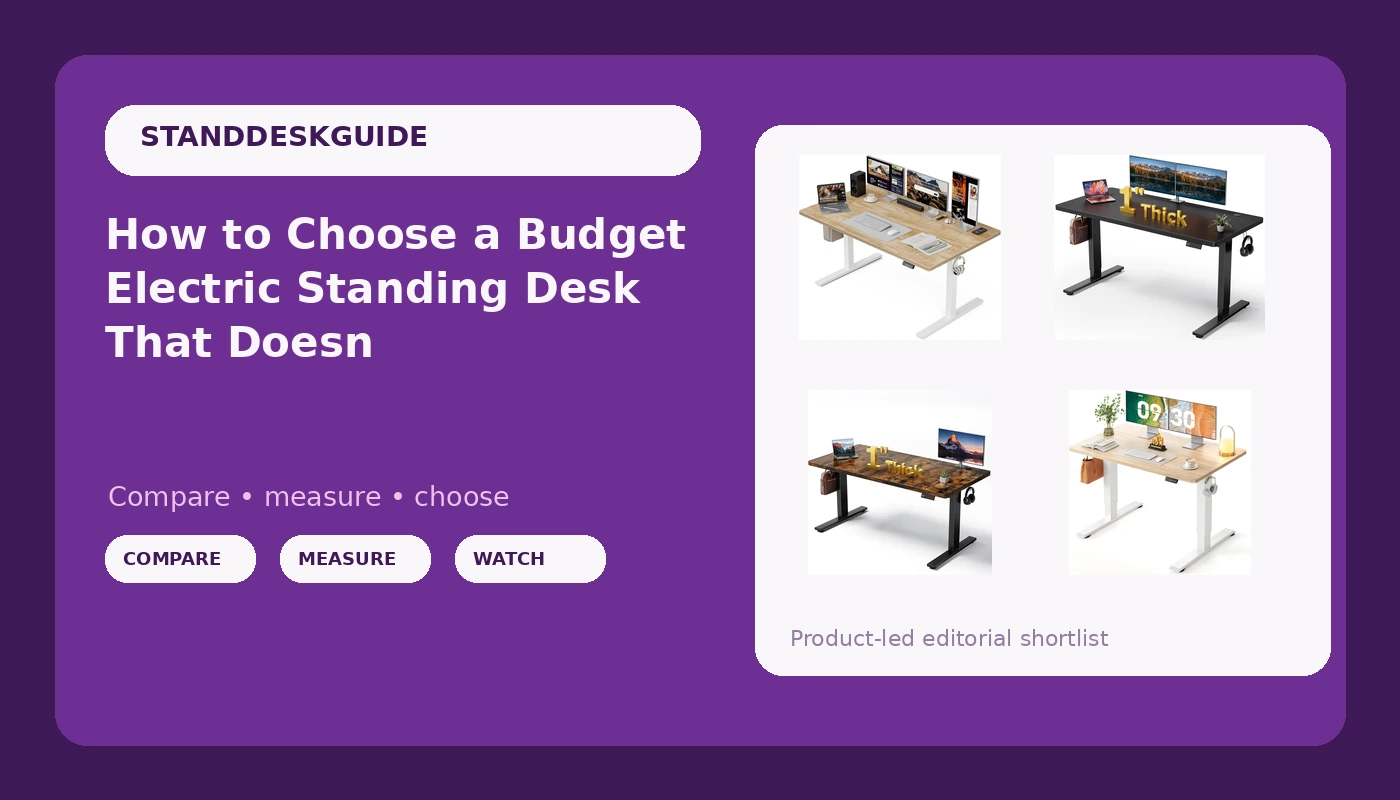
Most people start their search for a budget electric standing desk with the motor, then work backward from the price. That order is wrong. The spec that decides whether you ever use the height feature is the desktop, and the spec that decides whether you enjoy using it is the frame underneath. A top that is too shallow for your monitor puts the screen in your face. A frame that sways at standing height gets lowered once and never raised again.
This guide looks at four electric standing desks in the same general price band and three different footprints: a 48x24, a 55x32, and two 60x28 models that differ only in finish. Instead of ranking them, it walks through the questions that separate a desk you keep from a desk you resell, and shows which of these four fits which setup.
Related: Why Standing Desks Wobble at Standing Height →
Quick answer
Match the desktop to your monitor setup first, then verify the frame details that product photos never show. A 48x24 top is a single monitor and a laptop. A 55x32 top is an ultrawide plus a second screen, because the extra depth is what buys you keyboard room in front of the displays. A 60x28 top is a long, shallow row of gear, which suits two monitors placed side by side on the desktop. Once the size is right, confirm the frame details: how many lifting columns it has, whether there is a brace between them, whether the controller holds memory presets, and whether the collision sensor actually stops the desk when it meets an obstacle.
Four useful options
| Model | Best fit | What stands out |
|---|---|---|
| Grandder 55x32 Extra-Deep Electric Standing Desk | An ultrawide plus a second screen | 55x32 top, listed 176 lb capacity, two memory presets, anti-collision |
| Black 60x28 in Electric Standing Desk | A long, shallow row of gear | 60 inch width with a tabletop listed at 1 inch thick |
| Brown 60x28 in Electric Standing Desk | The same layout in a warmer finish | Same listed 60x28 footprint and 1 inch tabletop, brown finish |
| CubiCubi Electric Height Adjustable Standing Desk 48x24 Inch | Small rooms and single-monitor setups | 48x24 footprint in light walnut |
The wide-desktop pick: Grandder 55x32 Extra-Deep Electric Standing Desk
The trade-off with a deep top is reach. At 32 inches front to back, the far edge of the desk sits well beyond your fingertips, so anything you use constantly ends up in the front third and the back third becomes storage. That is fine if you mount a monitor arm at the rear edge and let the extra depth create viewing distance, which is exactly what a large curved panel wants. It is less fine in a narrow room, where a 32 inch depth plus a chair plus clearance behind you can be tight. Measure the floor, not just the wall.
The 60-inch workhorse: Black 60x28 in Electric Standing Desk
Width and depth are not the same purchase. A 60 inch wide, 28 inch deep top gives you a lot of horizontal room and a conventional amount of front-to-back room. Two 27 inch monitors side by side fit comfortably. A single 34 inch ultrawide fits with room to spare, but a 49 inch ultrawide will crowd the edges and leave little space for speakers. If your plan is a wide panel plus a laptop, this shape works. If your plan is a wide panel plus a second full-size display plus a dock, the 55x32 is the better geometry.
The 1 inch tabletop thickness is worth noting because it affects two things you will live with. A thicker top resists bowing across a long unsupported span, and it gives desk-mounted clamps and monitor arm bases more material to bite into. Thin tops are not automatically a problem, but they do push you toward through-bolted accessories rather than clamp-mounted ones.
The same desk in brown: Brown 60x28 in Electric Standing Desk
Two listings with identical dimensions and different finishes are usually the same desk in two colorways, and that is how these two read. The practical consequence is that you should not expect the finish to change stability, height range, or controller behavior, and you should not pay a meaningful premium for one over the other. Pick based on what the room already looks like. A black top reads as equipment and hides cable clutter reasonably well. A brown top reads as furniture and shows dust more readily. Neither is a functional upgrade.
The compact pick: CubiCubi Electric Height Adjustable Standing Desk 48x24 Inch
The cost of a small top is not the desk, it is the accessories you buy to work around it. A 24 inch depth puts a large monitor close to your face unless you raise and tilt it, which usually means a monitor arm, which usually means clamping to a top that may or may not have the thickness for it. A single 27 inch panel at 48 inches wide leaves about 10 inches on each side for a lamp, a dock, and a mug. That is workable. Two monitors at 48 inches wide is not, unless you stack them vertically.
Prices and availability may change. Verify current specifications, dimensions, and load ratings on the retailer listing before ordering.
Why depth decides more than width
A desk is a working triangle: your eyes, your hands, and the screen. Width controls how much you can put beside you. Depth controls the distance from your eyes to the panel, and that distance is the one your neck notices.
Sit at a desk and hold your arm straight out. Your fingertips land roughly 28 to 32 inches from your shoulder. A monitor placed at that distance, with the top of the screen near eye level, keeps your head balanced over your spine. Now put a 49 inch ultrawide on a 24 inch deep top and the screen sits closer than your natural focal distance, so you either lean back, which strains your lower back, or you push the keyboard off the front edge, which strains your wrists. This is why a 55x32 top exists, and why the 48x24 is genuinely a single-monitor desk rather than a smaller version of the same thing.
Width, meanwhile, is mostly about what you refuse to move. If you keep a notebook, a second machine, and a coffee on the desk at all times, a 48 inch top will feel crowded within a week. If you work from one screen and put everything else in a drawer, it will feel generous.
The frame questions that matter more than the tabletop
Tops are interchangeable. Frames are not. Three things determine whether a height adjustable desk survives daily use.
Lifting columns. Two columns, one per side, spread the load and keep the top level as it rises. One column means the desk has a single lifting point and relies on the top and the side legs to stay square. Under an uneven load, a single-column design is the one that sags or racks.
Bracing. A frame is a rectangle. Push it sideways at standing height and it wants to become a parallelogram. A crossbar or a rear brace between the two columns is what resists that. Desks without one are not automatically unstable, but they have less margin, and margin is what you are buying.
The controller. This is the part you touch every day and the part nobody photographs. Two things to check: does it hold memory presets after the power is cut, and does the collision detection stop the desk rather than merely slow it? A desk that loses its presets on a power blip is a desk that stops getting raised. Test the collision sensor on day one, with a box, not your monitor.
Wobble, when it appears, is almost always a geometry problem rather than a weight problem. The desk is a triangle from the floor to the top, and the taller it gets, the longer the legs of that triangle, which is why sway shows up at standing height and not sitting height.
A five-step way to compare any two desks
- Measure your monitor. Width and height of the panel, plus the footprint of its stand if you are not using an arm. That number decides your minimum desktop.
- Measure the floor. Tape out the footprint on the ground with painter's tape and walk around it. This catches the desk that fits the wall but blocks the closet.
- Find your two working heights. Standing with your elbows at roughly 90 degrees and the top of the screen near eye level. If you are tall, check the maximum height before anything else.
- Confirm the frame. Two lifting columns, a brace, memory presets, and collision detection. Ask before you buy, because listings are inconsistent about it.
- Plan cables before assembly. Lay out power, monitor, and USB runs while the desk is upside down. It is fifteen minutes of work you cannot easily do afterward.
Practical guidance before you order
- Tape the footprint on the floor and live with it for a day, especially in a bedroom or a shared space.
- Check whether your chair arms clear the underside of the top at your seated height.
- Confirm the top's thickness if you plan to clamp a monitor arm, because thin tops need through-bolting.
- Budget for a cable tray and a power strip with a long cord. The desk moves, and the wall does not.
- Test the collision sensor and the presets during the first week, while returns are still simple.
- Keep the original packaging for at least a month if you assemble in an apartment stairwell.
Which option should you choose?
Choose the Grandder 55x32 Extra-Deep Electric Standing Desk when you run a 49 inch ultrawide or two screens and need the depth to keep them at a comfortable distance, and when the listed 176 lb capacity and two memory presets match how you work. Choose the Black 60x28 in Electric Standing Desk when you want a long, shallow surface for two monitors side by side and a dark finish. Choose the Brown 60x28 in Electric Standing Desk when you want that same layout in a finish that reads as furniture rather than equipment. Choose the CubiCubi Electric Height Adjustable Standing Desk 48x24 Inch when floor space is the binding constraint and a single monitor with a laptop is your actual setup.
The caveat is that this comparison rests on the dimensions, capacities, and features stated in the listings. Frame construction, motor count, and controller behavior are not visible from a product name, and they vary between batches. Verify the specifics on the listing before you commit, and treat any claim about wobble, noise, or stability that is not backed by a number as marketing until you have tested it yourself.
The bottom line
Pick the desktop size that matches your monitor arrangement, because that is the decision you cannot fix later without buying a new desk. Depth determines viewing distance, width determines how much gear sits beside you, and 48, 55, and 60 inch tops are genuinely different tools rather than sizes of the same tool. Then treat the frame as the real purchase: two lifting columns, a brace between them, a controller that remembers your heights, and a collision sensor you have personally tested. The finish is the last decision and the least important one, which is why the two 60x28 options here come down to what the room looks like.