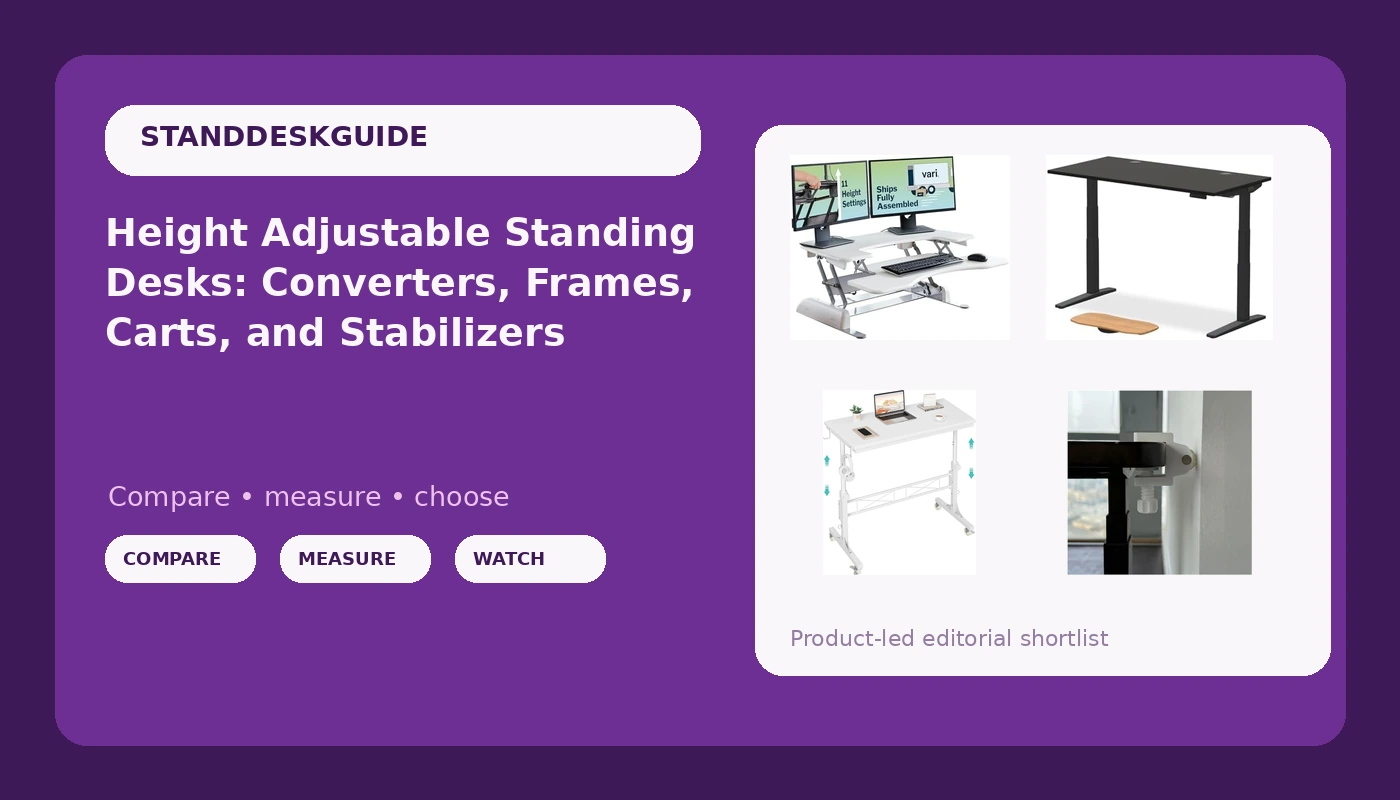
Most people shopping for a height adjustable standing desk start with the motor and work backward. They compare lift speed, weight capacity, and how many motors a frame runs, then end up with something that still feels wrong the first time they raise it. The form factor decides more than the spec sheet does. A full frame desk, a desktop converter, a rolling cart, and a floor-level stabilizer all move your keyboard toward standing height, but they do it in different rooms, under different loads, and with very different levels of commitment. This explainer covers the four shapes the current market offers and the geometry behind them, so you can match the option to the way you actually work instead of to the numbers on a listing.
Related: Why Standing Desks Wobble at Standing Height →
Quick answer
Decide the form factor first, then worry about the frame. If the desk will live in one place and carry monitors, a two-leg frame with memory presets is the durable answer, because the frame is the desk and the top is the replaceable part. If you already own a desk you like and want standing height without replacing it, a spring-assisted converter gets you there with no motors and no wiring. If the workspace moves between rooms or gets shared, a rolling cart with locking casters is the practical shape. If a desk you already own sways only when it is raised, a stabilizer at the floor joint can reduce the movement, though it does not change the frame geometry that causes it.
Four useful options
| Model | Best fit | What stands out |
|---|---|---|
| UPLIFT DESK V3 2-Leg Black Laminate Wood Standing Desk, Adjustable Height, Advanced 1-Touch Memory Keypad, Under Desk Cable Management, Wire Grommets & Rocker Board (Black C-Frame, 60 x 30 inch) | A permanent home office workstation | Two-leg C-frame with a 60 x 30 inch laminate top, a one-touch memory keypad, and built-in cable management with wire grommets |
| Vari Pro Plus 36 Standing Desk Converter, Spring-Loader Lift, White | Adding standing height to a desk you already own | Spring-loader lift, so there is no motor, no power cord, and no control box |
| WINAZ Rolling Standing Desk with Wheels, 32" Adjustable Height Small Portable Teacher Desk for Classroom, Mobile Treadmill Walking Pad Table for Laptop, Compact White Home Office Workstation | Shared rooms, classrooms, and workstations that move | Casters under a compact 32 inch top, with adjustable height and a footprint that fits a laptop setup |
| Standing Desk Anti Wobble Stabilizer 2 Pack, White, Fits 0.5-1.2 in | Desks that sway once they are raised | Two stabilizers sized for legs and columns measuring 0.5 to 1.2 inches |
The frame-first option: UPLIFT DESK V3 2-Leg Black Laminate Wood Standing Desk, Adjustable Height, Advanced 1-Touch Memory Keypad, Under Desk Cable Management, Wire Grommets & Rocker Board (Black C-Frame, 60 x 30 inch)
In furniture design, the frame is the desk. Tops are boards with holes in them, and swapping one for another is a weekend job. What you are really buying here is a two-column lifting base, a 60 by 30 inch work surface, and a control system, plus the cable routing that keeps a monitor arm and a laptop charger from dangling behind the legs. The C-frame footprint leaves the front edge clear for your knees, which matters more than most buyers expect, and the grommets and tray give cables somewhere to go that is not the floor. The trade-off is permanence and assembly: this is a desk you build once and then stop thinking about, and it takes up the floor space of a full desk even when it is lowered.
The low-commitment option: Vari Pro Plus 36 Standing Desk Converter, Spring-Loader Lift, White
A converter changes one variable and leaves the rest alone. Your feet, chair, and floor stay exactly where they were, and only your work surface moves. That is the appeal and also the limitation. Standing on a converter is a different posture from standing at a full desk, because your keyboard comes to you rather than the whole surface coming up, and monitor height has to be solved separately with a riser or an arm. On the other hand, there is nothing to wire, nothing to program, and nothing to assemble beyond setting it down. If your hesitation about standing desks is commitment rather than money, a spring-assisted converter is the lowest-friction way to find out whether you will actually change posture during the day.
The mobile option: WINAZ Rolling Standing Desk with Wheels, 32" Adjustable Height Small Portable Teacher Desk for Classroom, Mobile Treadmill Walking Pad Table for Laptop, Compact White Home Office Workstation
Wheels and stability pull against each other, and that is the honest trade-off here. A cart that rolls is a cart that is not bolted to a floor, so the load it can carry comfortably and the height it can hold steady are both limited compared with a fixed two-leg frame. What you get in exchange is reach: one surface that moves from a classroom corner to a hallway to a home office, and that can sit next to a treadmill or walking pad without a second desk. Keep the load light, put it on a hard floor where the casters can actually roll, and lock the wheels before you start typing. If you need three monitors at 46 inches, this is the wrong category.
The fix-it option: Standing Desk Anti Wobble Stabilizer 2 Pack, White, Fits 0.5-1.2 in
This is symptom management, and it should be described as such. A stabilizer adds bracing near the bottom of a leg or column, which reduces the movement you feel at the top. It does not add a crossbar, widen the footprint, or shorten the lever arm that a raised desk creates. Before buying one, measure the diameter of the leg or column you plan to fit it to, because the listed 0.5 to 1.2 inch range is the entire compatibility story. It is most useful on a desk that is otherwise fine and only sways at the height you happen to work at, and least useful on a frame that is underbuilt from the start.
Prices and availability may change. Product images, names, and retailer links must be matched by verified ASIN. Do not state a current price, rating, stock status, or measured result without current evidence.
Wobble is a geometry problem, not a weight problem
A standing desk is a frame that turns a short rectangle into a tall one. When the columns extend, the distance from the floor to the work surface grows while the distance between the feet stays the same, and every sideways push at the top gets multiplied by that extra height. That is why a desk can feel solid at 29 inches and unnerving at 44, and why the same frame behaves differently on carpet, on a hard floor, and on a floor that is not level.
Two things govern how much of that sway you feel. The first is the triangle. A frame with a crossbar, or with legs that splay outward toward the floor, resists lateral movement far better than two parallel posts with nothing tying them together, because it is bracing against a shape rather than flexing a joint. The second is the joint between the foot and the floor. Leveling feet that actually contact the ground stop the frame from rocking before any lateral force is applied. Front-to-back sway and side-to-side sway are separate problems, and a fix that helps one may do nothing for the other, which is why diagnosing which direction moves matters more than buying the most aggressive accessory.
Load placement matters too. A monitor on a tall arm raises the center of mass, and a monitor that is off-center makes one column do more work than the other. If a desk sways only after you add a display, the frame may be fine and the setup may be the problem.
The controller is the part you touch every day
Motor count and lift speed get the attention, but the controller is the interface you live with, and a control pad you fight with is the reason height adjustment quietly stops happening. Memory presets are the clearest example. If a desk stores your sitting and standing heights, changing posture is one press. If it does not, you are holding a button and watching a number, which is enough friction for most people to skip it on a busy afternoon.
Two behaviors are worth checking before you commit to any powered frame. One is whether stored heights survive a power cut or an unplugged cord, since a controller that forgets its presets after a storm turns a one-press habit back into a manual adjustment. The other is how the desk behaves when it meets an obstacle, because collision detection is a safety feature rather than a convenience, and it should be tested early with something soft in the path rather than discovered with a monitor. Keypad placement and cable routing round this out: a control pad you can reach from a seated position, and a tray or grommet that keeps cables from tugging on the desk as it rises, both change how often the feature gets used.
A five-step way to decide
- Measure your seated and standing elbow heights before you shop, then check that the desk's listed range covers both, not just the standing number.
- Measure the space, including the floor area the frame needs at full height and the clearance a C-frame or crossbar leaves for your knees and chair.
- Count the real load: monitors, arms, laptop, and anything else that rides up and down, and remember that off-center weight stresses one column more than the other.
- Decide whether the desk stays put or moves, because that single question separates a fixed two-leg frame from a rolling cart more reliably than any spec.
- Budget for the accessories that make the setup work, including cable routing, a monitor arm or riser, and a stabilizer if you already own a desk that sways when raised.
Practical guidance before you buy
- Check the height range against your own measurements, not against an average, since a desk that tops out below your standing elbow height is a fixed sitting desk with extra steps.
- Verify the leg or column diameter before ordering a stabilizer, because the fit range is the only specification that matters for compatibility.
- Treat casters and stability as a trade-off rather than a feature list, and lock the wheels whenever the desk is in use.
- Test collision detection and preset memory in the first week, while returns and support are still simple.
- Plan cable routing as part of the purchase, not as an afterthought, because cables that tighten as the desk rises are the most common reason a height adjustable desk stops being adjusted.
Which option should you choose?
Choose the UPLIFT DESK V3 2-Leg Black Laminate Wood Standing Desk, Adjustable Height, Advanced 1-Touch Memory Keypad, Under Desk Cable Management, Wire Grommets & Rocker Board (Black C-Frame, 60 x 30 inch) when the desk is staying in one room and you want the frame, the top, and the cable routing solved in a single purchase. Choose the Vari Pro Plus 36 Standing Desk Converter, Spring-Loader Lift, White when you like the desk you already have and want to test whether standing during the day suits you at all. Choose the WINAZ Rolling Standing Desk with Wheels, 32" Adjustable Height Small Portable Teacher Desk for Classroom, Mobile Treadmill Walking Pad Table for Laptop, Compact White Home Office Workstation when the work surface has to travel or sit beside a walking pad. Choose the Standing Desk Anti Wobble Stabilizer 2 Pack, White, Fits 0.5-1.2 in when a desk you already own moves only at the height you actually work at.
The caveat is that none of these choices is a substitute for frame quality. A stabilizer on an underbuilt frame is a patch, and a converter on a wobbly desk inherits that wobble. Decide the form factor first, then judge the frame underneath it.
The bottom line
The height adjustable standing desk market is not one product category, and comparing a desktop converter against a two-leg frame against a rolling cart produces a decision that does not survive contact with your actual room. Pick the form factor that matches where the desk lives, how much it carries, and how much commitment you want, then check the details that decide daily use: height range against your own measurements, preset memory that survives a power cycle, collision detection that works, and cable routing that does not tighten as the surface rises. Do that, and the standing part of the standing desk is more likely to still be happening a year from now.