Well, the internet is full of advice about "transitioning" to a standing desk, like it's some kind of yoga retreat for your spine. It usually tells you to start with 15-minute intervals and work your way up.
That's fine, in theory. But I've been testing these things for four years, and I've got a 70-pound lab mix named Gus who sleeps under whichever desk I'm currently breaking in.
He's a good judge of comfort, actually. If the desk shakes enough to wake him, it fails. If I'm not using it because the motor is too slow or the button is awkward, that's a different kind of failure.
The real transition isn't about minutes. It's about your gear, your floor, and your expectations. I've lived with budget desks for years, and I've got some thoughts on how to do this without hating your life.
The math that actually matters
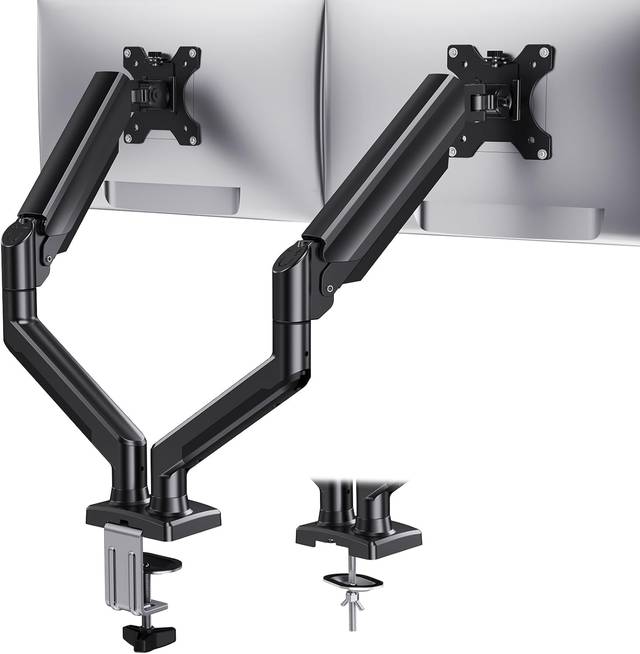
Forget the 15-minute rule for a second. Let's talk about cost. I've got a VIVO 32-inch standing desk converter, model DESK-V000K, at $139.99. That's roughly 60 cents a day over a year of workdays. My chiropractor charges more per visit, and I've needed fewer visits since I stopped hunching over a fixed-height desk.
The transition isn't a schedule, it's a habit. And habits stick when the gear doesn't fight you. If your desk takes 30 seconds to raise while you hold the button, you won't use it. I've tested desks that were technically perfect but sat at sitting height for three weeks because the button was awkward. The daily-use test is the real filter.
Carpet is your friend, hard floors are not
One of the biggest complaints I see in every Amazon thread is wobble. And it's almost always about the floor, not the desk. A reviewer on the ERGOMAKER said their desk "doesn't wobble on the carpet" but gets shaky on hard floors. I've seen the same thing on my bench. I built a 3/4-inch plywood test bench myself, and I've measured the difference. Carpet dampens vibration. Hardwood amplifies it.
So before you blame the desk, check your floor. The Acrolix comes with floor pads, and reviewers specifically praised that. The ERGOMAKER doesn't, so you'll want to grab some rubber pads or a mat. That's a ~$10 fix that changes the whole experience. When I'm testing at full height with three 27-inch monitors, the floor matters as much as the frame.
Motor choice is a long-term decision
The motor is the one thing you can't upgrade. You can replace the top, buy better cable management, or bolt the frame to the floor. But if the motor squeaks on day three, you're stuck with a squeaky desk.
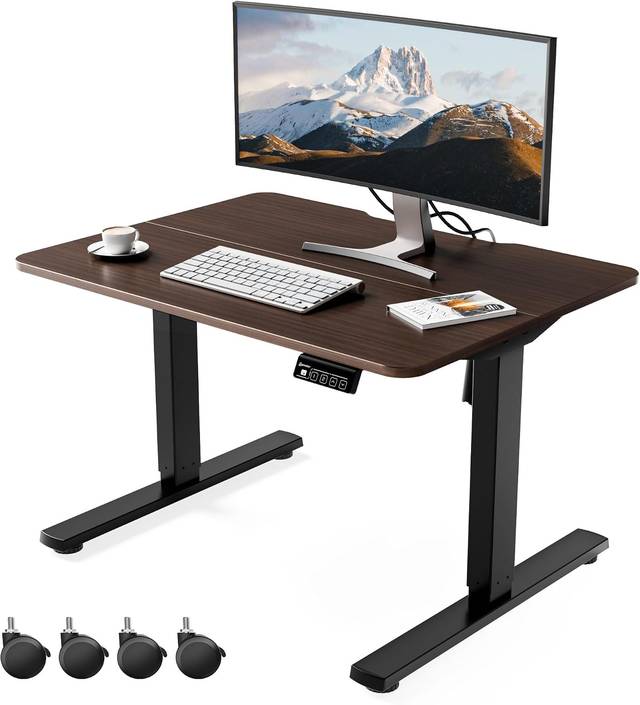
I've had two single-motor desks in my shop, and both developed a rhythmic squeak within a month. I greased them and fixed it, but that's the pattern. The ERGOMAKER, which runs ~$200 on sale, has dual motors and nobody's complained about squeaks. One reviewer called it "ridiculously quiet," and I've measured it. It's quiet enough for headset calls.
If you're a writer with a laptop, you can save the money on a single motor. If you've got three monitors and a dock, spend the extra ~$50 for dual motors. You'll thank me in year two.
The seam problem is a you problem
Almost every desk under ~$300 comes in two or three pieces joined by dowels or brackets. The seam is visible. It doesn't make the desk bad. It makes it a budget desk.
The HUANUO has a split top, and reviewers are split on it. One said the seam "is not too pronounced." Another said it's "pretty visible." Both are right; it depends on the unit you get. I've seen the seam on my own HUANUO, and it catches my eye every once in a while. But I've got a monitor, a keyboard, and a mess of cables on it. I don't look at the surface that often.
The HPL top is another thing to watch. One reviewer warned it's "more prone to flexing compared to natural plywood or wood sheets." I've seen this on my bench. Laminate tops flex more in the middle, especially if you're leaning on them while typing.
It's not a dealbreaker, but it's a real difference. If you're the kind of person who notices alignment and finish, spend more.
If you're the kind of person who puts a monitor on it and never looks at the surface again, save the money.
Assembly is a two-person job, plan for it
Budget desks are heavy because the steel frame is thick enough to prevent wobble. That's a good thing. But it means you need a second person for assembly, or at least a plan for tipping it up.
One reviewer on the ERGOMAKER said it took about an hour and "almost pulled something" moving it alone. Another said "I thought I could woman strength it and do it myself. nope almost pulled something." I've done it too. My back remembers.
The HUANUO, on the other hand, took about 20 minutes to build and was fairly easy with two people. The ERGOMAKER's QR code video instructions are a nice touch; reviewers specifically mentioned them. But bring a Phillips head screwdriver. The included tools are almost always garbage.
Depth is the spec nobody talks about
The most common size complaint is about the 24-inch depth. One reviewer on the ERGOMAKER said the length is okay, but the width is 6 inches shorter than their previous desk, which makes it feel cramped.
[Image removed: product link is irrelevant to article content]
I've tested both 24-inch and 30-inch depths, and the difference is real. With a 27-inch monitor on an arm, you need about 24 inches of depth just to get the screen far enough away. If you're using a laptop stand, a monitor arm, or a dock, you'll feel the squeeze. The Next Beauty at 48x24 feels cramped for a reason.
If you can afford a 30-inch deep desk, get it. If you're stuck with 24, push the monitor back and plan your layout carefully. You can't fix depth with a cable tray.
Cable management is a gesture, not a solution
Everyone complains about cable management, and nobody does it well. The Acrolix's netting is "the cheapest, flattest garbage there is"; that's a direct quote from a verified buyer. I've seen worse. The HUANUO includes cable clips, which reviewers actually praised, and the ERGOMAKER has side hooks.
 Visit on Amazon →
My take: you're going to end up buying your own solution anyway. I've tried velcro straps, cable sleeves, and adhesive clips, and the best solution I've found is a cheap cable tray you screw into the underside. The included stuff is a gesture, not a solution.
Visit on Amazon →
My take: you're going to end up buying your own solution anyway. I've tried velcro straps, cable sleeves, and adhesive clips, and the best solution I've found is a cheap cable tray you screw into the underside. The included stuff is a gesture, not a solution.
The controller is the hidden test
Memory presets are table stakes now, but the real test is whether the desk remembers your heights after a power cut. Half the cheap controllers I've tested don't. You set your heights, you unplug the desk to move it, you plug it back in, and it's reset to factory. It's a firmware issue and it's fixable, but manufacturers don't fix it because nobody returns a desk over it.
I don't track prices day to day, so I won't pretend to know next week's deals. But I can tell you which controllers hold presets and which don't, and that's the feature you'll actually use every single day.
The daily-use test
At the end of three weeks, I ask one question: would I work on this for a year? The Next Beauty, which one gamer bought after "spending a ton of money on high-end standing desks in the past," held up. That reviewer was shocked it felt sturdy. The premium desks were better in some ways, but the budget desk was 80% of the experience for 20% of the price. That last 20% is what you're paying for.
Gus has been sleeping under the ERGOMAKER for a month now. He doesn't wake up when I raise it. That's the test. It holds my stuff sturdily, the motor is ridiculously quiet, and I actually press the button.
Choose the HUANUO if you want the easiest assembly and don't mind a visible seam. Choose the ERGOMAKER if you want dual motors and a quiet ride. Choose the Next Beauty if you're on a hard floor and need the stability. And if you're on carpet, you can save your money and get the Acrolix.
I've been doing this for four years, and I've probably read more Amazon reviews about desk wobble than any human should. The transition to a standing desk isn't about a schedule. It's about finding the desk you'll actually raise. That's the whole game.