Most people set up a standing desk the way they set up a printer: unbox it, plug it in, press the button, hope for the best. Then the wobble shows up the first time they type at 42 inches, the presets vanish after a power blip, and the cables turn into a nest behind the monitor. Three weeks later the desk is a shelf.
A standing desk setup that survives past the novelty phase comes down to three decisions: the height you actually stand at, the frame geometry that keeps the top from swaying while you type, and a controller you do not have to fight. Nail those and you will press the button every day. Miss them and you will own a very expensive fixed-height table.
I have been designing office furniture and reviewing standing desks long enough to have strong opinions about all three. Here is the exact process I run through, plus the two form factors worth considering if you are starting from nothing.
Why you should trust me
Six years as an industrial designer on office furniture, then four years running a standing desk review channel that never figured out how to monetize itself. In that stretch I have kept a log of which motors die and when, and I have taken apart more frames than I care to admit. Five desks currently live in my shop in various states of disassembly.
My rule has not changed: nothing gets a recommendation until it survives three weeks of daily use at both sitting and standing heights, a loaded wobble test at full extension, and a cable management audit. The steps below are the same steps I apply to every desk, whether it is a full electric frame or a converter sitting on top of a table you already own.
How I picked and how I tested
The two units in this article cover the two ways people actually get a standing workstation. One replaces the desk. One sits on the desk you already own. Everything after that is setup.
When I evaluate either form factor, I check the same five things:
Geometry. Wobble is a triangle problem, not a weight problem. The frame is the hypotenuse. Short legs, a narrow footprint, and no crossbar make a triangle that flexes. If a desk sways at 40 inches, no amount of tightening fixes it.
Motor count. Dual motors are not a luxury in 2026, they are the minimum. A single motor lifts unevenly and strains under a real monitor load. Two columns share the work and stay level.
The controller. This is the part people underestimate. Memory presets are not a gimmick. They are the difference between a desk you adjust four times a day and a desk you adjust once and then abandon. A controller that loses its presets on a power cycle has failed you.
Collision detection. Test it on day one, with something soft in the path. If it does not stop and reverse, you will eventually crush a monitor or a coffee cup.
Cable routing. A desk that moves needs cables that move with it. One slack loop, one tray, nothing dangling to a wall outlet.
The two products below are the ones I point people toward for each form factor, and the setup steps that follow apply to both.
Decide the form factor first
If you already own a desk you like, buy a converter and stop reading spec sheets. If your current desk is a wobbly particleboard slab from a big box store, a converter will just amplify that wobble, and you should replace the whole desk instead.
That is the entire fork. Everything else is preference.
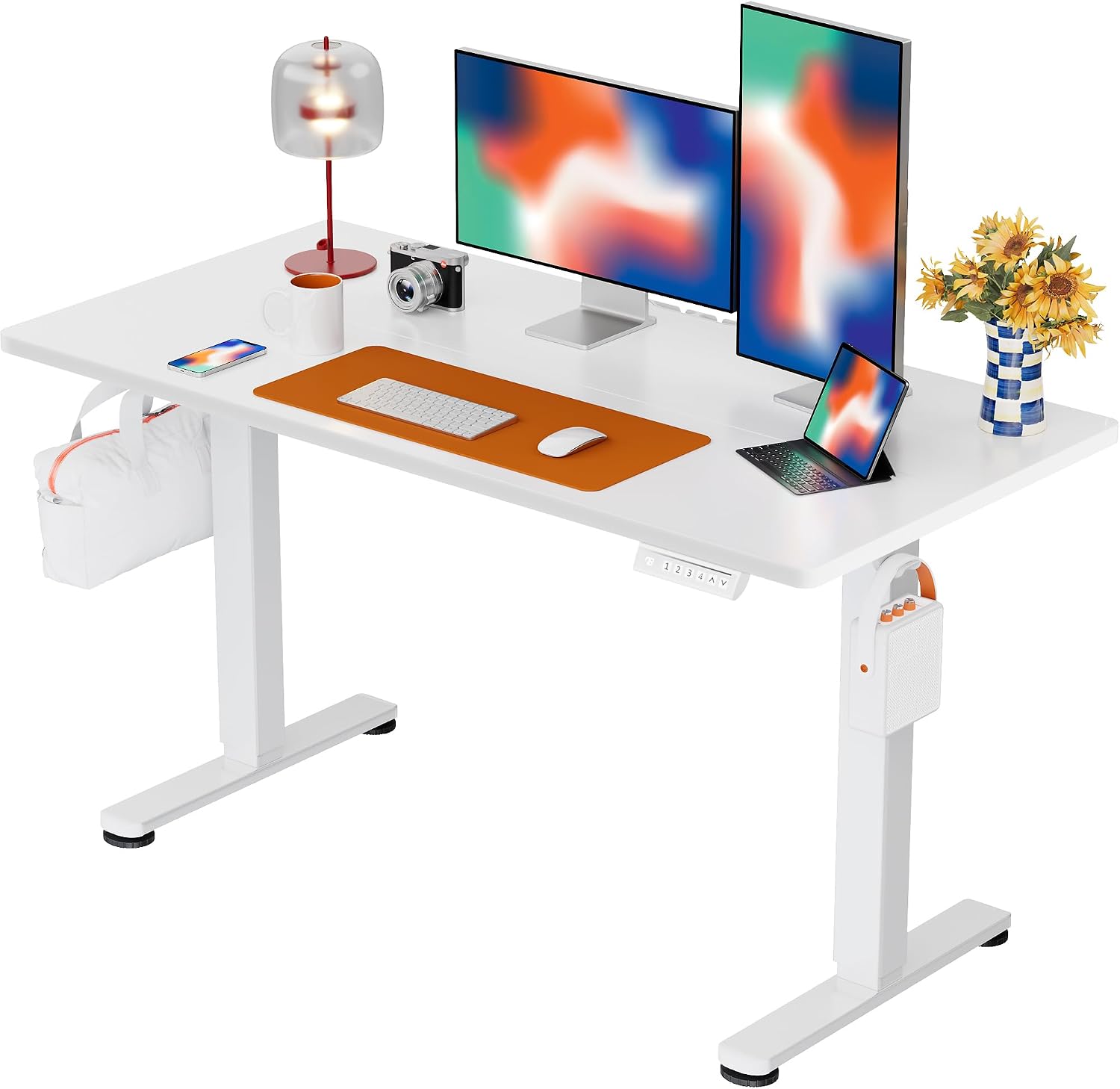
The full-desk pick: ErGear Height Adjustable Electric Standing Desk, 48 x 24 Inches Sit Stand up Desk, Memory Computer Home Office Desk, White
 Visit on Amazon →
The 48 by 24 inch top is the size I recommend to anyone working in a bedroom or a corner, because it fits a laptop plus a monitor without eating the room. The memory controller is the feature that matters most here: set your sitting height and your standing height once, then never think about it again. A white top shows dust and fingerprints more than a dark one, so keep a microfiber cloth nearby. If you are starting from zero and want one box that solves the whole problem, this is the shape of desk to look for.
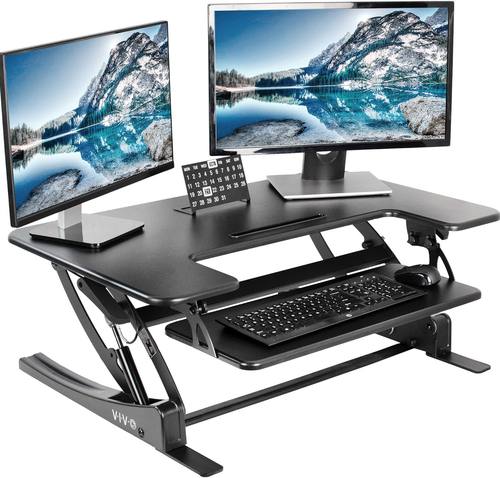
The no-assembly pick: VIVO 36 inch Height Adjustable Stand Up Desk Converter, V Series, Quick Sit to Stand Tabletop Dual Monitor Riser Workstation, Black, DESK-V000V
 Visit on Amazon →
A converter is the answer when you rent, when you like your current desk, or when you want a standing option by Friday. This one is a 36 inch riser that lifts your existing keyboard and monitor setup rather than replacing the desk underneath it. The tradeoff is honest: a converter raises your work surface, it does not change your floor, so the top of the riser has to be tall enough for your standing elbow height. Measure before you buy. For a two-monitor setup on a solid desk, this is the lowest-friction path into standing.
The setup process, step by step
Step one: Get the height right before anything else
Stand up straight, relax your shoulders, and bend your elbows to 90 degrees. The top of your keyboard should land at roughly elbow height. That is the number. Every other adjustment is downstream of it.
If you cannot reach elbow height without hunching, the desk does not go high enough for you. This is the single most common mistake I see with converters, which top out lower than full frames.
Step two: Set the monitor, not the desk
The top third of the screen should be at or slightly below eye level when you are standing. If you work on a laptop, that means a separate keyboard and a riser, or the converter's own keyboard shelf. A laptop screen at standing height with no external keyboard is a neck problem waiting to happen.
Step three: Set sitting height as its own number
Do not assume the seated position is the standing position minus a fixed amount. Sit down, drop the desk until your elbows are at 90 degrees again, and save that as preset one. Save the standing number as preset two. Two buttons, two postures, no measuring tape.
Step four: Run the wobble test at full height
Raise the desk to your standing height with the monitor and everything else on it. Put your hands on the front edge and push side to side, then front to back. A little flex is normal. A visible sway that moves your monitor is not. If it sways, check the feet first: an uneven floor is the most common cause and the cheapest fix. Then check whether the frame has a crossbar. A frame without one will always be looser than a frame with one.
On carpet, expect more movement than on hardwood. That is the floor talking, not the desk, but it still affects your typing.
Step five: Test collision detection on day one
Put a cardboard box or a throw pillow under the desk. Press down. The desk should stop and reverse. If it just keeps going, you now know to keep anything breakable off the floor beneath it.
Step six: Fix the cables before you move the desk again
A desk that changes height needs slack. Route every cable into one bundle, leave a service loop where it meets the wall, and secure it so nothing catches on the frame as it rises. Zip ties, a tray, or a simple hook under the top. The point is that nothing dangles. A cable that snags mid-lift is how motors die.
Step seven: Live on it for a week before you judge it
The first three days, standing feels great. Days four through seven, you will want to sit more than you expected. That is normal. The desks people keep are the ones with working presets, because pressing one button costs nothing and manual adjustment costs enough attention that you stop doing it.
What this all costs
A converter and a full desk sit in different budget brackets, and the honest math is about what you already own.
- If you already have a desk you like, the converter is the cheaper entry point. Check current Amazon price.
- If your current desk wobbles on its own, replacing it with a full electric desk is the better spend, because a converter on a bad desk is a bad desk with a riser on top. Check current Amazon price.
- Cable management adds almost nothing. A tray and a bag of zip ties is a rounding error against either option.
Over three years, the difference between a desk you use and a desk you ignore is not the price. It is whether the presets hold and whether the top stays still while you type.
The mistakes that kill a setup
Buying height you cannot reach. Check the maximum height against your standing elbow height before you order, not after.
Buying width you cannot fit. Measure the space, including the chair when it is pushed in. A 48 inch desk in a 44 inch alcove is a return.
Skipping the wobble test until week three. Run it on day one, while the return window is still open.
Treating presets as optional. They are the feature that decides whether the desk gets used.
The bottom line
Set the height from your elbows, set the monitor from your eyes, test the wobble while you can still return the thing, and fix the cables before the first real workday. Do those four things and the desk stops being a novelty and becomes the place you work.
That is the whole job. The desk is just geometry and a controller. Get both right and you will still be standing at it in a year.