Related: How to Stop a Standing Desk From Wobbling at Full Height
I spent six years designing office furniture before I started writing about it, and the same failure shows up in every budget electric standing desk I look at: someone buys the top, then blames the frame when the desk sways. The top is what you see in the photo. The frame is what you live with for the next five years.
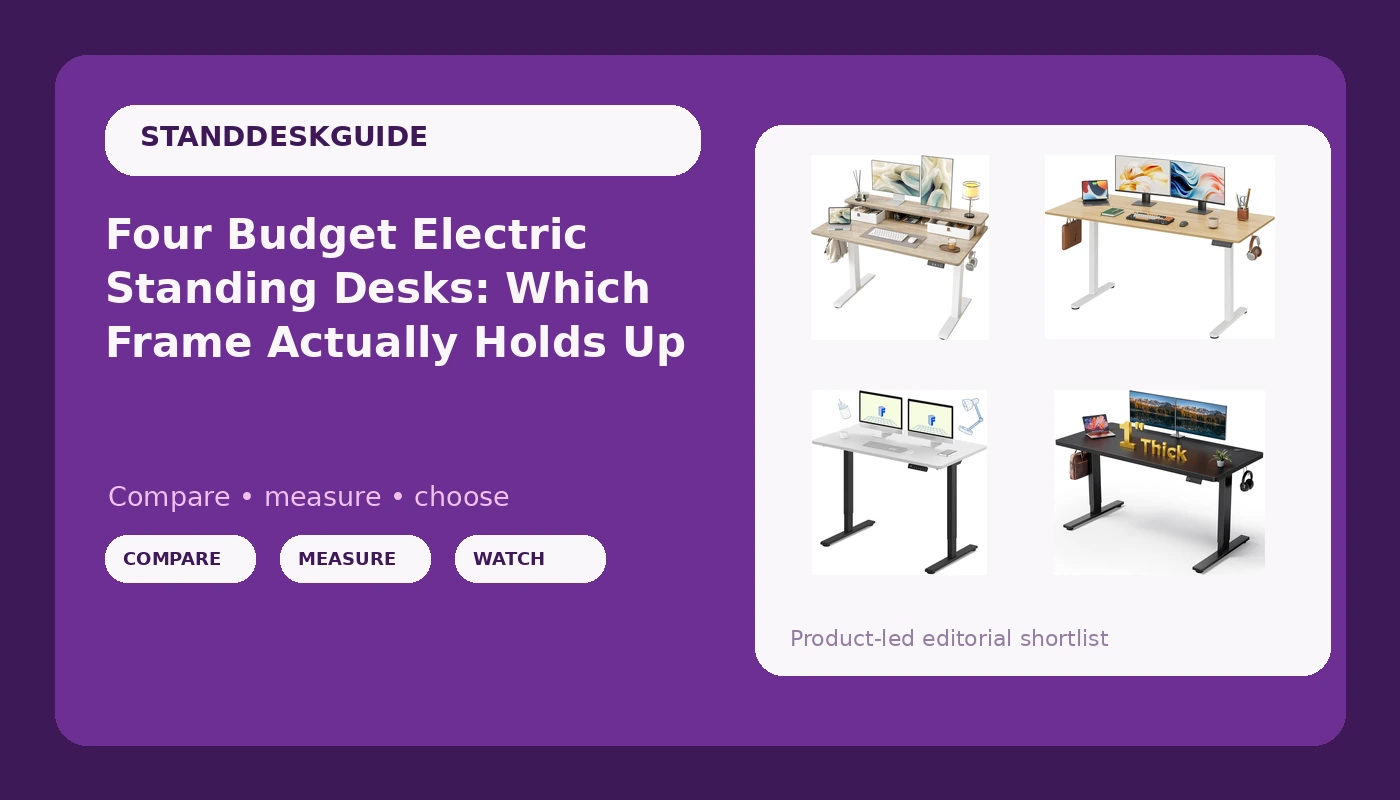
These four budget electric standing desks cover the whole shape of the market right now. A dual-motor FLEXISPOT E3, a wide black 60 inch desk with a one inch thick top, a compact maple TIQLAB with two drawers and a top shelf, and the widest of the group, a 63 inch DEVAISE with a split top. Each one solves a different room.
I am not going to pretend these are the same desk in four finishes, because they are not. What follows is what each one is actually for, the criteria I sort frames by when a new one lands in front of me, and the comparison table I keep open while I work.
What actually matters in a budget frame
Wobble is a geometry problem, not a weight problem. A desk sways at standing height because the distance between the feet front to back is small relative to how high you have raised the top. That is a triangle. The frame is the hypotenuse. You cannot fix it with thicker steel or a heavier top, and you cannot fix it by tightening bolts every weekend.
So the first thing I look at on any listing is the foot depth and whether there is a crossbar. A crossbar ties the two lifting columns together and closes the triangle. Its absence is the single most common reason a cheap desk feels nervous at 45 inches.
The second thing is the motor count. A dual motor drive means two lifting columns, one per side, each doing its own work. A single motor lifting a loaded top is one motor working alone, and one motor working alone is one motor that ages faster and sags under a monitor arm. In 2026, dual motor is the floor, not a luxury.
The third thing is the controller, which people treat as an afterthought and should not. Memory presets are not a gimmick. They are the difference between using the height feature and abandoning it. A controller that forgets your presets after a power cut turns a standing desk back into a fixed desk with extra steps. Look for presets, and look for a collision sensor, because the sensor is what stops the desk from crushing your monitor when you misjudge the clearance.
The fourth thing is the top, and it is fourth on purpose. Depth decides how far your monitor sits from your eyes. Thickness decides whether the surface drums when you type and whether a monitor arm clamp holds without a reinforcement plate. Beyond that, tops are interchangeable. Buy the frame, then find the top.
FLEXISPOT E3 Dual Motor Electric Standing Desk, 55 x 28: the frame-first pick
This is where I would start, and the reason is in the name. Two lifting columns. Of the four desks here, it is the only one whose spec states a dual motor drive up front, and that single detail moves it into a different class on paper.
FLEXISPOT is one of the names that comes up over and over in standing desk conversations, and the part of that reputation that matters to me is not the frame tubes, it is the controller. A desk you fight with is a desk you stop adjusting. When you open the listing, confirm three details before you commit: whether the controller stores height presets, whether there is a collision sensor, and whether the frame includes a crossbar or a wide foot. Those three details decide whether you press the button at two in the afternoon or leave the desk parked at sitting height forever.
The 55 x 28 surface sits in the middle of this group. It is wide enough for a monitor and a laptop side by side, and at 28 inches deep you are not typing with your elbows floating. If your room allows the footprint, this is the desk I would build a workday around, because the frame is the part you cannot upgrade later.
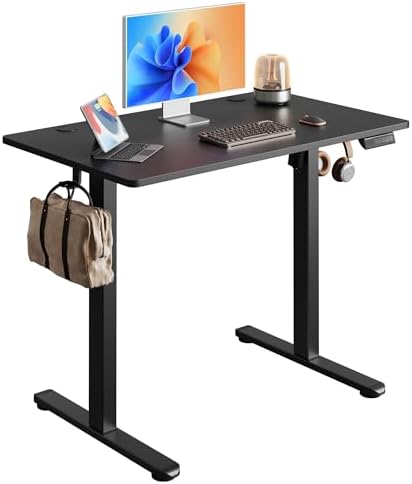
Black 60x28 in Electric Standing Desk, 1 Inch Thick Tabletop: the wide-surface pick
Sixty inches wide, 28 inches deep, and a top that measures a full inch thick. That thickness is the interesting number here. A thin top flexes under a monitor arm clamp and drums under your wrists when you type. An inch of material is the difference between a surface that feels like furniture and one that feels like a shelf with legs.
The black finish is the practical choice for a dark room or a camera setup, and it hides scuffs better than a pale maple. What it does not hide is dust, so budget for a microfiber cloth.
The tradeoff is footprint. A 60 x 28 top eats a wall, and in a small room that is a real cost. Measure the space before you order, not after the boxes arrive. The name also does not tell you about the drive, so confirm the motor count and whether there is a crossbar before you buy. If the frame underneath turns out to be dual motor, this is the most surface you get in this group without paying for a premium brand.
TIQLAB 48 x 24 inch Standing Desk with Two Drawers and Top Shelf, Maple: the small-room pick
Forty eight inches wide and 24 inches deep is the smallest footprint of the four, and it is the one I would put in an apartment bedroom or a hallway office. The drawers change the math more than the dimensions do. Two drawers means you skip a separate filing cabinet or a rolling cart, which in a small room is worth more floor space than an extra six inches of desktop.
The maple finish is warm and reads well against a light wall, and the top shelf is the wildcard. Look closely at the photos and decide whether that shelf holds what you actually keep on your desk, a monitor riser, speakers, a notebook, or whether it just pushes your screen up to a height you will hate by Thursday.
Two honest cautions. At 24 inches deep, the monitor sits closer to your face than it would on a 28 inch top, so if you run a large screen, check the distance before you commit. And at 48 inches wide you get one monitor plus a laptop, not two monitors plus speakers. If that matches your setup, this is the most storage per square foot in the group.
DEVAISE 63 Inch Standing Desk with Split Top, Maple: the widest budget pick
Sixty three inches is the widest surface here, and width is the dimension people underestimate. Two monitors, a keyboard, a notebook, and a coffee cup all fit without a negotiation. It is also the value end of this group, which is the trade you are making: more surface, fewer assumptions about the drive underneath.
The split top is the feature to think about before you click buy. A seam in the desktop is not a defect, it is a design decision, and it changes two things. First, where your monitor arm clamps. Second, where your keyboard sits relative to the join, because you do not want to be typing across a line for eight hours a day. Measure where the seam falls in your planned layout, then decide.
The maple finish is the same family as the TIQLAB, so the two will look consistent if you are furnishing more than one workstation. Confirm the motor count and the crossbar on the listing before you order, because a 63 inch top on a nervous frame is the worst combination in this article. Get the frame right and you have the most desk for the least money here.
How I judge a standing desk
Four criteria, in this order, every time.
Geometry first. How far apart are the feet front to back, and is there a crossbar. Everything else is secondary, because a desk that sways at the height you actually stand at is a desk you will lower and never raise again.
Drive second. One motor or two. Two motors share the load, hold the top level, and survive a monitor arm. One motor is a compromise you feel every time you press the button.
Controller third. Presets that survive a power cycle, and a collision sensor you have verified on day one, with a hand, not a monitor. This is the part of the desk you touch most and the part reviewers skip.
Top last. Depth, thickness, finish, and how it takes a clamp. A top is replaceable. A frame is not.
Analysis: where these four desks separate
Sorted by job, the group splits cleanly.
On the frame, the FLEXISPOT E3 is the only one whose spec names two lifting columns. That is the spec I care about most, and it is why it sits at the top of this list despite not having the biggest top.
On surface, the order runs DEVAISE at 63 inches, the black desk at 60, the FLEXISPOT at 55, and the TIQLAB at 48. Three of the four are 28 inches deep. The TIQLAB is 24, which is the number to check against your monitor size.
On storage, the TIQLAB is alone. Two drawers and a top shelf is a genuinely different product category, and if you are working in a bedroom, that is the feature that keeps the desk from becoming a pile.
On finish, two maples and one black. That is a room decision, not a performance decision, but it is the one you will look at every day.
The mistake I see most often is buying on width alone. A 63 inch top on a single motor frame with narrow feet is a wobbly desk with a lot of room to wobble. Pick the frame that holds, then pick the top that fits your room, in that order.
The standing desk comparison table
This is the table I keep open when I am sorting this group. Width and depth come from the product names. Frame notes are what to confirm on the listing before you order, because that is where the money is.
| Desk | Best for | Surface | Frame notes | Price |
|---|---|---|---|---|
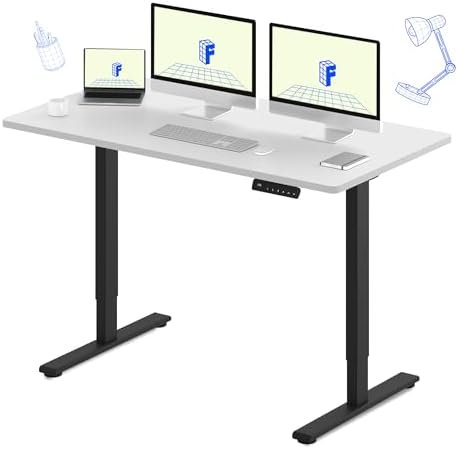 Visit on Amazon → Visit on Amazon →FLEXISPOT E3 |
Frame-first stability | 55 x 28 | Dual motor stated in the spec; check controller presets and crossbar | $299.99 |
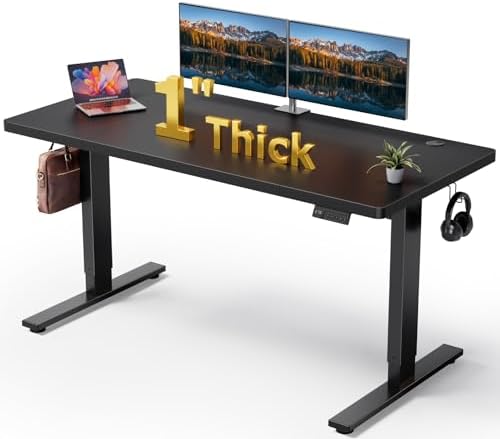 Visit on Amazon → Visit on Amazon →Black 60x28 desk |
Wide surface, thick top | 60 x 28 | 1 inch thick tabletop; confirm motor count before ordering | $179.99 |
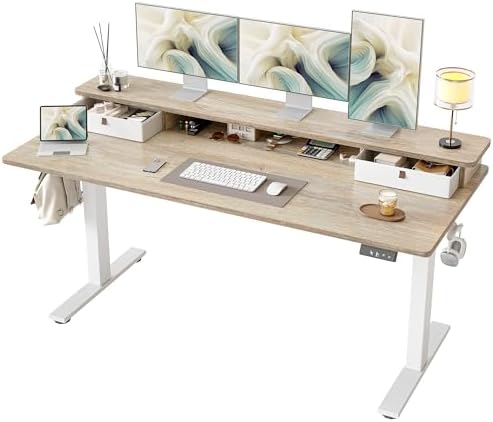 Visit on Amazon → Visit on Amazon →TIQLAB 48 x 24 |
Small rooms with storage | 48 x 24 | Two drawers and a top shelf; 24 inch depth is the tightest here | $189.99 |
 Visit on Amazon → Visit on Amazon →DEVAISE 63 inch |
Widest surface for the money | 63 inch split top | Plan around the seam; confirm crossbar and motor count | Visit on Amazon → |
Should you buy the FLEXISPOT E3 Dual Motor Electric Standing Desk?
Yes, if you want the frame to stop being something you think about. It is the only desk in this group with two lifting columns named in the spec, and the dual motor drive is the one upgrade you cannot bolt on later.
The 55 x 28 top is the middle of the group in size, which is the right place to be for a single monitor and a laptop. Confirm the preset behavior and the collision sensor on the listing, because the controller is what you touch every day. If it holds presets, this is the desk you keep.
Should you buy the Black 60x28 Electric Standing Desk?
Yes, if you want maximum surface with a top that feels substantial. A full inch of material is a real difference at a monitor arm clamp, and the black finish is the least distracting thing you can put in a dark room.
Be honest about the footprint first. Sixty inches is a lot of wall. And read the drive spec carefully, because this listing leads with the top, not the frame.
Should you buy the TIQLAB 48 x 24 Standing Desk with Two Drawers and Top Shelf?
Yes, if your workspace is a bedroom, a hallway, or anywhere that doubles as something else. Two drawers and a top shelf replace furniture you would otherwise buy, and 48 inches of maple disappears into a small room.
Check the depth against your screen size. Twenty four inches is the tightest top here, and a large monitor will sit closer than you are used to.
Should you buy the DEVAISE 63 Inch Standing Desk with Split Top?
Yes, if you want the most working surface in this group and you have already decided where the seam lands in your layout. For anyone who spreads out paper and a second screen, the extra width beats a single uninterrupted panel.
Just do not buy width without a frame. Confirm the motor count and the crossbar before you order, because the widest top on the weakest frame is the one combination I would avoid in this entire group.